
Last Updated: November 8, 2026
Quick Summary
To organize website services, list every job you perform, group related services into three to six categories, and give each major service a clear page with pricing notes, booking options, and trust signals. Keep the top navigation short, use plain customer language for labels, and add a booking path to every service page.
- Start with a complete inventory, including small jobs, seasonal services, and emergency calls.
- Keep top-level service categories between three and six.
- Give a service its own page when people search for it by name or it drives major revenue.
- Each service page should state what it costs, how to book, and why to trust you.
- Review service organization each quarter and compare results by page before and after changes.
Table of Contents
- What Good Service Organization Does for a Home Service Website
- Step 1: List and Group Every Service You Sell
- Step 2: Build a Service Menu and Navigation Structure
- Step 3: Structure Service-Area and Location Pages Without Duplicate Content
- Step 4: Add Clear Pricing, Booking, and Trust Signals to Each Service
- Audit Your Organization Each Quarter and Book Your Free Strategy Call
- Frequently Asked Questions
What Good Service Organization Does for a Home Service Website
Most home service websites list services in the order the owner remembers them. The result is a menu that makes sense to the person who built it and confuses almost everyone else.
This guide from Uncommon Web Design walks through five practical steps to organize website services so visitors can find, understand, and book the work you do. The process is simple, but it takes deliberate planning.
Good service organization does three things. It helps visitors find the right service fast. It tells search engines what your business does. And it gives visitors a clear next step, like calling or requesting a quote.
- Findability: Visitors reach the right service page in a few clicks.
- Clarity: Each service page explains what is included and who it is for.
- Action: Every page points to a clear way to book or get a quote.
Many contractor sites have the same gap. See the specific conversion problems that stop contractor visitors from calling. The services exist, but they are buried, duplicated, or described too vaguely to act on.
Step 1: List and Group Every Service You Sell
Start with a complete inventory. Write down every job your crew performs, including the small ones that bring in steady work. Many owners forget seasonal services, maintenance plans, and emergency calls.
Once the list is complete, group related services into categories so you can organize website services in a way that matches how customers think.
Categories make navigation easier and give search engines a clear picture of your business. Keep the number of top-level categories small, usually between three and six. See how a contractor site presents its service lineup in practice.
Choosing Between Separate Service Pages and One Combined Page
Some services deserve their own page. Others work better grouped together. The right choice depends on how people search and how much each service needs to explain.
Give a service its own page when:
- People search for it by name, such as "tankless water heater installation."
- It needs its own pricing, process, or photos.
- It is a major revenue driver for your business.
Combine services on one page when:
- The services are small or closely related.
- Each one needs only a sentence or two of explanation.
- Customers usually buy them together.
A common mistake is making a separate page for every minor task. That creates thin pages with little value. The opposite mistake, cramming a dozen services onto one page, leaves visitors guessing. Aim for pages that each answer one clear question.
The article's guidance on choosing between separate service pages and combined pages comes down to these criteria.
| Choice | Give it its own page when | Combine it on one page when |
|---|---|---|
| Search behavior | People search for it by name | Services are small or closely related |
| Content needs | It needs its own pricing, process, or photos | Each needs only a sentence or two |
| Business impact | It is a major revenue driver | Customers usually buy them together |
| Risk to avoid | Thin pages for every minor task | Cramming a dozen services onto one page |
Step 2: Build a Service Menu and Navigation Structure
Once services are grouped, turn them into a menu. Keep the top navigation short and put category names there, not every individual service. Each category page can then link down to its specific services.
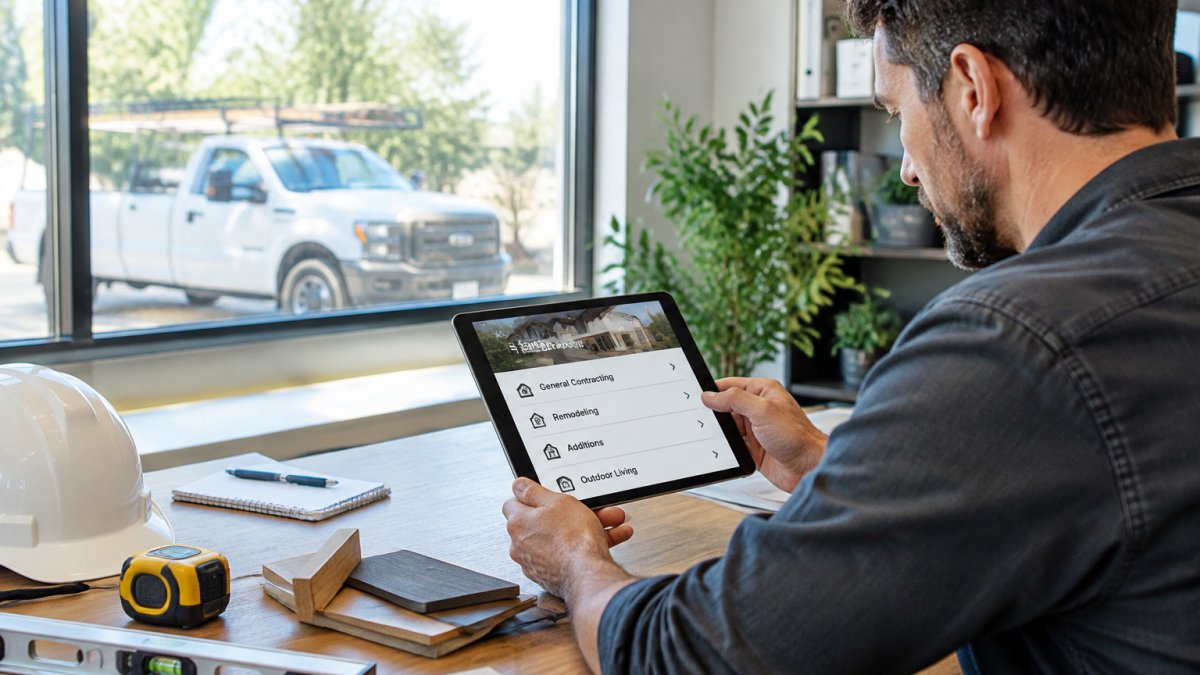
A simple structure works well for most home service sites:
- Home
- Heating Services
- Furnace repair
- Heat pump installation
- Annual tune-ups
- Cooling Services
- AC repair
- Duct cleaning
- Emergency Service
- Heating Services
- About
- Reviews
- Contact and Booking
Label every menu item with plain words your customers use. "Furnace repair" beats "Thermal system restoration." Visitors skim menus quickly, so clear labels matter more than clever ones.
Put your most profitable or most requested service first. Place "Book Now" or "Call Us" where it stays visible on every page. Test the menu on a phone, since most local searches happen on mobile.
Step 3: Structure Service-Area and Location Pages Without Duplicate Content
Service-area pages are where home service websites most often go wrong.
The fix is to decide, before you build anything, which areas deserve their own page and which should share one. Use three tests.
Test 2: Is there distinct search demand? Check whether people in that area search for your service by the town name.
A workable structure for most contractors looks like this:
- Service Area (hub page): a map, a plain list of every town and ZIP code you cover, drive-time notes, and links to any dedicated location pages.
- Dedicated location pages for the handful of towns that pass all three tests. Each page includes the town name in the title and first paragraph, the specific services available there, local proof (reviews, photos, job notes), a phone number, and a booking link.
- Service-plus-location pages only when a single service dominates demand in a single town (for example, a specific repair that is common in one area). These are the easiest pages to make thin, so build them sparingly.
Keep the URL structure flat and readable, such as /service-areas/ for the hub and /service-areas/[town]/ for dedicated pages.
Watch out: do not imply service in places you do not cover.
Track how each location page performs. Compare calls, form submissions, and booking completions by page, not just sitewide traffic.
Step 4: Add Clear Pricing, Booking, and Trust Signals to Each Service
Every service page should answer three questions: what it costs, how to book it, and why to trust you. Visitors who cannot find these answers often leave without calling.
Pricing does not have to be exact to be useful. You can show a note that the final quote depends on the job. Be honest about what drives cost, such as system size, access, or materials.
Booking should be easy to find. Add a button on every service page that leads to a form or phone number. Keep forms short.
Trust signals close the deal. Place these on each service page:
- Recent reviews for that specific service.
- Photos of completed jobs.
- License, insurance, and certification details.
- Years in business and the number of customers served.
Generic trust badges matter less than proof tied to the service in front of the visitor.
Audit Your Organization Each Quarter and Book Your Free Strategy Call
Service organization is not a one-time project. Set a quarterly check and run it as a short, repeatable sequence so you actually finish it.
The quarterly audit checklist
- Inventory the service list. Confirm every service you currently sell is represented, and flag any retired service that still has a live page. Owners commonly forget seasonal offerings, maintenance plans, and emergency calls.
- Check the menu. Open the site on a phone and try to reach your three most profitable services in two taps each. If you cannot, the menu needs work.
- Review each service page for the three answers. Does it state what the service includes, what it costs or a realistic range, and how to book? A page missing any of the three is a candidate for revision.
- Look for duplicates and thin pages. Merge pages that cover the same service, and fold minor tasks into a parent category page rather than leaving a stub.
- Verify location pages. Confirm each dedicated location page still has real local proof and that your coverage list matches where you actually work.
- Test the booking path. Submit a test form and confirm the confirmation message, the notification email, and the phone number all work. Broken booking is the most expensive small error on a service site.
- Check accessibility and plain language. Read menu labels aloud; if a customer would not say the phrase, rename it. Confirm the menu works with a keyboard and that text is readable on a small screen.
Measure before and after
Pick a baseline two to four weeks before you reorganize, then compare the same window after. Track these by page where possible:
- Phone calls (use a call-tracking number on service pages if you can).
- Quote request and booking form submissions.
- Booking completion rate, not just form starts.
- Engagement on service pages: scroll depth, time on page, and clicks to the booking button.
- Which service pages produce leads versus which only produce visits.
A page that gets traffic but no leads usually has a pricing, booking, or trust problem rather than a copy problem. A page that gets no traffic may be buried in the menu or missing from the sitemap.
Most owners find a few quick wins in the first audit: a duplicate page to merge, a menu label to rename, or a service with no clear call to action. Fix those first, then schedule the next check.
Book Your Free Strategy Call
Frequently Asked Questions
What pages should a home service business website have?
A typical home service website needs a homepage, one page for each major service or a clearly grouped service category page, a service-area page, an about page, a contact or quote-request page, and reviews or project galleries. Keep the homepage focused on your core services and primary call to action, then link each service to a dedicated page with its own description, process, and booking option. Pages should be easy to reach in two or three clicks from the menu so visitors and search engines can find them quickly.
Should each home service have its own page?
Each service that generates meaningful search demand or has distinct pricing, timing, or process usually deserves its own page. Closely related minor services can be combined into one page with clear subsections. Separate pages help search engines understand what you offer and help visitors find the exact service they need. Avoid creating dozens of thin pages with near-identical text, because they dilute relevance and confuse the reader.
How should a home service website organize service areas and locations?
Create one main service-area page that lists the cities or zip codes you serve, then add location pages only where you have real local details to share, such as local projects, staff, or neighborhood-specific information. Location pages with only the city name swapped in are a common pitfall and can be treated as duplicate content. Link location pages from the service-area page and from relevant service pages, and keep the business name, address, and phone number consistent with your Google Business Profile.
How do I make it easy for customers to find services on my website?
Use plain-language service names that match how customers search, such as "AC repair" instead of internal jargon. Place your main services in the top navigation, group related items into categories, and put a visible call to action such as a phone number or quote request on every service page. Test the menu on a phone, since most local visitors arrive on mobile, and ask someone unfamiliar with your business to find a specific service within 10 seconds.
