
Think of schema markup as a secret language you speak directly with Google. It's a special snippet of code on your website that works like a digital business card, clearly telling search engines who you are, what you do, and where customers can find you. For a local business, this isn't just a "nice-to-have" — it's one of the most direct ways to show up for customers actively searching for your services right now.
Why Your Local Business Is Invisible on Google
It’s a common frustration: you've invested in a website, but it's not bringing in leads. The problem usually isn't the design. It's that Google is guessing about the specifics of your business. When Google has to guess, you get buried under competitors who are communicating more clearly.
This is exactly where schema markup for local business changes the game. It acts as a translator, removing the guesswork for search engines. You're explicitly spelling out the critical details:
- This is the official name of our business.
- Here are our exact hours, including holidays.
- This is our physical address and the specific areas we serve.
- Here’s our average customer rating.
Without this direct line of communication, your website is just another page in a massive digital phonebook. But with schema, you give Google the confidence it needs to feature your business for relevant local searches.
Turning Your Website into a Customer Magnet
Implementing schema isn't just about checking a box on an SEO list; it’s about generating real leads. It unlocks "rich results"—those eye-catching search listings with star ratings, hours, and direct links that make you stand out.
Here’s how a standard search result transforms into a customer magnet once schema is implemented, giving searchers the exact information they need at a glance.
Your Google Listing Before and After Schema Markup
| Feature | Without Schema (Standard Listing) | With Schema (Enhanced Listing) |
|---|---|---|
| Business Details | Only the business name and a basic description appear. | Business name, hours, and address are clearly displayed. |
| Customer Proof | No ratings or reviews are visible in the search result. | Star ratings and review counts show up right in the listing. |
| Actionable Links | A single blue link to your website. | Includes quick links for "Directions," "Call," or "Menu." |
| Visual Appeal | Plain text that blends in with all the other results. | An enhanced layout that grabs the user's attention. |
The "after" version is far more likely to get the click because it answers a user's key questions before they even visit your site.
Your Google listing goes from a simple blue link to a mini-advertisement for your business, complete with your hours and star ratings. This is what stops people from scrolling past and gets them to take action.
It’s no surprise that surveys show businesses using LocalBusiness schema are far more likely to earn these enhanced features. In fact, it's a major reason 40% of very small businesses reported using structured data. This one technical tweak can be one of the most impactful things you do for your local visibility.
This simple piece of code shifts your website from a passive online brochure to an active, 24/7 salesperson. It’s a core part of the local SEO best practices we implement to help our clients dominate their service areas.
To see how this fits into the bigger picture of your online strategy, check out a comprehensive guide to SEO for companies, which helps connect technical details like schema to tangible business growth.
The Essential Schema Properties for Local Success
When you first look at schema markup, it's easy to get overwhelmed. The good news? You don't need to be a developer to make a real impact. It’s about focusing on the core details that give Google the most confidence in your business.
Think of it as the digital equivalent of your storefront sign, your business hours, and your "Open" sign all rolled into one. These are the details that help Google connect a person asking "plumber near me open now" with your business as the definitive answer.
The Absolute Must-Haves for Your Business
Let's start with the non-negotiables. To get on Google's radar, your LocalBusiness schema needs to clearly and accurately state who you are, where you are, and how people can reach you.
@type: This is your chance to be specific. Don't just settle forLocalBusiness. Are you anAutoRepairshop, aDentalpractice, or aRoofingContractor? The more specific you are, the better Google can match you to relevant searches.name: This needs to be your official business name. It must match your Google Business Profile and the sign on your door, letter for letter. Consistency is everything.address: List your complete, physical address. This is a massive signal for local search, anchoring your business to a real-world location.telephone: Provide your main business phone number. This lets potential customers call you right from the search results.
Without these foundational pieces, any other schema you add won't be as effective. Get these right first.
Recommended Properties That Win the Click
Once you’ve covered the basics, you can add the details that make your listing more compelling. These are the properties that help you stand out from the competition in the search results.
Things like your hours and geographic coordinates are what allow Google to confidently recommend you. It's the difference-maker for someone searching for a "cafe open now." Even Google's own documentation calls out name, address, geo coordinates, and openingHours as key properties. If you want to dig deeper, you can review some expert insights about schema markup to see how Google uses this data.
You're not just adding code to a page. You're proactively answering a customer's most important questions. You're telling them, "Yes, we're here, we're open, and we have exactly what you need."
This screenshot directly from Google's developer documentation shows exactly how these properties create a rich, informative result.
See how that result includes star ratings, a price range, and a review count? That’s all powered by schema.
Code Examples for Common Local Businesses
Let's get practical. Theory is one thing, but seeing the code in action makes it real. Here are a couple of JSON-LD examples you can adapt for your own website. Just swap out the placeholder info with your business details.
For a Dental Office (Dentist):
This example includes a description and specific hours—info a potential patient looking to book an appointment will absolutely need.
{
  "@context": "https://schema.org",
  "@type": "Dentist",
  "name": "Menifee Valley Dental Care",
  "image": "https://www.yourdomain.com/logo.jpg",
  "url": "https://www.yourdomain.com/",
  "telephone": "+1-951-555-0101",
  "address": {
    "@type": "PostalAddress",
    "streetAddress": "123 Main Street",
    "addressLocality": "Menifee",
    "addressRegion": "CA",
    "postalCode": "92584",
    "addressCountry": "US"
  },
  "geo": {
    "@type": "GeoCoordinates",
    "latitude": 33.6841,
    "longitude": -117.1685
  },
  "openingHoursSpecification": [
    {
      "@type": "OpeningHoursSpecification",
      "dayOfWeek": [
        "Monday",
        "Tuesday",
        "Wednesday",
        "Thursday"
      ],
      "opens": "08:00",
      "closes": "17:00"
    },
    {
      "@type": "OpeningHoursSpecification",
      "dayOfWeek": "Friday",
      "opens": "08:00",
      "closes": "14:00"
    }
  ]
}
For an HVAC Contractor (HVACBusiness):
Pay close attention to the areaServed property here. This is a game-changer for businesses that travel to their customers. It explicitly tells Google which cities you cover.
{
  "@context": "https://schema.org",
  "@type": "HVACBusiness",
  "name": "SoCal Comfort HVAC",
  "url": "https://www.yourdomain.com/",
  "telephone": "+1-951-555-0102",
  "address": {
    "@type": "PostalAddress",
    "streetAddress": "456 Commerce Drive",
    "addressLocality": "Murrieta",
    "addressRegion": "CA",
    "postalCode": "92562",
    "addressCountry": "US"
  },
  "areaServed": [
    {
      "@type": "City",
      "name": "Murrieta"
    },
    {
      "@type": "City",
      "name": "Temecula"
    },
    {
      "@type": "City",
      "name": "Menifee"
    }
  ],
  "aggregateRating": {
    "@type": "AggregateRating",
    "ratingValue": "4.9",
    "reviewCount": "188"
  }
}
From our experience, implementing these core properties is one of the highest-return activities you can do for your local SEO. You’re clearing up confusion, building trust with search engines, and making it easier for qualified customers to find you.
Getting Your Schema Code Live and Tested
Alright, you have your schema code ready. Now comes the part that feels technical, but it’s more straightforward than you might think: getting it onto your website.
The best way to do this is with JSON-LD. It’s a script that you drop into the <head> section of your site’s HTML. The beauty of this method is that it’s separate from the visible content on your page, so you can’t mess up the design. If you're on a platform like WordPress, this is often as simple as using a plugin designed for adding code to the header.
Of course, if you're not comfortable touching the code, it's wise to bring in a professional. A little help from someone who is familiar with understanding web developer roles can ensure it's implemented perfectly.
Don't Guess—Test! Verifying Your Work with Google's Tools
Once your code is live, you cannot skip testing. Just because the code is on your site doesn't mean Google can read it correctly. You need to verify that your hard work is actually paying off. Luckily, Google provides free tools for this exact purpose.
Your go-to is the Rich Results Test. You simply pop your URL into the tool, and it analyzes the page just like Google would. It will tell you flat out if your schema is valid and if your page qualifies for those eye-catching rich results.
This is all about making sure Google sees the critical data points that matter for local search: your business name, address, and customer ratings.
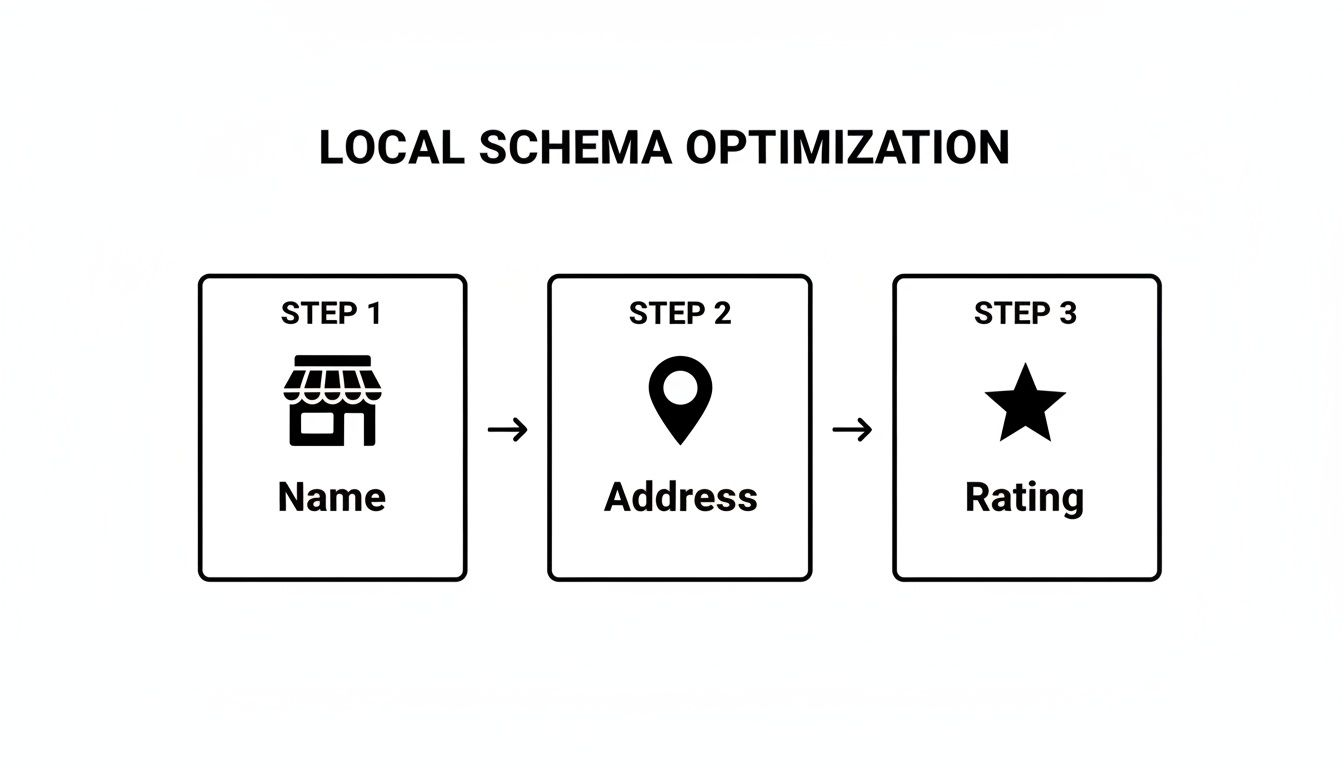
Nailing these core elements is what gives you a real edge in local search.
What the Test Results Actually Mean
Running the test is easy, but you need to know what to look for. Here’s a quick breakdown of what you'll see and what it means for your business.
A successful test is a beautiful thing. You'll get a green checkmark with the message, "Page is eligible for rich results." The tool will also confirm the specific schema types it found, like "Local business." That’s your green light—Google gets it.
Don't stop at the homepage. Test every important page on your site, especially service pages or location-specific pages. Each one is a chance to feed Google clean, structured data and attract local customers.
If the test isn't successful, you'll see either red errors or yellow warnings.
- Errors (Red): These are the real problems. An error means something is fundamentally broken in your code, and Google can't parse it. It's often something as small as a misplaced comma or a missing bracket. The tool will usually highlight the exact line with the issue.
- Warnings (Yellow): These aren't code-breakers, but you should still pay attention. A warning usually means you've left out a recommended property, like
aggregateRating. Your schema will likely still work, but adding these details can make your search result even more compelling.
Fixing these is usually a process of elimination—compare your code against a known good example and spot the difference. This back-and-forth of implementing, testing, and tweaking is how you get your schema dialed in for maximum impact.
Advanced Schema Strategies for a Competitive Edge
Once you’ve nailed the basics of LocalBusiness schema, you're on Google's radar. But just being on the radar isn't enough. Now it's time to get strategic and use schema to actively outmaneuver the competition.
This is where you shift from simply telling Google who you are to showing them why you're the best choice. It means getting more granular than your competitors are willing to. While they stop at their name and address, you can add the exact details that win the click—and the customer.
Handling Multiple Business Locations
If your business has more than one physical location, you have a massive opportunity that many businesses fumble. The common mistake is to copy and paste the same generic schema markup across every location page. That’s like giving every employee the same name tag—it just creates confusion.
Instead, each location needs its own unique LocalBusiness schema. In Google's eyes, your Temecula office is a completely separate entity from your Menifee office. They each have a distinct address, phone number, and maybe even different hours or reviews.
Your strategy here is to build a unique, specific schema profile for each location's dedicated page on your website. This tells Google, "We aren't just a business in this city; we are an established local provider at this specific address." This clarity helps you start dominating the map pack in multiple service areas at once.
Schema for Service-Area Businesses
But what if you don't have a storefront? This is a crucial distinction for plumbers, electricians, and other service-area businesses. You go to your customers, so a single office address doesn't tell the full story.
This is where the areaServed property becomes your most powerful tool. Instead of just listing your headquarters, you can explicitly define the cities, zip codes, or even neighborhoods you cover.
For example, a roofer based in Murrieta could list:
"areaServed": "Murrieta""areaServed": "Temecula""areaServed": "Menifee"
This simple addition transforms your schema from a static pin on a map to a dynamic service territory. You're telling Google exactly where to send you leads, which is how you show up for "roofer in Temecula" even if your office is technically one town over.
Getting Hyper-Specific with Niche Properties
The real competitive advantage comes from using schema properties that are hyper-specific to your industry. While your competitor might be using the generic LocalBusiness type, you can use a more precise subtype that unlocks powerful, industry-specific details.
This extra layer of detail builds tremendous trust with Google by proving your expertise, and it feeds valuable information directly to potential customers in the search results.
Here’s a quick reference guide showing which schema types are most impactful for different kinds of local businesses.
Schema Strategy by Business Model
Choosing the right schema is a strategic move that can directly influence who finds you online. This table breaks down which schema types and properties can help different business models win more customers.
| Business Type | Primary Schema Type | Key Recommended Property |
|---|---|---|
| Auto Repair Shop | AutoRepair |
makesOffered: Specify which car brands you service (e.g., Ford, Toyota). This helps you capture brand-specific search queries. |
| Dental Practice | Dentist |
healthPlanNetworkId: List the insurance networks you accept. This is a critical decision-making factor for new patients. |
| Local Restaurant | Restaurant |
servesCuisine: Define your food style (e.g., "Italian," "Mexican"). Also, use the menu property to link directly to your menu page. |
| Real Estate Agent | RealEstateAgent |
areaServed: Crucial for defining the specific neighborhoods or cities you specialize in, attracting geographically targeted clients. |
As you can see, choosing the right schema type isn't just a technicality; it's a strategic decision.
Using AutoRepair instead of the generic LocalBusiness gives you access to properties like makesOffered, allowing you to signal to Google that you're the go-to expert for someone searching "Honda repair near me."
Likewise, a dental office that specifies which insurance plans it accepts with healthPlanNetworkId is answering a patient's biggest question before they even click. This kind of detail removes friction and makes them far more likely to choose you.
Common Schema Mistakes That Can Derail Your Efforts
Putting schema on your site is a fantastic move. But we've seen countless businesses do the work only to have it ignored by Google because of tiny, avoidable mistakes. It's incredibly frustrating.
These aren't just minor slip-ups. To a search engine, a schema error is a signal of confusion and untrustworthiness—the exact opposite of what you want when you're trying to attract local customers. Let's cover the most common errors we fix for clients so you can get ahead of them.
The Problem of Inconsistent Information
If you take only one thing from this guide, let it be this: your schema markup has to be a perfect mirror of the information on your website and, crucially, your Google Business Profile (GBP). This is the number one mistake business owners make.
When your schema says you close at 5:00 PM, but your GBP says 6:00 PM, you've created a conflict that Google can't resolve. Search engines thrive on certainty. When faced with conflicting data, Google often decides to trust neither source, nullifying all the work you put into your schema.
Run a quick audit of your details right now:
- Business Name: Is it identical everywhere? No "LLC" in one place and not in another.
- Address: Are the street, suite number, and zip code formatted exactly the same?
- Phone Number: Does it match down to the last digit?
Think of it like this: If you gave a delivery driver two slightly different addresses, they'd get confused and might not show up. The same logic applies to Google—consistency is clarity.
Using the Wrong Business Type
The @type property is your chance to tell Google exactly what kind of business you are. It’s tempting to just use the generic LocalBusiness, but that’s a massive missed opportunity.
If you run a garage, use AutoRepair, not LocalBusiness. A dentist's office should use Dentist. Getting specific unlocks properties unique to your industry—things like makesOffered for a mechanic or healthPlanNetworkId for a medical practice.
Sticking with the generic option is like telling Google you own a "store." It's far more powerful to say you run a "SportingGoodsStore" that specializes in hiking equipment. Be specific.
Small Syntax Errors with Big Consequences
JSON-LD, the language of schema, is incredibly strict. One misplaced comma, a missing bracket, or an extra quotation mark can invalidate the entire script. It's the digital equivalent of a typo on a legal document—it might look small, but it can void the whole thing.
Here are the usual suspects:
- Trailing Commas: Adding a comma after the very last item in a list is a classic code-breaker.
- Incorrect Quotes: All property names and their text values must be wrapped in double quotes (
"). - Improper Nesting: It's easy to forget a curly brace (
{or}) to open or close an object.
This is exactly why testing your code with tools like Google's Rich Results Test isn't just a good idea—it's non-negotiable. The tool will flag these syntax errors for you so you can fix them. Keeping your technical SEO in order is foundational, and our guide on what search engine optimization is dives deeper into why these details are so critical for getting found online.
Answering Your Top Questions About Local Schema
Getting into the weeds with schema markup always stirs up a few questions. Let's tackle some of the most common ones we hear from business owners. The goal here is to give you the clarity and confidence to move forward.
Does Schema Markup Replace My Google Business Profile?
This is a big one, and the answer is a firm no. Your schema markup and your Google Business Profile (GBP) are partners, not rivals. Think of them as two key players on the same team, working together to tell a consistent story about your business.
Your Google Business Profile is the public-facing snapshot that Google hosts. It's the information in the map pack and the knowledge panels.
Schema, on the other hand, is the behind-the-scenes code on your own website that independently confirms all those details. When the name, address, and phone number in your schema perfectly match what's on your GBP, you're sending a huge trust signal to Google. That consistency is gold.
Is Schema a One-Time Setup or an Ongoing Task?
For most local businesses, you can largely "set it and forget it"—with a catch. You'll do the initial setup, run tests to make sure it's all working, and then it will hum along in the background for you 24/7.
The moment it becomes an ongoing task is when your business information changes. For instance, if you:
- Change your business hours for a holiday or a new season.
- Move to a new address or open another location.
- Update your primary phone number.
Anytime these core details change in the real world, you must update your schema markup to match. If you don't, you create the exact kind of data conflict that confuses search engines and hurts your local rankings.
How Long Does It Take to See Results From Schema?
Unlike a paid ad campaign, the effects of schema markup aren't instantaneous. Search engines need time to re-crawl your site, find the new code, process it, and start trusting the information.
Generally, you can expect to see Google start recognizing your structured data within a few weeks to a couple of months. You can monitor this in Google Search Console, which will eventually show reports on the specific schema types it has detected. The real win isn't just seeing the report—it's the gradual lift in local rankings and visibility that follows.
Think of schema as planting a tree, not flipping a light switch. The initial effort is small, but the long-term growth in visibility and authority is substantial. It’s a foundational SEO element that pays dividends for years.
For companies with many locations, this can get complicated fast. The consensus among experts is that for multi-location businesses, it's best to programmatically generate and validate the JSON-LD for each location page and monitor for errors. This is the only reliable way to manage hundreds of locations without tedious manual work. If you want to dig deeper, you can discover more insights about schema statistics on amraandelma.com.
At Uncommon Web Design, we don't just build websites—we build strategic assets that drive growth. If you’re ready to turn your online presence into your most effective salesperson, let’s talk about how a clear strategy and rock-solid implementation can get you there. Visit us at https://uncommonwebdesign.com to schedule a consultation.



