
Let's be honest, building a content calendar is about more than just filling out a spreadsheet. It's about turning your marketing from a random, hope-for-the-best activity into a strategic plan that consistently pulls in your ideal customers and delivers real, measurable results.
Moving From Random Acts of Marketing to a Strategic Plan

Does your current marketing feel like you're throwing spaghetti at the wall to see what sticks? You're not alone. The real issue isn't a lack of effort—it's the absence of a clear, coherent plan. This is a common trap for small businesses: posting on social media when you remember, writing a blog post without a clear purpose, and then wondering why the phone isn't ringing.
A content calendar is the blueprint that changes everything. It turns those scattered activities into a predictable engine for generating leads. We're not just talking about scheduling a few posts. We're talking about making sure every single blog, email, and video is perfectly aligned with a specific business goal.
To truly understand the shift, let's look at the difference between the two approaches. It's a move from chaos to clarity.
The Shift From Random Marketing to a Strategic Content Calendar
| Aspect | Without a Content Calendar | With a Content Calendar |
|---|---|---|
| Effort | Reactive & last-minute scrambling | Proactive & planned in advance |
| Goals | Vague, like "get more followers" | Specific, like "increase demo requests by 15%" |
| Messaging | Inconsistent & often off-brand | Cohesive & reinforces core value |
| Results | Unpredictable spikes & lulls | Consistent growth & measurable ROI |
| Team Workflow | Disorganized & stressful | Organized, efficient & collaborative |
Ultimately, a calendar gives your marketing a purpose and makes your life easier.
Why a Calendar Is More Than a Schedule
Think of it this way: a content calendar forces you to draw a straight line from your marketing activities directly to your revenue. It's what ensures you’re not just talking at your audience but strategically guiding them down a path that ends with a purchase.
For a business owner, this shift delivers huge benefits:
- Clarity of Message: Every piece of content gets a "job." Maybe it's answering a common customer question, or maybe it's highlighting a high-value service. There's no more guessing.
- Time Savings: You stop the daily scramble. Instead, you batch the work of planning and creating, which frees up countless hours each week to actually run your business.
- Predictable Results: You're building a system that works around the clock to attract and nurture leads. The result? Your phone starts ringing a lot more consistently.
A great content calendar turns your website from a digital brochure into your best salesperson. It anticipates customer needs and provides answers before they even have to ask, building trust and authority.
This process is the bedrock of any successful digital strategy. It ensures that before you spend a single dollar on ads or a fancy new design, you have a solid roadmap. This is a core part of effective web page planning because it guarantees every part of your online presence is working hard for your business.
Defining Content Goals That Actually Drive Business
Before you even think about what to post on Instagram or what your next blog topic should be, we need to talk about the why. It’s incredibly easy to get caught up in chasing "likes" or "followers," but for a business, those are just vanity metrics. They don't pay the bills.
Your content calendar needs to be built on a foundation of real business goals. Content without a clear purpose is just noise. But when every piece has a job to do? It becomes an asset that works for you around the clock. Think of it as the difference between posting a random photo of a finished job and creating a detailed case study that gets a hesitant prospect to finally pick up the phone.
The very first step is to shift your mindset from what to post to why you're posting it.
Connecting Your Content to Real-World Outcomes
Every single article, video, or social media post needs a specific job. Is its purpose to attract people who have never heard of you? Is it meant to build trust with prospects who are weighing their options? Or is it designed to give a qualified lead that final nudge to ask for a quote?
Let’s make this concrete. A vague goal like "get more leads" isn't helpful. A high-end home remodeler, on the other hand, might have a goal like this: "Generate five qualified quote requests per month for kitchen projects over $50,000."
See the difference? That clarity changes everything. Suddenly, you’re not just creating generic content about kitchens. You’re laser-focused on answering the specific questions someone has when they're about to invest that kind of money into their home.
Here’s how this looks for a couple of other businesses:
- For an Auto Repair Shop: The goal isn’t just getting more Facebook likes. It’s to become the go-to local expert for European car repair, leading to a 20% bump in service appointments for BMW and Mercedes. All of your content—from maintenance tip videos to blog posts on common issues—would then zero in on those specific brands.
- For a Dental Practice: Forget "more website traffic." A better goal is to book 10 new patient consultations for cosmetic dentistry each quarter. Your calendar would then be filled with patient testimonials, blog posts on the benefits of veneers, and clear explanations of the Invisalign process.
Your content calendar isn't a simple to-do list. It's your strategic roadmap, connecting every marketing action directly back to a measurable business result. If you can't draw a straight line from a piece of content to a business goal, it probably doesn't belong on your calendar.
Get SMART for Ultimate Clarity
To make sure your goals are more than just wishful thinking, we use the SMART framework. It’s a tried-and-true filter that turns fuzzy ideas into focused, actionable objectives.
Let's run that remodeler's goal through the SMART filter:
- Specific: It’s not just "leads," it's "five qualified quote requests for kitchen remodels over $50,000."
- Measurable: Success is crystal clear. Did you get five qualified requests or not?
- Achievable: Is five high-value leads a realistic target based on your team's capacity and local market?
- Relevant: Absolutely. Securing more high-margin kitchen projects directly fuels business growth.
- Time-bound: The goal has a built-in deadline: "per month."
Using this framework forces you to get down to brass tacks. It provides the clarity you need to build a content calendar where every single entry serves a purpose, ensuring your marketing efforts are always tied to what matters most: your bottom line.
Mapping Your Content to the Customer Journey
Now that you’ve defined why you're creating content, it’s time to get specific about who you’re creating it for and where they'll find it. The biggest mistake businesses make is assuming their customers are all the same, all in one place, and all ready to buy right now. They aren't.
Think about it. A roofing contractor’s ideal client could be frantically Googling “emergency leak repair near me” in a panic at 2 AM. On the other hand, a financial advisor's perfect prospect might be casually scrolling through LinkedIn during lunch, looking for tips on retirement planning. Pushing the same message to both people on every platform is like using a sledgehammer when you need a scalpel. It’s a massive waste of time and money.
This is where we get surgical. By mapping your content to the customer's journey, you make sure the right message hits the right person at the exact moment they need it most. This simple shift in thinking is what turns a static website into a lead-generating powerhouse.
The Three Stages of Every Buyer's Journey
Before anyone decides to hire you, they go through a surprisingly predictable process. Your content’s job is to meet them at each stop along the way, answer their questions, and gently guide them toward choosing you.
This journey is almost always broken down into three key phases:
-
The Awareness Stage: Here, the person has a problem, but they might not even know what to call it. They're asking broad, symptom-focused questions. For a landscaping company, an awareness-stage search might be, “why is my lawn turning brown?”
-
The Consideration Stage: Now they’ve put a name to their problem and are actively researching solutions. They’re comparing different approaches, methods, and companies. That same person might now be searching for “best lawn care services in Murrieta” or “DIY lawn fertilizer vs. professional service.”
-
The Decision Stage: They're ready to pull the trigger. They’ve done their research, narrowed their options, and are just looking for that last bit of validation to make a final choice. Their search could be something like “[Your Company Name] reviews” or “landscaping company quotes.”
Your content calendar has to serve people in all three stages. If you only create content for the decision stage, you're ignoring the 97% of visitors who aren't ready to buy at that exact moment. You miss the chance to build trust early on.
This is how your big-picture goals translate directly into revenue—by aligning what you create with what your customer needs at each step.
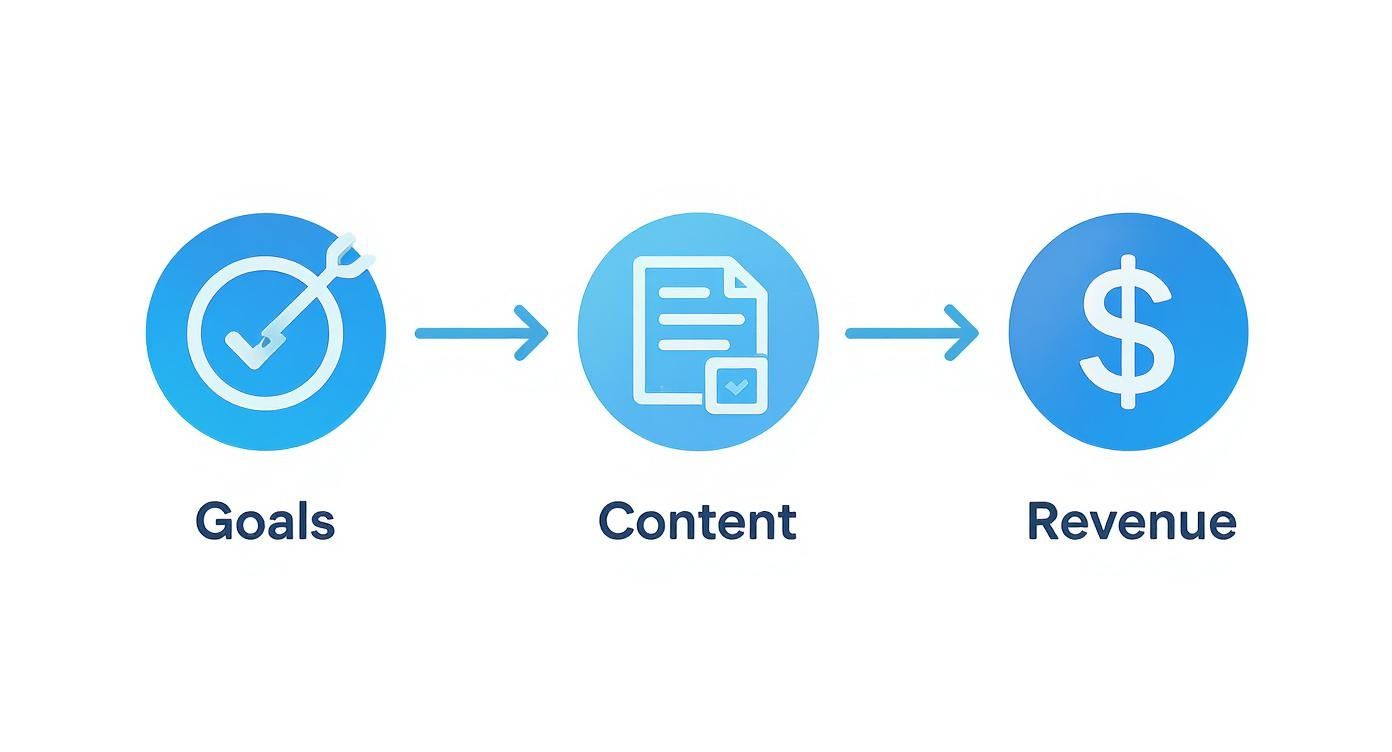
This diagram shows the direct line you need to draw from your business goals to your content strategy to actually see an impact on your bottom line.
Matching Content Types to Customer Needs
Let's connect those journey stages to the actual stuff you'll be creating. The format of your content is just as important as the topic. Someone just becoming aware of their problem needs education, not a hard sales pitch.
Here’s a practical breakdown of what that looks like:
-
Awareness Stage Content: Your goal here is to be helpful, educational, and establish yourself as an authority.
- Blog Posts: An HVAC company could write "5 Common A/C Noises and What They Mean."
- Checklists: A general contractor might offer "A Homeowner's Spring Maintenance Checklist."
- Short Videos: An auto shop could post a quick tutorial on how to check your tire pressure.
-
Consideration Stage Content: This is where you start demonstrating why your approach or service is the superior choice.
- Case Studies: A remodeler could show off a successful kitchen project with before-and-after photos and a detailed story.
- Comparison Guides: A dental office might publish an article comparing different types of dental implants.
- Webinars or In-Depth Guides: A local insurance agent could host a webinar on choosing the right business insurance.
-
Decision Stage Content: At this point, you just need to make it easy and obvious for them to choose you. This content is all about building confidence and removing friction.
- Testimonials & Reviews: Nothing beats video testimonials from genuinely happy clients.
- FAQs: A detailed page answering every conceivable question about your process, pricing, and warranty.
- Free Consultations or Audits: A clear call-to-action for a no-obligation quote or a free website audit.
By deliberately planning content for each stage, you build a complete system that nurtures leads from their very first question to their final decision. This is how you stop chasing customers and start attracting them.
This mapping process is the real secret behind an effective content calendar. It ensures you’re not just creating content for the sake of it, but are strategically building a library of assets that turns strangers into customers, one piece at a time.
Choosing the Right Tools to Build Your Calendar
A brilliant plan is useless without execution. The right tools are what bridge that gap, turning your strategy into actual content that gets published.
The good news? You don't need to sink a fortune into some overly complex software. The real goal is to find a system that makes your life easier, not one that adds another complicated task to your to-do list.
For a lot of small businesses just getting their content engine started, a well-organized spreadsheet is more than enough. A simple Google Sheet can easily track topics, deadlines, and who’s responsible for what, all without any cost. It’s collaborative, accessible from anywhere, and you can tweak it endlessly to fit your needs.
But as your marketing efforts gain momentum and your team grows, you'll start to feel the limitations of a spreadsheet. That's when dedicated platforms can save you a ton of time and keep important details from slipping through the cracks.
Spreadsheets vs. Specialized Software
The choice between a simple spreadsheet and a dedicated tool really boils down to your team's size, your budget, and how complex your workflow has become. One isn't inherently better than the other; it’s about finding the right fit for where you are right now.
-
Google Sheets or Excel:
- Pros: They're absolutely free, incredibly flexible, and most people on your team already know how to use them. Perfect for solo creators or small teams just getting started.
- Cons: It's a completely manual process. You won't get automated reminders, built-in approval workflows, or easy ways to attach large files. As you scale, they can become a cluttered mess.
-
Project Management Tools (like Trello or Asana):
- Pros: These often feature visual "Kanban" boards, which are fantastic for tracking a piece of content through different stages (e.g., Idea → Drafting → Published). They’re built for team collaboration with comments, assignments, and due dates, and many offer generous free plans.
- Cons: They’re general-purpose tools, not marketing-specific. This means you’ll have to build your own calendar template and workflow from the ground up.
-
Dedicated Marketing Calendar Software (like CoSchedule or Hootsuite):
- Pros: These are purpose-built for content planning. They often roll in social media scheduling, performance analytics, and asset libraries all in one place, automating a ton of manual work.
- Cons: They come with a monthly subscription fee and can have a steeper learning curve. They might be overkill if your content strategy is still pretty straightforward.
The demand for these specialized tools is growing for a reason. Businesses are realizing that organized planning directly impacts their bottom line. In fact, the global market for marketing calendar software is projected to hit USD 32.4 billion by 2035. Cloud-based tools are leading this charge as companies look for scalable, collaborative solutions. You can read more about these market trends in the full report from Research Nester.
Finding a Tool That Fits Your Business
Listen, the best tool is the one your team will actually use. It's easy to get distracted by a platform with a million features when you only need three of them.
Here's a practical way to think about it:
- Start Simple. If you're a team of one to three people, just start with a shared Google Sheet. Prove the process works before you invest in a platform.
- Look for the Friction. Once you’re consistently creating content, what’s the biggest bottleneck? Is it getting approvals from stakeholders? Forgetting to post on time? Losing track of graphics and video files? Let those problems guide your search for a tool that solves them.
- Prioritize Collaboration. A good tool should make it easier for your team to communicate, not harder. Look for features like commenting, clear task assignments, and a shared visual calendar that gives everyone a single source of truth for what’s happening and when.
The ultimate goal is to find a system—whether it’s a simple spreadsheet or powerful software—that removes friction from your content production. The right tool enables consistency, and consistency is what drives results.
Don’t overcomplicate it. A tool is there to support your strategy, not define it. Choose a practical option that fits your current budget and workflow, and get back to the most important part: creating great content that your audience loves.
Building a Repeatable Content Production Workflow
A content calendar full of brilliant ideas is a great starting point. But let’s be honest—it’s worthless without a reliable way to get that content created and published. This is where most marketing plans fall apart. It’s not the ideas that fail; it’s the friction of turning those ideas into finished, live assets.
The daily chaos of running a business will always try to push marketing to the back burner. The only way to combat that is with a simple, repeatable system. This isn't about adding more bureaucracy; it's about building a production line that runs smoothly, freeing you up to actually focus on your customers. A solid workflow turns content from a nagging chore into a dependable engine for growth.
Defining Roles and Responsibilities
When you're a small team, thinking about "roles" can feel a bit too corporate. But really, it just means deciding who is accountable for what. Things simply get done faster and with fewer mistakes when everyone knows their part.
Even if you’re a solo operator wearing all the hats, mentally separating these functions brings much-needed clarity. Your process needs a clear owner for each key stage:
- Writing/Creation: Who is actually drafting the blog post, scripting the video, or designing the graphic?
- Editing/Review: Who’s the second set of eyes? This person checks for typos, clarity, and brand voice. For a service business, this might be the owner who ensures technical accuracy.
- Publishing: Who is physically loading the content into WordPress, scheduling the social media update, and hitting "publish"?
- Promotion: Who makes sure people actually see the content? This means sending the email newsletter and sharing the link across your social platforms.
Assigning these roles, even informally, is the single best way to eliminate the "I thought you were doing that" problem that kills all momentum.
Creating a Simple Production Checklist
The secret to consistent quality isn't some stroke of genius; it's a good checklist. You don't need to reinvent the wheel every time you create a piece of content. By building a template for your most common formats (like a blog post), you remove the guesswork and ensure nothing important gets skipped.
It's all about systemizing success. A simple checklist turns a vague task into a clear set of steps, which makes the whole process feel less intimidating. It also makes sure every piece of content is optimized to do its job. For a more detailed walkthrough, check out our guide on mastering WordPress blog posts, which dives deeper into publishing high-impact articles.
A documented workflow is your business’s content playbook. It ensures that even on your busiest days, your marketing engine keeps running, attracting leads, and building trust with your audience.
So, what would a basic blog post checklist look like? Something like this:
- Pre-Publishing Checks:
- Final topic and title confirmed.
- Primary keyword is in the title, URL, and first paragraph.
- Content is proofread for grammar and spelling.
- At least two high-quality, relevant images are sourced and optimized.
- Internal links to other relevant pages on your site are added.
- Publishing Steps:
- Content is formatted with H2s and H3s for readability.
- SEO title and meta description are written and added.
- Post is scheduled for the correct date and time.
- Post-Publishing Promotion:
- Link is shared on primary social media channels.
- Article is included in the next email newsletter.
This simple document ensures every post isn't just written—it’s a valuable, hardworking asset for your business from day one.
Setting Realistic Timelines and Cadence
Finally, your workflow has to be grounded in reality. It is far better to publish one high-quality, strategic blog post per month than to aim for one a week and consistently miss the mark. Consistency is what builds trust with your audience and with search engines.
Take an honest look at your team’s actual capacity and work backward from there. If it takes about eight hours to properly research, write, edit, and promote a solid blog post, then plan accordingly. Setting achievable goals builds momentum. Setting unrealistic ones just leads to burnout and a calendar full of crossed-out ideas. Your workflow is the machine that makes your content calendar real, turning plans into actual business results.
Measuring Performance and Optimizing for Results
Your content calendar isn't a static document you create once and then file away. Think of it as a living business tool—a dynamic roadmap that has to adapt based on what’s actually working in the real world to bring customers through your door.
This final step is easily the most important for your bottom line: tracking results and making smart, data-backed adjustments.
This isn’t about chasing vanity metrics like "likes" or "followers." For a business owner, the only numbers that truly matter are the ones that connect directly to revenue. We’re talking about tracking how many contact form submissions came from a specific blog post, or which service page is driving the most qualified phone calls.
This is the feedback loop that transforms your content from a monthly expense into a powerful, revenue-generating asset.
Identifying Metrics That Matter
The key is to ignore the noise. Instead, focus on data that answers one simple question: "Did this piece of content help us get closer to our business goals?"
If your goal was to book more consultations, then the number of shares a post gets is far less important than the number of people who actually clicked "Book Now" after reading it.
Here are the kinds of performance indicators you should really be tracking:
- Conversion Rate: What percentage of people who landed on a page took the action you wanted? This could be filling out a contact form, downloading a guide, or calling your office. This is the ultimate measure of ROI.
- Lead Quality: Are the leads coming from your content the right kind of leads? A high volume of inquiries is useless if none of them are for the high-margin services you want to sell.
- Traffic Sources: Where are your most valuable visitors coming from? Knowing whether your best leads originate from Google searches or a specific social media channel tells you exactly where to double down on your efforts.
A content calendar without a measurement plan is just a glorified to-do list. A calendar with a feedback loop becomes a strategic growth tool that gets smarter and more effective over time.
Simple Tools for Tracking Success
You don't need a complicated, expensive analytics dashboard to get started. Honestly, for most small businesses, a free tool like Google Analytics provides more than enough insight to see what’s working and what isn't.
The goal is to connect a piece of content directly to a business outcome.
For example, by setting up simple "Goal Completions" in Google Analytics, you can see exactly which blog posts are driving people to your contact page. Discovering that your article on "Signs You Need a New Roof" generated five qualified leads last month is incredibly powerful data. It tells you, clear as day, to create more content just like it.
This data-driven approach is fundamental to learning how to increase website traffic that actually converts.
Many social media scheduling tools now come with built-in analytics, which makes measuring performance easier than ever. The market for these tools is growing fast, with a projected CAGR of 12.5% from 2025 to 2031. This growth is driven by the demand for platforms that not only automate scheduling but also provide clear analytics. You can discover more insights about these social media tools in the full report.
The Optimization Cycle: Double Down or Move On
Your data will inevitably reveal winners and losers. The optimization process is really just about acting on those insights in a systematic way.
- Identify Top Performers: Find the top 5-10% of your content—the pieces that drive the most traffic, leads, or sales. These are your proven assets.
- Repurpose and Amplify: Take what works and give it new life. Turn that successful blog post into a short video, an infographic, or a checklist. Promote these proven winners more heavily.
- Update and Improve: Look for content that gets decent traffic but doesn't convert well. Can you add a stronger call-to-action? What about a client testimonial or a case study to improve its performance?
- Prune Underperformers: If a piece of content generates no traffic and no engagement after a reasonable amount of time, it's okay to let it go. You can either delete it or redirect it to a more valuable page.
This continuous cycle of measuring, analyzing, and refining is what separates businesses that get a real return on their marketing from those that are just making noise. It ensures your content calendar evolves from a simple plan into a predictable system for business growth.
Answering Your Content Calendar Questions
Over the years, we've heard the same questions pop up time and again from business owners trying to get a handle on their marketing. Let's tackle a few of the most common ones right now.
How Far Out Should I Actually Plan My Content?
This is the big one. Our sweet spot for most businesses is planning one full quarter (90 days) in advance. This gives you enough runway to be truly strategic, mapping out campaigns and tying your content directly to your sales goals.
But, it’s not so rigid that you can't jump on a new trend or a sudden opportunity. It’s the perfect blend of foresight and flexibility.
If a full quarter feels daunting, start with a month. At the very least, planning 30 days ahead gets you out of that frantic, last-minute scramble for ideas. Anything less, and you're just throwing content at the wall and hoping something sticks. That's not a strategy.
What Really Needs to Be in My Content Calendar?
A good calendar entry should be a mini-brief. Anyone on your team—or even just your future self—should be able to look at it and know exactly what's happening without asking a single question.
For every piece of content, make sure you have these fields locked down:
- The Final Topic: Not just an idea, but the actual headline or a very specific angle.
- Target Customer: Who are you talking to? Get specific, like "Homeowners considering a kitchen remodel."
- Primary Keyword: What's the main SEO phrase this piece is built around?
- Content Format: Is it a blog post, a video script, an infographic, a case study?
- Publish Date: The day it needs to go live. No ambiguity.
- Person Responsible: Who owns this from start to finish?
- Status: A simple tracker is all you need (e.g., Idea, In Progress, Published).
This isn't just about creating more work. It’s about building a system that forces you to be intentional. It ensures every single thing you create has a clear purpose from the get-go.
A Content Calendar Seems Like Overkill for Just Me. Is It?
We get this question a lot from solo business owners, and our answer is always the same: absolutely not. In fact, it’s even more crucial when you're the one doing everything.
As a one-person show, your time and mental bandwidth are your most precious assets. A content calendar is your best tool for protecting them. It lets you batch your work, which is a total game-changer. You can knock out a month's worth of content strategy and creation in just a couple of focused sessions.
Imagine knowing your marketing is handled for the next 30 days. This frees you up to actually run your business and serve your clients, confident that your marketing is consistently working for you in the background. It brings a sense of calm and predictability to what can often be a chaotic schedule.
At Uncommon Web Design, our whole mission is to help businesses like yours build smart, strategic systems that attract the right customers. We want to help you move beyond random marketing and see real, measurable growth. If you're ready to turn your website into a reliable lead-generation machine, let's talk.



