
Still sending emails by hand or chasing down abandoned carts yourself? You're working harder, not smarter.
Marketing automation for ecommerce isn't some complex, enterprise-level tech. It’s a system. A reliable one that drives sales, nurtures customer relationships, and brings back lost revenue—all while you focus on running your business. Think of it as your most dedicated employee, the one who works 24/7 and never takes a vacation.
Turn Your Store Into a 24/7 Sales Engine
We talk to so many business owners who feel stuck. They've built a great business, maybe pulling in half a million in revenue, but their website is basically a digital brochure. It isn't actively working for them.
They’re spending hours every week on tasks that could easily run on autopilot, like sending welcome emails or gently nudging customers about items left in their cart. This manual grind is a massive time-sink and a serious roadblock to growth.
The point of marketing automation for ecommerce is to use software to handle those repetitive, high-impact marketing jobs. This frees you up to think about strategy, develop new products, and connect with customers—the things that truly need your personal touch. It’s not about being less personal; it’s about being smarter with your personalization.
Why Automation Is No Longer Optional
Not long ago, systems like these were only available to massive corporations with deep pockets. Today, they're essential for any small or mid-size ecommerce business that wants to compete.
The numbers don't lie. The global market for automation tools is expected to hit $13.71 billion by 2030, and for good reason: businesses see an average return of $5.44 for every dollar spent. Your investment doesn't just pay for itself—it becomes a profit generator.
Here’s what that means for your business in practical terms:
- Recover Lost Sales: Automatically send a reminder to customers who leave items in their cart, winning back sales you would have otherwise lost. For a contractor, this is like having someone who calls back every lead who didn't book on the first call.
- Build Customer Loyalty: Follow up with personalized emails after a purchase, offering helpful tips or suggesting related products. This turns one-time buyers into loyal fans who refer others.
- Save Your Time: Stop bogging yourself down with manual email campaigns. Let the system do the heavy lifting, 24/7, so you can focus on what you do best.
Getting your website to work this hard is a lot like optimizing it for search engines. Just as automation creates a system for sales, a strong technical setup helps you improve website rankings to get more potential buyers through the door in the first place.
Five Essential Automation Workflows That Drive Sales
Jumping into marketing automation can feel like trying to drink from a firehose. There are dozens of workflows you could build, but most don't deliver the same punch. To see a real return, you need to zero in on the campaigns that have the biggest, most immediate impact on your bottom line.
Think of these as your core digital sales team—the reliable performers who consistently bring in revenue. These are the five essential automations we recommend every ecommerce store sets up first. They're designed to convert new leads, recover lost sales, and turn first-time buyers into repeat customers.
This infographic breaks down how these automations target three critical business goals.
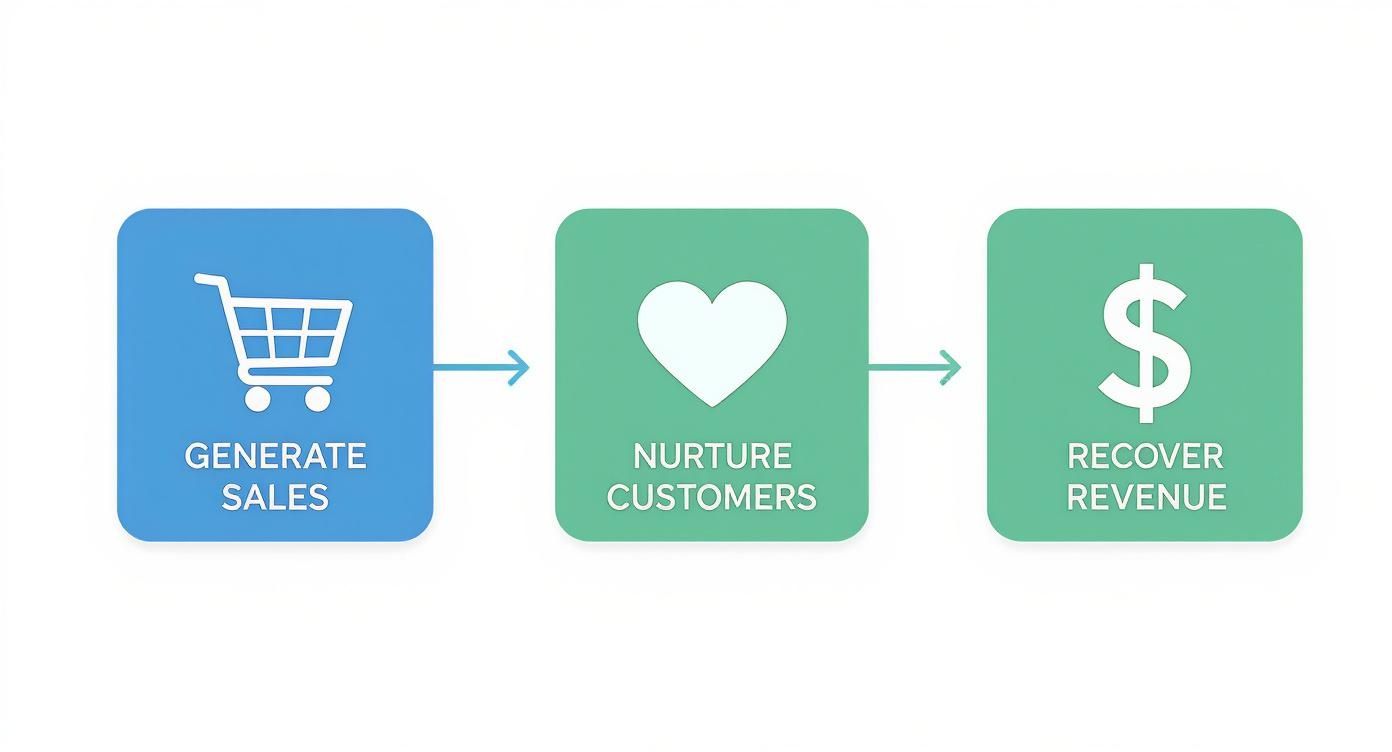
A solid strategy is all about generating those initial sales, nurturing new customers into genuine fans, and actively pulling back revenue that would otherwise slip through the cracks.
1. The Welcome Series
Your welcome series is your digital handshake. It’s your first and best chance to make a lasting impression on a new subscriber. This isn't just a single "thanks for signing up" email; it's a carefully crafted sequence of 3-5 emails sent over a week or two.
The goal here is twofold: build a connection and drive that first purchase.
- Email 1 (Immediate): Deliver on your promise. Send the incentive you offered (like a 10% off coupon), confirm their subscription, and set expectations.
- Email 2 (2 days later): Share your story. What makes you different? Talk about your mission, the materials you use, or the problem you solve for customers.
- Email 3 (4 days later): Showcase social proof. Feature best-selling products, glowing customer reviews, or user-generated content to build trust.
- Email 4 (6 days later): Create urgency. A friendly reminder that their welcome offer is expiring soon is a powerful motivator.
This one workflow often has the highest engagement rates of any email you'll send because new subscribers are actively expecting to hear from you.
2. The Abandoned Cart Sequence
If you only build one automation, make it this one. Nearly 70% of online shopping carts are abandoned. That’s a staggering amount of potential revenue just sitting there. An abandoned cart sequence is your automated safety net, designed to bring those hesitant buyers back.
A simple, effective sequence looks like this:
- Email 1 (1-4 hours after abandonment): A gentle reminder. "Did you forget something?" Keep it simple, show them the item they left behind, and give them a direct link back to their cart.
- Email 2 (24 hours later): Address common hesitations. Highlight your return policy, answer frequently asked questions, or offer support. Sometimes a little reassurance is all it takes.
- Email 3 (48-72 hours later): Introduce an incentive. If they still haven't purchased, a small discount or an offer for free shipping can be the final nudge they need.
This isn't about being pushy; it's about being helpful. Customers get distracted. This workflow recovers sales that were already 90% complete.
3. The Post-Purchase Follow-Up
The moment a customer clicks "buy" is when the relationship truly begins. Too many stores go silent after the order confirmation, which is a huge missed opportunity. A post-purchase follow-up series reduces buyer's remorse and sets the stage for future sales.
This workflow can ask for a product review, provide tips on how to use their new item, or simply check in to make sure they're happy. It proves you care about their experience beyond the transaction, which is the bedrock of loyalty. For stores built on WordPress, having a solid email tool is crucial. You can learn more in our guide on mastering Mailchimp and WordPress integration.
4. Cross-Sell And Upsell Campaigns
Once a customer trusts you enough to make a purchase, they're far more likely to buy from you again. Automated cross-sell and upsell campaigns use their purchase history to make smart recommendations that feel like a helpful suggestion, not a sales pitch.
- Cross-selling suggests complementary products. If someone buys a new camera, you automatically recommend a camera bag and extra batteries a week later.
- Upselling encourages a purchase of a higher-end version of a product or add-ons like an extended warranty.
These campaigns work because they’re based on a customer's demonstrated interest, making the offers feel personalized and timely.
5. The Win-Back Campaign
It's natural for some customers to drift away. A win-back campaign is an automated series of emails sent to shoppers who haven't purchased in a set period (say, 90 or 180 days). The goal is to re-engage them before they're gone for good.
This series often starts with a friendly "we miss you" message and might escalate to a compelling, exclusive offer to entice them back. Waiting for them to remember you is a losing game; you have to be proactive.
Here’s a quick summary of what these high-impact workflows accomplish.
High-Impact Automated Ecommerce Workflows
| Workflow Type | Primary Goal | Key Metric to Track |
|---|---|---|
| Welcome Series | Convert new subscribers into first-time buyers | First Purchase Rate |
| Abandoned Cart | Recover otherwise lost sales | Cart Recovery Rate |
| Post-Purchase | Build loyalty and encourage reviews | Repeat Purchase Rate |
| Cross-Sell/Upsell | Increase average order value (AOV) | AOV / Revenue Per Recipient |
| Win-Back Campaign | Re-engage inactive customers | Re-engagement Rate |
The power of these workflows is hard to overstate. While automated emails make up just 2% of total email volume, they now drive an astounding 37% of all sales, according to an ecommerce marketing report from Omnisend. Their conversion rates are thousands of percent higher than manual campaigns because they deliver the right message at the right time, every time.
Your Step-By-Step Automation Implementation Plan
Alright, enough theory. How do you actually get started without derailing your entire week? The goal isn't to build a dozen complex systems at once. It's about getting one high-impact automation live, proving its value, and building momentum.
This is a practical, 90-day plan designed for busy business owners to take you from zero to a functioning system that recovers lost sales and nurtures customers on autopilot.

Phase 1: Your First 30 Days
The first month is about getting a quick, measurable win. This builds confidence and immediately shows the ROI of your efforts. Don't try to boil the ocean; just focus on plugging the single biggest leak in your sales process.
Your Action Plan:
- Identify Your Biggest Opportunity: For 9 out of 10 ecommerce stores, this is the abandoned cart. It’s a direct line to recovering lost revenue you can track from day one. If you've already got that covered, your next best bet is a solid welcome series.
- Choose Your Tool: Pick a marketing automation platform. Focus on simplicity and core features. Does it integrate easily with your store (Shopify or WooCommerce)? Does it have a simple visual builder? Don't get distracted by a hundred bells and whistles you won't use yet.
- Build One Workflow: Pour all your energy into building out just one sequence. Write the copy for your 3-part abandoned cart series or your 4-part welcome series. Keep the messaging clear, helpful, and true to your brand's voice.
- Launch and Watch: Flip the switch. Your only job for the rest of the month is to monitor the results.
The goal for this phase is simple: get one automated system up and running that directly impacts your bottom line.
Phase 2: The Next 30 Days
With your first workflow humming along, it’s time to build on that success. Now you'll add a second workflow that tackles a different part of the customer journey, helping turn one-time buyers into repeat customers.
Your marketing system shouldn’t just focus on new customers. Real, sustainable growth comes from increasing the lifetime value of the customers you already have.
Your second workflow should be the post-purchase follow-up. It's the perfect way to build loyalty and gather valuable social proof.
Your Action Plan:
- Map the Post-Purchase Journey: Decide on the timing. A good start is an email sent 7 days after delivery asking for a review, followed by another email 21 days later with helpful tips or a look at complementary products.
- Write and Build: Craft the emails for this new sequence. Make them genuinely helpful, not just another sales pitch. Think about what a customer would actually find useful after buying from you.
- Integrate Reviews: If you can, connect your automation tool to your product review platform. This can help you automatically pull in positive reviews to use in other marketing materials later.
By the end of this phase, you will have two automated machines working for you: one recovering lost sales and another building long-term customer relationships.
Phase 3: The Final 30 Days
Now that your core automations are in place, the final 30 days are about optimization and expansion. You have real data flowing in, which means you can start making smart decisions to improve performance and plan your next move.
Your Action Plan:
- Analyze Your Data: Get into the numbers. Look at the open rates, click-through rates, and conversion rates for your live workflows. Where are people dropping off? Which subject lines are working?
- Run a Simple A/B Test: Tweak just one element in your most important email. For an abandoned cart sequence, try testing two different discount offers—like 10% off vs. free shipping—to see which one converts better. Let the data tell you.
- Plan Your Next Workflow: With a solid foundation, decide which automation to tackle next. A win-back campaign to re-engage past customers is often a great choice, as it targets an audience that already knows and trusts your brand.
After 90 days, you'll have graduated from manual marketing to a smart, automated system that actively grows your business. Better yet, you'll have tangible data proving its worth.
Choosing the Right Automation Tools
The world of marketing automation software is crowded. Every platform claims to be the ultimate tool, but the "best" tool is simply the one that fits your business, your budget, and your team's comfort level. Picking the wrong one means you're stuck paying for a tool you barely use—or worse, a technical nightmare that slows you down.
Our goal isn't to push a specific platform. It’s to give you a framework for making a smart choice. We want you to find a partner that can grow with your business, not another piece of software that collects digital dust.
The first big question is whether to go with an all-in-one platform or piece together specialized tools.
All-in-One vs. Specialized Tools
An all-in-one platform is like a Swiss Army knife. It does many things well—email, SMS, pop-up forms, sometimes even live chat. Big names like Klaviyo and Omnisend fit this description. Their biggest selling point is that all your customer data and marketing channels live under one roof, making it much simpler to create workflows and track results.
For most small to medium-sized ecommerce businesses, an all-in-one is absolutely the right place to start. The simplicity and unified data are huge wins.
On the other side, a specialized or "best-in-class" approach is like a professional-grade toolbox. You pick the absolute best tool for each specific job: one for email, another for SMS, a third for on-site pop-ups. This gives you incredible power, but it also brings complexity. It's on you to make sure all those different systems talk to each other correctly.
This path usually makes sense for larger companies with unique requirements or those who need a level of customization an all-in-one can't offer. This can even involve things like custom web application development to build a truly unique marketing engine.
Non-Negotiable Features to Look For
No matter which route you take, any platform you consider must have a few core features. These are the fundamentals you’ll rely on every day.
- Deep Ecommerce Integration: Your tool must connect seamlessly with your store, whether you're on Shopify, WooCommerce, or BigCommerce. It needs to pull in real-time data, like who just started a checkout, what they've bought in the past, and when they last visited your site.
- A Visual Workflow Builder: You shouldn't need a programming degree to build an automation. A good platform will have an intuitive drag-and-drop interface that lets you visually map out your customer's journey without touching a line of code.
- Robust Segmentation: The real power of automation is sending the right message to the right person. Your software must let you create dynamic customer segments based on their behavior—think "customers who bought in the last 30 days" or "subscribers who have opened emails but never purchased."
If a tool falls short on any of these three fundamentals, walk away. No amount of flashy extras can make up for a weak foundation.
A Simple Checklist for Evaluating Your Options
It's easy to get overwhelmed by feature lists. Use this quick checklist to cut through the noise and focus on what will actually drive your business forward.
- Does it fit my budget now and later? Don't just look at the entry-level price. How much will it cost when your email list doubles? Make sure the pricing scales predictably.
- How good is their customer support? You will have questions. See what kind of support they offer—is it live chat, email, or phone? Read independent reviews to see how responsive their team actually is.
- Can I easily understand the reporting? Your platform should have a clear dashboard that shows you exactly how much revenue each automated workflow is generating. If you can't see your ROI at a glance, it's the wrong tool.
Picking your software is a huge step, but it’s just one piece of the puzzle. The right tool empowers you to bring your strategy to life without getting in your way.
How to Measure Your Automation ROI
So you’ve got your automations running. Great. But is it actually making you money? Setting up workflows is one thing, but proving they directly boost your bottom line is what separates a cost from a true investment.
We’re going to skip the fluff—vanity metrics like open rates are nice, but they don't pay the bills. Instead, we’ll focus on the numbers that show a direct line from your automation efforts to your bank account. When you can confidently say, "That abandoned cart sequence brought in an extra $5,000 this month," you know you're on the right track.
The Metrics That Actually Matter
For ecommerce marketing automation, you can get a crystal-clear picture of your ROI by tracking just three core metrics. Here’s what they are, what they mean, and what a "good" result looks like.
-
Recovered Revenue: This is the big one. It’s the total sales you generate specifically from your abandoned cart workflow. Think of it as money you saved from walking out the door. Most platforms like Klaviyo or Omnisend display this number on your dashboard. A healthy workflow should be recovering between 5% and 15% of all abandoned carts.
-
Welcome Series Conversion Rate: This shows how effective you are at turning curious newcomers into paying customers. It measures the percentage of new subscribers who make their first purchase after receiving your welcome emails. A solid welcome series should convert at least 2-5% of its audience.
-
Customer Lifetime Value (CLV): This is your long-game metric. CLV calculates the total amount of money a customer is expected to spend with you over their entire relationship with your brand. Smart automation—especially post-purchase, cross-sell, and win-back campaigns—is designed to make this number go up. You should see a noticeable lift in your average CLV within 6-12 months of putting these loyalty-focused workflows in place.
Don't get lost in a sea of data. Start by mastering these three. They provide a clear, undeniable link between your automation and revenue growth.
Troubleshooting Poor Performance
What do you do when the numbers aren't hitting those benchmarks? Data is only useful if it helps you fix what's broken. When a workflow isn't performing, the problem usually comes down to just a handful of common issues.
Let's imagine your post-purchase upsell emails are getting opened, but nobody's buying. The issue is almost certainly one of these three things:
- The Offer is Wrong: Are you recommending products that feel random? A customer who just bought a winter coat probably isn’t thinking about a swimsuit. Your recommendations need to be genuinely helpful and complementary.
- The Timing is Off: Hitting someone with an upsell an hour after they bought can feel pushy. Sometimes, waiting 7-14 days is the sweet spot. This gives them time to receive their first order before you suggest another. Test different delays.
- The Value Isn't Clear: You can't just throw another product at them. You have to tell them why it's the perfect next step. Frame it as a way to enhance their original purchase. A message like "Complete the look" is way more persuasive than "You might also like."
By taking this diagnostic approach, you can stop guessing and start making data-driven decisions. This is how you turn your marketing from a shot in the dark into a predictable system for growth.
Here is a quick reference table with the most important metrics and what to aim for.
Key Automation Metrics and Benchmarks
This table breaks down the essential metrics for measuring your automation success, providing clear benchmarks and actionable tips for improvement.
| Metric | What It Measures | Good Benchmark (Example) | How to Improve It |
|---|---|---|---|
| Recovered Revenue | Sales generated from abandoned cart emails. | 5% – 15% of abandoned carts. | Test different incentives (discount vs. free shipping). |
| Welcome Series Conversion | The % of new subscribers making a first purchase. | 2% – 5% conversion rate. | Strengthen your welcome offer and clarify your brand story. |
| Customer Lifetime Value | Total revenue generated per customer over time. | A 10%+ increase year-over-year. | Implement effective cross-sell and win-back campaigns. |
| Repeat Purchase Rate | The % of customers who buy more than once. | 20% – 40% is a strong target. | Send timely post-purchase follow-ups with relevant offers. |
Think of this table as your cheat sheet. If you're hitting these numbers, you're doing great. If not, you now have a clear roadmap for what to fix first.
When Should You Call in an Automation Expert?
Going the DIY route with marketing automation is a fantastic way to get started. Setting up a simple welcome series or an abandoned cart email can give you some quick, satisfying wins. But at some point, you'll hit a wall. You'll spend more time trying to be an automation wizard than actually running your business.
So, when have you reached that point? It’s that moment you realize your big ideas are getting tangled up in technical limitations and your team's available hours. If you're spending your days wrestling with app integrations or your automated flows feel more like a messy Rube Goldberg machine than a smooth operation, it might be time to get help.
Signs You're Ready for a Strategic Partner
Bringing in an expert isn't throwing in the towel—it's shifting into a higher gear. It's for ambitious brands that want to graduate from simple automations to a truly connected system that spans email, SMS, and even paid ads.
Here are a few tell-tale signs you've outgrown the DIY phase:
- Your ideas are getting complex. You’re dreaming up sophisticated customer journeys that adapt to user behavior, but you're not sure how to build them without breaking something.
- You need smarter segmentation. You know you need to move past a "one-size-fits-all" email list. You're ready to slice your audience based on what they've bought, how much they've spent, or what they've looked at on your site.
- Your team is stuck in the weeds. Your best people are burning time watching tutorials and troubleshooting glitches instead of focusing on big-picture strategy or product innovation.
- Your marketing feels disconnected. You're running campaigns, but they feel like random tactics instead of a single, unified strategy designed to guide a customer from their first visit to becoming a loyal fan.
The real goal isn't just to automate a few tasks. It's to build an automated system that creates predictable revenue. An expert helps you draw the map for that system, ensuring every piece works together.
This is exactly where we at Uncommon Web Design come in. We help businesses at this critical stage, connecting the dots and turning marketing from a time-suck into your most powerful engine for growth. This frees you up to do what you do best—build an incredible brand.
Frequently Asked Questions
When you're new to ecommerce automation, it’s natural to have questions. Let's tackle some of the most common concerns we hear from store owners.
Is Marketing Automation Too Expensive For A Small Store?
Absolutely not. In fact, it's one of the few tools that directly pays for itself, often in the first month. Most platforms offer starter plans that grow with you, so you're not locked into a huge expense from day one.
Think of it this way: a single abandoned cart workflow recovering just a handful of sales can easily cover the entire monthly cost. It’s less of a cost and more of an investment with a clear, measurable return.
How Much Time Does It Take To Set Up?
You can get your first, most impactful workflow—like a welcome series or an abandoned cart sequence—live in a few hours. The real work isn't in the tech; it's in the strategy. It’s mapping out the timing and writing copy that sounds genuinely helpful and human.
Once it's live, that workflow runs on its own, 24/7, saving you a massive amount of manual effort down the road. The best strategy is to start small, get a quick win, and build from there.
The biggest mistake we see is trying to automate everything at once. Pick the one workflow that will make the biggest dent in your revenue right now, launch it, and then move on to the next.
Will Automation Make My Brand Sound Robotic?
This is a huge fear, but it's completely avoidable. Done right, automation actually makes your brand feel more personal, not less. It lets you use real customer data—what they’ve bought, what they’ve looked at—to send messages that are incredibly relevant.
The point isn't to spam everyone with the same generic message. It's about delivering the right message to the right person at exactly the right time. This kind of relevance makes customers feel understood and valued, which builds a stronger connection to your brand. You're achieving a level of personalization that would be impossible to do by hand.
Ready to build an automated system that turns your website into a reliable, 24/7 sales engine? At Uncommon Web Design, we help businesses implement smart marketing automation that drives predictable growth.
Schedule a free consultation to see what’s possible for your store.



