
Is your website a 24/7 salesperson or just an expensive digital brochure?
For most businesses we see, it’s the brochure. It looks professional enough, lists a few services, and has a "Contact Us" page. It’s an online placeholder that was expensive to build and does very little to bring in actual revenue.
This isn't a failure of technology; it's a failure of message. Your website shouldn't just inform people what you do. Its job is to connect with a potential customer, solve their problem, and guide them to take action. It should be an automated system that attracts the right customers, answers their questions, and builds enough trust to turn a skeptical visitor into a qualified lead.
That entire process hinges on the words you use.
The Three Pillars of Content That Sells
Effective website content isn't about award-winning prose. It's about empathy and clarity. Your entire website should be built to accomplish these three things, always in this order:
- Address Your Customer's Problem: First, show them you understand their frustration. A contractor’s ideal customer isn’t just looking for a new kitchen; they’re worried about finding a reliable team that won’t leave their home a disaster zone for months. Start there.
- Present Your Clear Solution: Next, explain how your service solves that specific problem. Ditch the vague promises and focus on tangible outcomes. Your content should bridge the gap between their pain and your relief.
- Guide Them to the Next Step: Finally, tell them precisely what to do next. "Request a Quote," "Schedule a Consultation," or "Get Your Free Estimate" are clear instructions. A passive "Contact Us" link is not.
This simple flow is the engine of a high-performing website. It's how you turn passive visitors into active leads and generate a real return on your investment.
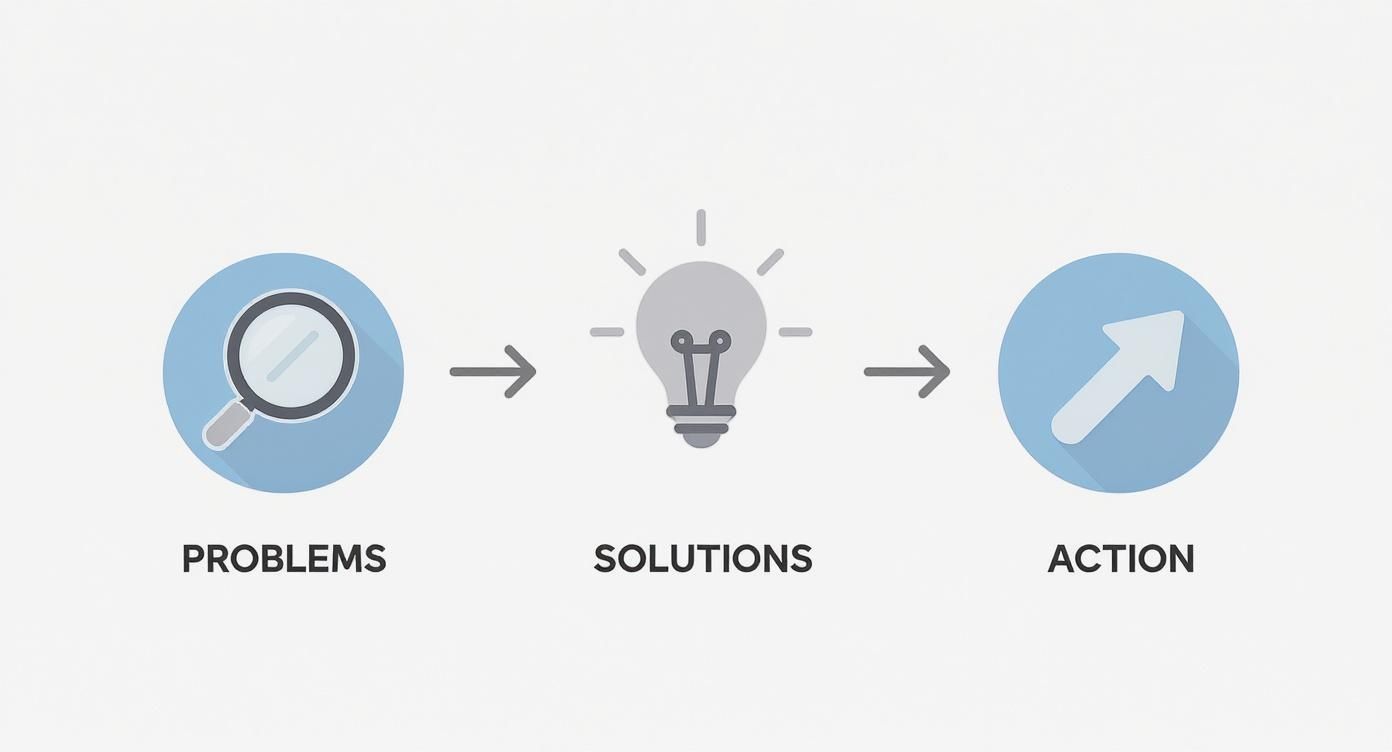
This Problem-Solution-Action framework is a cornerstone of good user experience design best practices because it makes your site intuitive, helpful, and effective.
To put it into perspective, here's how this shift in thinking changes everything:
The Shift From Digital Brochure to Digital Salesperson
| Attribute | Digital Brochure (The Old Way) | Digital Salesperson (The Uncommon Web Way) |
|---|---|---|
| Primary Goal | To inform and look professional. | To connect, solve problems, and generate leads. |
| Content Focus | "About Us," our services, our company history. | The customer's problems, clear solutions, benefits. |
| Tone | Formal, corporate, and passive. | Confident, helpful, and direct. |
| Call to Action | Vague or buried "Contact Us" link. | Clear, compelling, and present on every page. |
| Result | An expensive but useless online placeholder. | An automated lead-generation machine that works 24/7. |
The difference is staggering. You're not just changing the words on the page; you're changing the entire purpose and function of your website.
Stop selling your services. Start selling solutions to your customers' problems. When your content makes them feel understood, they begin to trust you. Trust is what drives business.
Map Your Customer's Problem Before You Write a Word
Most business owners start writing their website by talking about themselves: their company history, their process, their list of services. This is, without a doubt, the fastest way to lose a potential customer.
Before you write a single word about your business, you have to get inside your customer's head. Your website isn’t for everyone. It's for one specific person with a specific problem. We need to go deeper than simple demographics like age or location. We're talking about their real-world frustrations, the anxieties that keep them up at night, and the outcome they’re trying to achieve.
This is the strategic work that separates content that falls flat from content that drives revenue.
From Vague Ideas to a Clear Blueprint
Let’s get practical. Imagine a local auto repair shop. The owner’s first instinct is to create a website that lists services: "Oil Changes," "Brake Repair," "Engine Diagnostics." That’s a brochure.
What if he first mapped out his ideal customer’s actual problem?
- The Problem: A young professional's check engine light just came on. She depends on her car for work, and her mind immediately goes to the worst-case scenario: a massive, unexpected repair bill. She’s stressed about being without her car and, more importantly, worried about being taken advantage of by a mechanic she doesn’t trust.
- Her Google Searches: "Why is my check engine light on?" "Honest mechanic near me." "How much to fix check engine light?"
- The Real Solution She's Buying: She isn't just buying a repair. She's buying trust, transparency, and the peace of mind that comes with getting back to her normal routine with minimal disruption.
Once you understand this, your entire approach to content shifts. Your headline goes from "Our Auto Repair Services" to "Honest Car Repair That Gets You Back on the Road, Fast." That’s how you connect.
You aren’t just selling a service; you're selling the solution to a stressful, inconvenient, and often emotional problem. Your website content must reflect that understanding.
The global content marketing industry is projected to hit $2 trillion by 2032, yet countless businesses get no return from their efforts. A recent study found that 45% of marketers say attracting quality leads is their biggest challenge. This disconnect almost always comes down to focusing on the business instead of the customer's problem. By mapping the customer journey first, you build a foundation for content that generates real leads. You can dig into more stats in the full report on Bloggingwizard.com.
Create a One-Page Core Message Platform
After you've walked a mile in your customer's shoes, distill those insights into a simple, one-page document. We call this a Core Message Platform. Think of it as your North Star for every piece of content you create, ensuring everything is consistent, clear, and on-point.
It doesn’t need to be fancy. Just answer these questions:
- Who is our ideal customer? (Go beyond demographics. What’s their mindset? Their role?)
- What is their primary problem? (What is the core frustration we are hired to solve?)
- How do we solve it uniquely? (This is your value proposition. What makes you different?)
- What is our brand's tone of voice? (Are you an authoritative guide, a friendly partner, or a straightforward expert?)
- What are our key talking points? (Nail down 3-5 core messages that should appear across your site.)
Getting this down on a single page before you write a headline will make the actual writing process 10x faster and more effective. This is the prep work that turns your website from a sunk cost into an automated salesperson.
Build a Website Structure That Guides and Converts
You can write the most persuasive content in the world, but if your website is a confusing mess, it’s like having an all-star sales team locked in a closet. The way you organize your pages—what we call content architecture—is every bit as important as the words themselves.
Your goal is to create a logical, intuitive path that guides a visitor from browsing to taking action. Think of your site’s navigation as a map. If it's cluttered, people get frustrated and leave. A clean, simple structure builds trust and makes it easy for potential customers to find exactly what they need to make a decision.

The Essential Pages Every Business Needs
For most service businesses, a few core pages do all the heavy lifting. Don't overcomplicate things. We recommend clients start with these four essentials, each designed to do a specific job. For a deeper dive, check out our guide on effective web page planning.
- Homepage: This page has one job: answer three questions in three seconds. What do you do? Who do you do it for? And what should I do next? It’s the front door to your business, not a junk drawer for random information.
- Services Page: This is where you make the sale. It must clearly articulate the problems you solve and the outcomes you deliver. For most businesses, this is the most critical page for generating leads.
- About Page: Here's a secret: this page isn't really about you. It's about why a potential customer should trust you. It’s your chance to build a human connection and show the values behind your work.
- Contact Page: Make it unbelievably easy to get in touch. Offer a few options (simple form, phone number, email) and set clear expectations for when they can expect a reply.
Getting the content right on these pages is critical. It's why professional website copy makes up a huge 30% of all freelance writing output. Businesses invest in it because clear, compelling content has a direct impact on revenue. As data on elnacain.com shows, strong website copy isn't just nice-to-have; it's a fundamental business driver.
To help, here's a simple checklist for these core pages.
Essential Page Content Checklist
This table breaks down the key ingredients for your site's most important pages. Use it as a quick reference to ensure you're not missing critical elements that build trust and drive action.
| Page Type | Primary Goal | Must-Have Content Elements |
|---|---|---|
| Homepage | Guide visitors to the right next step. | Clear value proposition, compelling headline, visual of your service/product, social proof (logos/testimonials), and a primary call-to-action (CTA). |
| Services | Convince visitors your solution is the best. | Problem-focused headline, benefit-driven descriptions, clear process outline, pricing info (or how to get it), case studies, and a direct CTA. |
| About | Build trust and human connection. | Your origin story, your "why," team photos (not stock!), company values, and a glimpse behind the curtain. |
| Contact | Make it easy to start a conversation. | Simple contact form, direct email address, phone number, physical address (if applicable), and response time expectations. |
This isn't an exhaustive list, but it covers the fundamentals that turn a basic website into a lead-generating asset.
Blueprint for a High-Converting Service Page
Let's zoom in on the Services page, because this is where most businesses go wrong. They just list what they do. Instead, structure the page to mirror your customer's decision-making process.
This simple formula works every time:
- Lead with Their Problem: Start with a headline that speaks directly to their frustration. A plumber could use, "Tired of Leaky Faucets and Clogged Drains?" This immediately signals that you understand.
- Position Your Solution as the Cure: Briefly introduce how your service eliminates that problem. Frame it in terms of benefits (what they get), not just features (what you do).
- Show, Don't Just Tell (Social Proof): Build credibility with powerful testimonials, short case study snippets, or client logos. Remember, 88% of consumers trust online reviews as much as a recommendation from a friend.
- Tackle Their Objections Head-On: What are they worried about? Cost? Timeline? Address these questions directly in a concise FAQ section right on the page.
- End with a Crystal-Clear Call to Action (CTA): Tell them exactly what to do next with a low-friction command. "Get a Free Estimate" is worlds better than a passive "Contact Us."
Your Service page isn't a menu; it's a sales conversation. Guide the reader through the logic of their own decision, and they'll be far more likely to take the next step.
Transform Your About Page into a Trust-Builder
Finally, a quick word on your About page. Please, don’t just list when your company was founded. Nobody cares. What they do care about is the real person they’re thinking of hiring.
Your About page is your chance to tell a story. Why did you start this business? What mission gets you out of bed in the morning? Share a real picture of yourself or your team. This human element is a massive advantage for small businesses, building a level of trust that big, faceless corporations can only dream of. A great About page makes a visitor feel like they already know you.
Writing Words That Actually Get Results
Once you have a solid structure, it's time to write. Many business owners get stuck here, convinced they need to be a literary genius to write good website copy. That's not true.
Effective website copy has little to do with fancy vocabulary. It’s about using simple, clear language that connects with your customer. You want to sound less like a faceless corporation ("We provide premier roofing solutions") and more like a helpful expert ("We fix leaky roofs, fast."). That clarity is what builds trust and gets people to act.

Write Headlines That Focus on the Outcome
Your headline is the most important piece of real estate on any page. It's your one shot to grab a visitor’s attention. Most businesses write headlines that describe what they do. That's a mistake.
Instead, write headlines that describe the outcome your customer wants.
Let’s look at a couple of examples for a home service business:
-
Before: "Professional Landscaping Services" (This is about you.)
-
After: "Get a Lawn Your Neighbors Will Envy" (This is about their desired result.)
-
Before: "Residential Painting Contractor" (This just states what you are.)
-
After: "Transform Your Home With a Fresh Coat of Paint" (This shows them what they get.)
See the difference? The "after" versions work because they tap directly into the customer’s motivation. Nobody wakes up thrilled about the process of hiring a painter; they wake up excited about how their home will look and feel when it's done. Speak to that end result.
Use the "You" Test for Better Copy
Here’s a simple trick to make your writing instantly more engaging. Read through your draft and count how many times you use words like “we,” “our,” or your company name. Then, count “you” and “your.”
If your “we/our” count is higher, your copy is focused on the wrong person. Your customers don't care about your company's history; they care about their own problems.
Force yourself to rephrase sentences to be “you-focused.” This simple edit shifts the perspective from your company talking at a customer to talking with a customer about their needs.
For instance, a security system installer might initially write:
- We-focused: "Our company has been installing state-of-the-art security systems for over 15 years."
- You-focused: "You can have peace of mind knowing your family and home are protected 24/7."
The second version connects on an emotional level because it speaks directly to the customer’s deepest need.
The Problem, Agitate, Solve Framework
One of the most effective copywriting formulas is Problem, Agitate, Solve (PAS). It's a three-part structure that mirrors how people make decisions.
- Problem: State the specific problem your customer is dealing with. "Is your air conditioner struggling to keep up with the summer heat?"
- Agitate: Gently poke at the pain points that come with that problem. "That means sleepless nights, shockingly high energy bills, and the constant worry it might break down completely when you need it most."
- Solve: Introduce your service as the clear solution. "Our AC tune-up service ensures your system runs efficiently all summer long, keeping your family cool and your bills down."
This framework is powerful because it first makes the reader feel understood (Problem), then ramps up their desire for a fix (Agitate), and finally positions you as the obvious hero (Solve).
Weaving in Keywords Without Sounding Robotic
Let's talk about SEO. You need to include target keywords, but you can't just cram them into sentences. The real secret to learning how to write website content that ranks is making it sound completely natural to a human.
As a rule of thumb, your primary keyword should appear in a few strategic spots:
- Your main page title (the H1)
- The first paragraph
- At least one subheading (an H2 or H3)
Beyond that, sprinkle in keywords and related phrases where they feel natural. If you did your audience research right, these terms will often fit seamlessly because you’ll be using the same language your customers use when they search online.
Once your pages are written, plugging them into a schedule makes everything easier. To learn more, check out our guide on how to create a content calendar for your business.
A Simple Process for Editing and Launching
A great draft is only half the battle. Hitting "publish" on the first version is like a contractor leaving a job site without cleaning up—it might be functional, but the mess feels unprofessional. Editing and launching are your quality control. This is where you make your content clear, polished, and easy for both people and search engines to understand.
You don't need to be a grammar expert. The goal is to polish your message until a potential customer can absorb it without any effort. Think of it as removing every point of friction between their problem and your solution.
Beyond the Basic Spell Check
Proofreading is more than catching typos. It’s reading your content through the eyes of a busy, skeptical visitor. Is your message clear? Is the tone right? Is every sentence pulling the reader toward the next step?
One of the most effective editing tricks we teach is surprisingly simple: read your content out loud.
It feels weird at first, but your ears will catch what your eyes miss. You'll immediately notice clunky sentences, awkward phrasing, and paragraphs that drone on. If it doesn't sound like something you'd say to a customer in person, rewrite it.
Your website is having a conversation with a potential customer when you're not in the room. Reading it aloud ensures that conversation sounds natural, confident, and helpful—not robotic.
Formatting for Online Readers
People don't read websites; they scan them. A giant wall of text is the fastest way to make someone click the "back" button. Format your content so it can be understood in quick glances.
Here’s a quick checklist to make every page scannable:
- Use Short Paragraphs: Stick to one idea per paragraph, and keep them to three sentences maximum. This creates the white space that makes a page feel less intimidating.
- Leverage Bold Text: Bolding key phrases helps guide the reader's eye to the most important information. Use it to make benefits and conclusions pop.
- Break Up Ideas with Bullet Points: Lists are your best friend. They are easy to scan and perfect for laying out features, benefits, or steps in a process.
This isn’t about making things pretty; it's about respecting your reader's time. Clean formatting signals that you value their attention and have organized your thoughts to help them find what they need, fast.
Using Headings for Clarity and SEO
Finally, let’s talk about headings (H1, H2, H3). These are the signposts that give your page structure. They do two critical things: guide the human reader through the content and tell Google what the page is about.
Inside a Content Management System (CMS) like WordPress, using them correctly is straightforward:
- H1 (The Title): You only get one H1 per page. This is your main title, and it should contain your primary keyword.
- H2 (Major Sections): Use H2s to break your content into major sections. Think of them as the chapters of your page.
- H3 (Sub-points): Use H3s to drill down into the points within an H2 section.
Properly structured headings make your page easier for visitors to navigate and create a logical hierarchy that search engines love. This final step in learning how to write website content is crucial. It organizes your brilliant ideas into a clean, professional package, turning your hard work into an asset that works for your business around the clock.
Common Questions About Writing Website Content
You have the strategy, structure, and writing frameworks. That’s a great start. But questions always pop up when you start laying the bricks. That’s a good sign—it means you're thinking critically about how your content will perform.
Here are the most common questions we hear from business owners.
How often should I update my website content?
This is a great question. Your core pages—Homepage, About, Services—should be reviewed every 6 to 12 months. Check for outdated info, sharpen your messaging, and maybe swap in a newer testimonial. The goal is accuracy and relevance.
The real growth engine, however, is consistency. Actively adding new, valuable content signals to Google that your site is a helpful resource. For most businesses, aiming for one high-quality blog post or case study per month is a realistic and effective goal. It keeps your site fresh and gives you something to share.
Quality over quantity, always. One truly helpful article that solves a real customer problem is worth more than ten generic posts you rushed out the door.
Can I really write my website content myself?
Absolutely. In fact, for the first draft, you are the best person for the job.
No copywriter understands your business and customers with the depth that you do. You’ve answered their emails, heard their frustrations, and celebrated their successes. That firsthand knowledge is the raw material for compelling content.
Your goal isn't to be a perfect writer. It's to get the core message, customer insights, and the unique value of what you do down on the page. You can always bring in an editor to polish the language. But the strategic heart of the content—the part that builds genuine trust—has to come from you.
What’s more important: SEO or persuasion?
This is a false choice. You need both, but you should always write for the human first and optimize for the search engine second.
Think about it from Google's perspective. Its entire business is built on giving people the most helpful answers. If you focus on writing clear, persuasive copy that genuinely helps your customer, you're already 90% of the way to great SEO. You're creating the exact high-value content Google wants to rank.
Here’s the right way to approach it:
- Write for your customer: Focus entirely on being clear, empathetic, and persuasive. Address their problems and present your solution in simple language.
- Optimize for Google: After you have a solid draft, strategically weave in your target keywords where they fit naturally. Ensure your headings are structured logically and include relevant terms.
SEO gets them to your door. Persuasive copy invites them inside and convinces them to stay. You can't succeed without both.
How do I know if my website content is working?
Measuring content effectiveness is simpler than you might think. For a business owner, it comes down to a few key indicators that tie directly to results.
You can track these for free using a tool like Google Analytics:
- Conversion Rate: This is the big one. What percentage of visitors are filling out your contact form or scheduling a call? This tells you if your message is persuasive.
- Qualified Leads: Go one step further. How many leads coming from your site are the right kind of customers? Your content is working when it not only generates leads but also pre-qualifies them.
- Time on Page: Are people sticking around to read what you've written? If visitors are spending a few minutes on your key service pages, it's a strong sign your content is engaging.
- Bounce Rate: A high bounce rate (people leaving after viewing only one page) can signal a disconnect between your headline and your content, or that the page failed to grab their attention.
Ultimately, the best measure is your bottom line. Your website content is working if your phone is ringing more often with the exact type of customers you love to serve.
Feeling overwhelmed? You don't have to figure this out alone. The strategies in this guide are powerful, but applying them to your business can be a challenge. At Uncommon Web Design, we help business owners turn their websites from digital brochures into 24/7 sales machines.
If you're ready to build a website with content that drives real, measurable growth, let's talk. Book a free consultation with us today.



