Web Design

10 Essential Website Security Best Practices for 2025

If your website is down, you’re not making money. It’s that simple. For a local contractor in Murrieta or a busy dental office, a hacked site isn't just a tech headache; it's a direct hit to your revenue and the customer trust you've worked hard to build. A single breach can derail a marketing campaign, leak sensitive client data, and send your hard-won Google rankings plummeting overnight. The problem is that most security advice is either too technical for a busy owner or too generic to be useful. You don't have time to become a cybersecurity expert, and you shouldn't have to. You need a clear, prioritized checklist that focuses on what actually protects your business. That’s what this guide delivers. We’re breaking down the 10 most critical website security best practices that provide the biggest return on protection. For each one, we’ll explain why it matters to your bottom line and what to do, especially for the WordPress sites many businesses rely on. Think of this as a business continuity plan, not a technical manual. Let's build the digital fortress your business deserves. 1. HTTPS/SSL-TLS Encryption Think of HTTPS as a secure, armored truck for your website's data. Without it, information travels between your server and a visitor's browser in plaintext, like a postcard anyone can read. This encryption creates a private, sealed tunnel for that data. For a modern website, this is non-negotiable. Why it matters: Encryption stops "man-in-the-middle" attacks, where a hacker on a public Wi-Fi network (like at a coffee shop) could steal a customer's login or credit card details from your site. Beyond security, Google actively penalizes non-HTTPS sites in search rankings and flags them as "Not Secure" in Chrome, instantly killing visitor trust and potential sales. How to Implement HTTPS Correctly Just flipping a switch isn't enough. Proper configuration is key. Obtain a Certificate: Most quality hosting providers offer free SSL certificates through Let's Encrypt. For an e-commerce site, an Organization Validation (OV) certificate provides an even higher level of trust. Proper SSL setup is a key factor when you evaluate potential web hosting services. Enforce HTTPS Everywhere: You must force all traffic to use the secure connection. This is done with a server-level 301 redirect, which automatically sends anyone trying to access the http:// version of your site to the secure https:// version. Enable HSTS: An HSTS (HTTP Strict Transport Security) header tells browsers to only connect to your site using HTTPS, preventing attackers from tricking a user into accessing an insecure version. Automate Renewals: SSL certificates expire. A good host will automate the renewal process so your site doesn't suddenly become insecure and inaccessible. 2. Strong Authentication & Multi-Factor Authentication (MFA) A strong password is your front door lock. Multi-Factor Authentication (MFA) is the deadbolt and security system. Relying only on passwords is a huge vulnerability. MFA adds a critical second layer of defense, requiring users to prove their identity with something more than just a password. Why it matters: MFA neutralizes the threat of stolen passwords. Even if a hacker gets an employee's password, they're stopped cold without the second factor—like a code from an authenticator app. For any site with logins, especially client portals or e-commerce stores, MFA is essential for protecting data and maintaining customer trust. How to Implement Strong Authentication Correctly The goal is to make it seamless for real users and impossible for attackers. Offer Multiple MFA Options: Provide choices like authenticator apps (Google Authenticator, Authy), SMS codes, or push notifications. Flexibility increases adoption. Prioritize Authenticator Apps: SMS is better than nothing, but it's vulnerable to "SIM swapping" attacks. Encourage users to adopt more secure app-based authenticators. Support Hardware Security Keys: For high-value accounts, like site administrators, physical keys (like YubiKey) offer the highest level of protection against phishing. Provide Backup Codes: When a user sets up MFA, give them a set of one-time-use backup codes to store securely offline. This prevents lockouts if they lose their phone. 3. Regular Security Updates & Patch Management Think of your website's software and plugins as the bricks and mortar of your digital storefront. Over time, hackers find cracks. A security update, or "patch," is the repair crew that fixes these weaknesses before someone can break in. Why it matters: Neglecting updates is like leaving a window unlocked. Hackers use automated bots to scan for sites running outdated software with known vulnerabilities. A single unpatched plugin can grant them full access to your site, allowing them to steal customer data, deface your homepage, or use your server to attack others. For platforms like WordPress, this is the #1 way sites get hacked. How to Implement a Patch Management Strategy A proactive, consistent approach is essential. This requires more than just occasionally clicking "update." Establish a Regular Schedule: Don't wait for a vulnerability to be announced. Schedule weekly reviews to apply available security patches. Critical patches should be applied immediately. Test Updates in a Staging Environment: A bad update can break your live website. Before deploying updates, always test them on a staging copy (a private clone of your site). This verifies that the patch doesn't cause issues. You can discover more about the top problems small businesses face with WordPress. Automate Where Possible: For core systems like WordPress itself, automation is your best ally. A good maintenance plan will handle this for you. Maintain a Software Inventory: You can't protect what you don't know you have. Keep a list of all software, plugins, and themes used on your site. This ensures nothing is forgotten during update cycles. 4. Web Application Firewall (WAF) & DDoS Protection A Web Application Firewall (WAF) is like a dedicated security guard standing between your website and the internet. It inspects all incoming traffic and intelligently filters out malicious requests before they can reach your server. Why it matters: A WAF is your proactive shield against common hacking techniques like SQL injection and cross-site scripting. It also serves as your primary defense against Distributed Denial

10 Essential Website Security Best Practices for 2025 Read More »

Strategic Web Page Planning That Drives Results

You don't start building a house without a blueprint. So why would you build a website that way? Strategic web page planning is the process of creating that blueprint. It’s not about picking colors or fonts. It's about ensuring every headline, button, and image on a page works together to achieve a specific business goal—like generating qualified leads or booking consultations. It's the difference between an online brochure and a 24/7 sales machine. Why Your Website Isn't Generating Leads Let's be direct. A beautiful website that doesn't bring in business is an expensive hobby. If you've poured money into a site that looks great but isn't making the phone ring, the problem isn't the design—it's the lack of a plan. Too often, business owners treat their website like a checklist item. They get a logo, some photos, and a bit of copy, then hand it off to a designer and hope for the best. This approach completely misses the point of having a website in the first place. Your website should be your hardest-working employee. It works around the clock to qualify leads, answer common questions, and convince your ideal customers to take the next step. That doesn't happen by accident. It happens through methodical, deliberate web page planning. Shifting from "How It Looks" to "How It Performs" The only metric that matters for a service business website is its impact on your bottom line. A solid plan forces a crucial shift in thinking, moving you from subjective questions about aesthetics to objective questions about performance. It makes you confront the tough questions from day one: What is the single most important action we want a visitor to take on this page? Who, exactly, is this page for? What specific problem are they trying to solve right now? What information do they need to see to trust us enough to get in touch? How will we guide them from their initial question to that final click? For an auto shop, success isn't website traffic; it's a confirmed appointment for a brake inspection. For a dental practice, it's a new patient form submission. These tangible business outcomes are born from a plan. Your website fails to generate leads because its pages lack a clear job. Each page must act as a skilled salesperson, understanding the visitor's needs and guiding them confidently toward a solution—your solution. The Cost of No Plan When you wing it, your website becomes a confusing maze. Potential customers arrive, can't find what they need, get frustrated, and leave—often clicking right over to a competitor whose site provides the clarity they crave. This isn't just a missed opportunity; it's actively costing you business. This guide will fix that. We'll walk you through the web page planning process we use to build websites that become predictable growth engines for our clients. It's time to turn your online presence from a passive expense into an active, lead-generating machine. Nailing Your Page Goals and Knowing Your Audience Before you even think about design, we need to answer two fundamental questions: What is this page’s one job? Who, exactly, are we building it for? Answering these up front is the single biggest factor separating a page that sits there from one that actively brings in business. This isn't marketing fluff; it's about building a precision tool for a specific task and a specific person. From Fuzzy Ideas to Concrete Business Goals Most businesses start with a vague goal like, "I need this page to get more leads." That’s a wish, not a plan. It gives your team zero direction. A solid planning process forces you to get crystal clear. Give every important page a specific, measurable mission tied directly to a business result. Let's translate "get more leads" into a real goal: A local HVAC company: "This page needs to generate 25 qualified quote requests for AC installations every month." A B2B software firm: "We need to increase scheduled demos from the homepage by 20% this quarter." A dental practice: "Our goal is 15 new patient form submissions for teeth whitening each month from this landing page." See the difference? That level of clarity is a game-changer. It tells everyone what the most important action on the page is—the primary conversion. From there, every element can be designed to nudge visitors toward that one specific outcome. A web page without a specific, measurable goal is like a salesperson without a commission plan. They might show up and look busy, but they aren't focused on the one thing that actually moves the needle. Clarity is everything. Defining Your Ideal Client Profile Once you know what you want the page to do, you have to get laser-focused on who it's for. Many businesses fall into the trap of trying to be everything to everyone. The result? They connect with no one. The solution is a simple but powerful Ideal Client Profile (ICP). This isn’t about inventing a fictional character. It’s a practical tool to get inside the head of your best customer—the one you wish you could clone. For a service business, this profile is almost always based on your top 10% of clients. To build your ICP, ask these questions: What's their real problem? A landscaping business isn’t just selling lawn mowing; they’re selling "getting my weekends back" or "making my neighbors jealous without lifting a finger." What are their burning questions? What are the top three things they must know before they'll even consider calling you? This is usually about price, process, or timeline. What are their biggest hesitations? Are they worried about getting ripped off? Have they been burned by a contractor who did a sloppy job? What does success look like for them? When it's all said and done, what is the perfect outcome they're imagining? When you know their fears, you can crush those objections with testimonials or a solid guarantee. When you know their questions, you can answer them on the page and build instant trust. Your

Strategic Web Page Planning That Drives Results Read More »

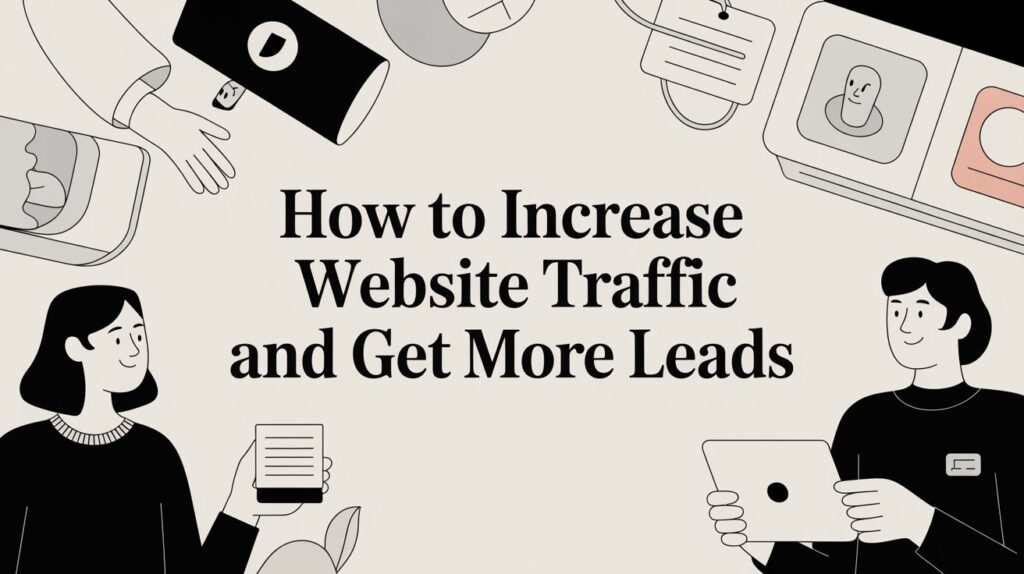
How to Increase Website Traffic and Get More Leads

Your website should be your best salesperson, not a digital brochure. A site that actually drives business—one that turns clicks into customers—is built on three pillars: a rock-solid technical foundation, genuinely helpful content, and powerful local authority. Get these right, and you’ll stop chasing leads and start attracting them automatically. Turn Your Website Into Your Best Salesperson If your website isn't bringing in new business, it's just an expensive digital business card. We've talked to countless business owners whose sites look great but don't do any of the heavy lifting. They're like a sports car with no engine. The most important mental shift is to see your website as your hardest-working employee—one that attracts, informs, and convinces potential customers 24/7. Adopting this mindset changes everything. You stop asking, "Does my site look good?" and start asking, "Does my site work?" A website that works doesn't just list your services; it actively pulls in qualified traffic from people already searching for exactly what you sell. This isn’t about luck; it's about building a repeatable system. To build this system, we focus on three key areas. Each one supports the others, creating a powerful engine for growth that brings in a steady stream of high-quality leads. | The Three Pillars of Sustainable Website Traffic || :— | :— | :— || Pillar | What It Is | Why It Matters for Your Business || Technical SEO | The nuts and bolts that help Google find, crawl, and understand your website. It's the engine under the hood. | Without a solid technical foundation, even the best content will be invisible to search engines and potential customers. || Content Strategy | Creating genuinely helpful articles, guides, and pages that answer your ideal customer's specific questions. | This is how you attract the right people. You become a trusted authority, pulling in visitors who are actively looking for your solution. || Local Authority | Proving to Google and customers that you're the go-to expert in your specific service area or city. | For local businesses, this is your secret weapon. It puts you at the top of the list for nearby customers who are ready to buy. | Each pillar works together to build a system that turns clicks into customers. As the infographic illustrates, each component feeds into the central goal of converting website visitors into tangible business leads. A huge part of this foundation is speed. We've seen firsthand how page load times can make or break a sale. According to research from HubSpot, websites that load in 1 second have conversion rates 3x higher than sites that load in 5 seconds. With most traffic now on mobile, you're losing customers before they even see what you offer. The biggest mistake we see is business owners chasing raw visitor numbers. It’s not about getting more traffic; it’s about getting the right traffic. One hundred visitors searching for ‘emergency plumber in Temecula’ are infinitely more valuable than 10,000 visitors who landed on your blog by accident. By focusing on these core areas, you create a system that works for you. You can learn more about the specific SEO benefits for small business in our other guide. In the sections ahead, we’ll dive into exactly how to build each of these pillars, step by step. Build a Rock-Solid Technical SEO Foundation Before a single person can find you through a search, Google has to be able to find, crawl, and understand your website. This is the bedrock of all your marketing. You can have the most beautiful design and brilliant content, but if the technical side is shaky, you're building on sand. Too many business owners get swept up in the creative parts of a website and completely forget about the nuts and bolts that make it all work. This isn't about getting a Ph.D. in coding. It’s about nailing the fundamentals so your other efforts aren't wasted. Think about a local plumber. Their customers aren't browsing for fun—they're searching in a panic when a pipe bursts. If that plumber's website is slow, broken on a phone, or invisible to Google, they lose that customer in a heartbeat. A solid technical foundation ensures they show up at that exact moment of need. Is Your Site Flawless on a Phone? This is no longer a "nice-to-have." It's a deal-breaker. The vast majority of your customers will land on your website using their phone. If they have to pinch and zoom just to find your phone number, they're gone. Google knows this, which is why it heavily favors mobile-friendly sites in its search results. In fact, as of 2025, mobile devices drive nearly 60% of all global website traffic. That’s a seismic shift from just a decade ago and tells you everything you need to know about where your audience is. To see more on this trend, check out the latest mobile traffic statistics. A clunky mobile site is the digital equivalent of a locked front door during business hours. People will just assume you’re closed and go to your competitor next door. Making your site mobile-friendly isn't just about aesthetics. It’s about function. Can people easily tap your buttons? Are forms simple to fill out? Is your contact info front and center? Speed Is a Business Metric, Not a Tech Spec Page speed isn't just a technical detail for your web developer to worry about; it directly impacts your bottom line. A slow-loading website doesn't just annoy people—it actively sends them to your competitors. Google also uses site speed as a critical ranking factor because a faster site simply provides a better experience. You don't have to guess. Tools like Google's PageSpeed Insights give you a clear, actionable report card on your site's performance on both mobile and desktop. The best part is that it doesn't just give you a score; it points out exactly what to fix, from compressing images to cleaning up code. So, what are the usual suspects slowing things down? Bloated

How to Increase Website Traffic and Get More Leads Read More »

Web Design in Murrieta

Unlocking Success: The Ultimate Guide to Web Design in Murrieta for Local Businesses

Importance of Web Design in the Digital Age In the digital era, a website often serves as a business’s first impression. For local businesses in Murrieta, this is particularly important as competition is fierce and the marketplace is dynamic. A well-designed website not only looks aesthetically pleasing but also functions seamlessly to provide a positive user experience. This combination of visual appeal and functional efficiency helps to build trust and credibility with your audience from the moment they land on your site. Moreover, an effective web design enhances your brand’s visibility. In a world where consumers are constantly bombarded with information, standing out is crucial. A website that is unique, engaging, and reflective of your brand’s identity can captivate potential customers and keep them engaged longer. This increased engagement can lead to higher conversion rates, turning casual visitors into loyal customers who are likely to return and recommend your business to others. Additionally, a robust web design can significantly impact search engine rankings. Search engines, like Google, prioritize websites that offer great user experiences—those that are fast, mobile-friendly, and easy to navigate. By investing in quality web design, you not only improve your site’s usability but also enhance its search engine optimization (SEO), making it easier for potential customers to find you online. Key Elements of Effective Web Design The foundation of effective web design lies in understanding and implementing key elements that contribute to a positive user experience. One such element is intuitive navigation. A website should be easy to navigate, with a clear and logical structure that allows users to find the information they need quickly and effortlessly. This includes having a well-organized menu, concise headings, and a search function that works efficiently. Another critical element is visual hierarchy. This involves arranging and prioritizing content in a way that naturally guides the user’s eye to the most important information first. By using contrasting colors, varying font sizes, and strategic placement of images and text, you can create a visual pathway that enhances the user’s experience and highlights key messages or calls to action. Responsiveness is also a crucial component of effective web design. With the increasing use of mobile devices, it’s essential that your website performs well across various screen sizes and devices. A responsive design ensures that your site looks and functions optimally whether it’s accessed from a desktop, tablet, or smartphone, providing a seamless experience for all users. Understanding Your Target Audience in Murrieta To design a website that truly resonates with your audience, it’s essential to understand who they are and what they value. In Murrieta, this means considering the local demographics, interests, and behaviors of your target market. Are you catering to young professionals, families, or retirees? Each group has different needs and preferences that should be reflected in your web design. Conducting market research can provide valuable insights into your audience’s preferences and pain points. Surveys, focus groups, and social media analytics are just a few tools that can help you gather this information. Understanding your audience’s online habits—such as the types of content they engage with, their preferred social media platforms, and their search behaviors—can also inform your web design strategy. Additionally, it’s important to consider the local culture and community values. Murrieta is known for its friendly, tight-knit community and appreciation for local businesses. Reflecting these values in your web design—through community-focused content, local imagery, and a personable tone—can help build a deeper connection with your audience and foster a sense of loyalty and trust. Local SEO Strategies for Web Design Local SEO (Search Engine Optimization) is a powerful tool for attracting and engaging your target audience in Murrieta. By optimizing your website for local search queries, you can increase your visibility in search engine results and drive more traffic to your site. One of the first steps in local SEO is to ensure that your business information—name, address, and phone number (NAP)—is consistent and prominently displayed on your website. Incorporating local keywords into your content is another effective strategy. These are search terms that include your location, such as “best café in Murrieta” or “Murrieta retail store.” By naturally integrating these keywords into your website’s copy, meta descriptions, and headings, you can improve your chances of ranking higher in local search results. Creating and optimizing a Google My Business (GMB) profile is also crucial for local SEO. A well-maintained GMB profile can enhance your online presence and provide potential customers with important information about your business, such as hours of operation, customer reviews, and directions. Encouraging satisfied customers to leave positive reviews on your GMB profile can further boost your credibility and attract more local traffic to your site. Mobile Responsiveness: Why It Matters In today’s digital landscape, mobile responsiveness is no longer optional—it’s essential. With a significant portion of web traffic now coming from mobile devices, ensuring that your website performs well on smartphones and tablets is crucial for providing a positive user experience. A mobile-friendly site adapts to different screen sizes and orientations, offering a seamless and intuitive browsing experience for all users. Mobile responsiveness also plays a significant role in SEO. Search engines like Google prioritize mobile-friendly websites in their search results, meaning that a non-responsive site could be penalized and rank lower. This can significantly impact your visibility and the amount of organic traffic your site receives. By investing in a responsive design, you can improve your site’s search engine ranking and attract more visitors. Furthermore, a mobile-responsive website can increase user engagement and conversion rates. Users are more likely to stay on your site, interact with your content, and complete desired actions—such as making a purchase or filling out a contact form—if they have a smooth and enjoyable browsing experience. This can lead to higher customer satisfaction and loyalty, ultimately driving business growth and success. Choosing the Right Web Design Tools and Platforms Selecting the right web design tools and platforms is essential for creating a professional and functional website. There are numerous options

Unlocking Success: The Ultimate Guide to Web Design in Murrieta for Local Businesses Read More »

Ways To Increase Website Conversions

Many people don’t think of their “About Us” page as a way to increase their website conversions. However, it’s actually a great place to get conversions – that is, if you do it correctly. Here are a few super simple changes you can make today to your “About” page to increase your site’s conversions. 1. Make Your Heading Stand Out Your heading is going to be the first thing people read about you on this page. Make it snazzy! Make sure it grabs their attention. “About Us” doesn’t grab anyone’s attention. Instead, give it a spin to be more about your visitors instead of you. Like, “Why Our Team Wants YOU To Live A Healthy Lifestyle.” 2. Put Real Photos Up You may have stock photos on the rest of your site, but your “About” page should have real photos. Yes, of you. People want to know that you’re a real person, and they want to get to know you. That means putting up a picture of yourself – and whoever else is pertinent to your site – instead of hiding behind the scenes. 3. Rewrite Your History You want your “About Us” page to tell your story, but it doesn’t need to be about you. It needs to be about your customers. How do you achieve this? Simply turn your motivation around to them. Write about how happy it makes you when your story helps others reach their goals. 4. What Are People Saying About You? Not only do your customers want to know who you are, they want to know what real people are saying about you. So put a few customer testimonials up and let those speak for themselves. 5. End With A Call To Action Don’t assume that your “About” page isn’t the place for a CTA. You bet it is! After talking about how passionate you are about your business, get others excited about it to by including a well written CTA at the end of your page.

Ways To Increase Website Conversions Read More »

The Importance of Responsive Web Design for Your Business

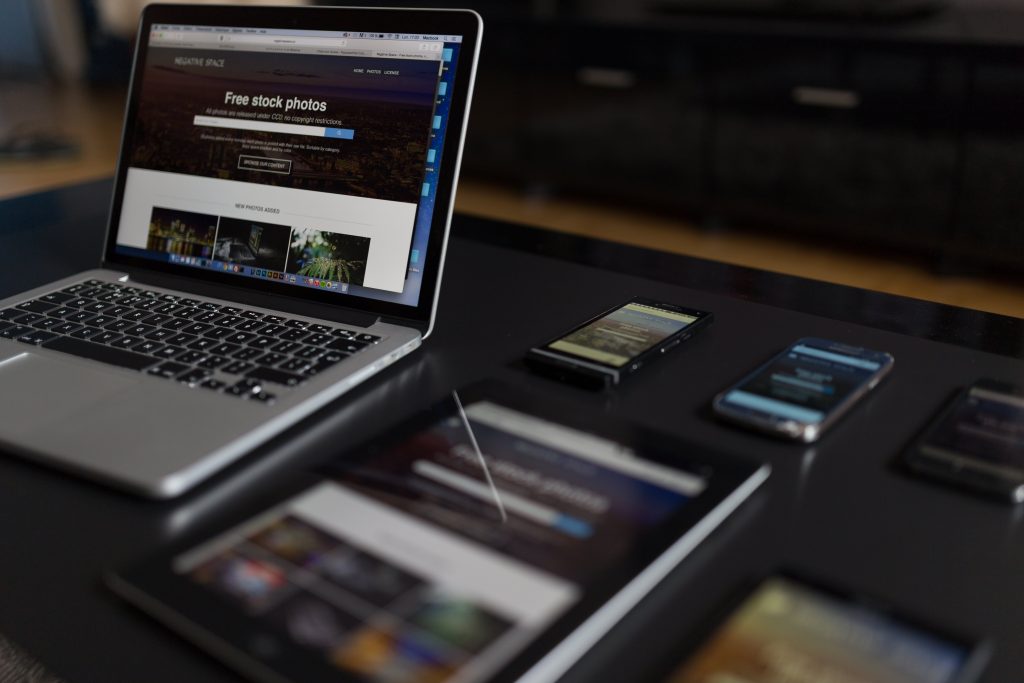
In the past, websites were primarily designed for desktop computers, with layouts tailored to screens at least 960 pixels wide. However, times have changed. Today, consumers browse the web on a wide range of devices, including smartphones, tablets, laptops, and even smart TVs. This means your website must adapt seamlessly to different screen sizes and resolutions to provide a consistent and user-friendly experience. What is Responsive Web Design? Responsive web design ensures your website looks and functions optimally on any device. Whether your audience is using a smartphone with a small screen or a high-resolution desktop monitor, responsive design dynamically adjusts your website’s layout to deliver an intuitive and enjoyable experience. For business owners, this means your website will always make a strong first impression—regardless of how potential customers are viewing it. Why Responsive Design Matters for Your Business How is Responsive Web Design Implemented? Responsive web design uses flexible grids, fluid images, and media queries to adapt layouts to various screen sizes. There are two primary approaches to achieve this: For new websites or redesigns, progressive enhancement is the superior approach. It ensures your site is fully optimized for mobile-first users while scaling beautifully for larger screens. Why Your Business Needs Responsive Web Design Today A responsive website is no longer optional—it’s essential for reaching your audience, improving customer satisfaction, and staying competitive in a digital-first world. By adopting responsive web design, your business will: If your current website isn’t responsive, now is the time to act. Investing in responsive web design will not only improve user experience but also drive more traffic, leads, and sales for your business.

The Importance of Responsive Web Design for Your Business Read More »

Get in Touch with Us

Schedule Appointment

Fill out the form below, and we will be in touch shortly.