
If your website feels more like an online business card than a 24/7 salesperson, you're leaving money on the table. A lot of business owners have a site that looks fine but doesn't do anything—it doesn't bring in new customers, qualify leads, or work while they sleep. That's a massive missed opportunity.
Great website design isn't about winning art awards; it's about winning customers. It's a strategic system built on proven principles that guide visitors from curiosity to a profitable action. Forget the fluff. We’re breaking down the 10 core website design best practices that deliver measurable ROI. These aren't just technical tips; they are the pillars that separate a passive online brochure from an active growth engine for your business.
Each practice in this guide is a critical gear in a larger machine. When they work together, they build trust, communicate your value, and drive action. To transform your website into a powerful sales tool, it's essential to understand the entire process, from planning to launch. For a high-level overview of the full project lifecycle, explore the 7 stages in website development before we dive into these specific design tactics.
This is your no-nonsense roadmap. Let's build a site that works as hard as you do.
1. Conversion-Focused Design Architecture
A beautiful website that doesn’t generate leads is just an expensive digital brochure. A conversion-focused design architecture treats your website not as a piece of art, but as your most dedicated salesperson. This approach strategically organizes every element, from navigation to buttons, with one goal: guiding visitors toward a specific, profitable action.
This isn't about flashy trends; it's about intentional design. We map the entire user journey, anticipating what a visitor needs at each step and placing clear calls-to-action (CTAs) exactly where they'll have the most impact. This is a core part of effective website design best practices because it directly connects your digital presence to measurable business growth.
Why It Matters for Your Business
A conversion-focused site turns passive browsers into active customers. For a local contractor, this means a visitor moves from reading about services to clicking the “Request a Free Estimate” button. For a dental office, it streamlines the path from service discovery to a booked appointment, reducing no-shows and filling the schedule.
Key Insight: Your website’s primary job is to solve a problem for your visitor and make it incredibly easy for them to take the next step. Every design choice must serve that purpose.
How to Implement It
- Map the Customer Journey: Before designing a single page, outline the ideal path for your target customer. What page do they land on? What information do they need next? Where is the logical point to ask for a consultation or sale?
- Make Your CTAs Obvious: Your primary call-to-action buttons should be impossible to miss. Use contrasting colors and clear, action-oriented text like “Schedule Your Service” instead of a passive “Learn More.”
- Simplify Your Forms: Remove every unnecessary field from your contact and checkout forms. Each extra box you ask someone to fill increases friction and lowers your conversion rate.
- A/B Test Your Assumptions: Don't guess what works. Test different headlines, button colors, and layouts to see what actually drives more conversions. Data—not opinion—should guide your final design decisions.
By building a website with conversion at its core, you create an automated system for lead generation and sales. To dive deeper into the specific tactics that make this possible, explore our guide on conversion rate optimization best practices.
2. Mobile-First Responsive Design
Gone are the days of designing a beautiful desktop website and then shrinking it to fit a phone. Mobile-first responsive design flips the process. We start with the smallest screen first and progressively enhance the experience for tablets and desktops. This forces a laser-focus on what’s essential, ensuring your core message and functionality are prioritized for the majority of users who browse on their phones.

It’s a critical practice because Google now uses the mobile version of your site for indexing and ranking (this is called "mobile-first indexing"). A clunky mobile experience doesn't just frustrate users; it directly harms your visibility in search results. This ensures your site is fast, accessible, and effective where it matters most.
Why It Matters for Your Business
A mobile-first approach directly impacts your bottom line. For a local plumber, it means a potential customer can easily find the phone number and tap to call without pinching and zooming. For an e-commerce store, it creates a seamless checkout process that prevents shoppers from abandoning their carts in frustration. It guarantees your most important information is front and center for on-the-go users.
Key Insight: Designing for mobile first isn't a limitation; it’s a clarification. It forces you to prioritize what truly matters to your customer, resulting in a cleaner, faster, and more effective website on every device.
How to Implement It
- Prioritize Ruthlessly: Before you design, decide what is absolutely essential for a mobile user. The "click to call" button is probably more important than a long "About Us" paragraph.
- Design for Thumbs: Ensure buttons and links have adequate spacing (at least 48×48 pixels) to prevent accidental taps. A thumb is much less precise than a mouse cursor.
- Obsess Over Speed: Mobile users are often on slower networks. Compress images and minimize code to ensure your site loads almost instantly.
- Test on Real Devices: Browser simulators are helpful, but nothing beats testing on actual iPhones and Android devices. This helps you catch real-world issues with performance and usability that simulators miss.
By building for the smallest screen first, you create a more focused and performant experience for all visitors. You can learn more about the specific steps required to make your website mobile-friendly in our detailed guide.
3. Fast Page Load Speed & Performance Optimization
In business, speed sells. A slow website is the modern-day equivalent of a locked door; potential customers will simply turn around and go to your competitor. Performance optimization is the technical process of making your website load as quickly as possible, ensuring visitors get what they need without frustrating delays. This involves compressing images, streamlining code, and using modern server tech to deliver content instantly.

This isn’t just about pleasing impatient users. It's a fundamental part of website design best practices that directly impacts your revenue and search rankings. Google explicitly uses speed metrics (Core Web Vitals) as a ranking factor. A faster site not only provides a better user experience but also gets rewarded with more visibility.
Why It Matters for Your Business
A fast-loading website keeps visitors engaged and significantly boosts conversion rates. Amazon famously calculated that a mere 100-millisecond delay costs them 1% in sales. For a local service business, a snappy mobile site means a potential customer can quickly find your phone number on the go, instead of bouncing to a competitor whose site loaded faster.
Key Insight: Your website’s speed is the first impression you make. If it’s slow, visitors assume your business is too, and they won't stick around to find out otherwise.
How to Implement It
- Measure First: Use tools like Google PageSpeed Insights and GTmetrix to get a baseline score. You can't improve what you don't measure.
- Compress Images Aggressively: Large image files are the #1 cause of slow sites. Use modern formats like WebP to drastically reduce file sizes without sacrificing quality.
- Use Lazy Loading: Configure your site so that images and videos below the fold only load when a user scrolls down to them. This dramatically speeds up the initial page view.
- Use a Content Delivery Network (CDN): A CDN stores copies of your site on servers around the world, delivering content from the location closest to your visitor for maximum speed.
- Audit Third-Party Scripts: Regularly review tracking codes and plugins. Each one adds load time. Remove any that don't provide a clear return on investment.
Optimizing your site's performance is a continuous process, but it's one of the highest-impact investments you can make in your digital presence. To get started with a technical checklist, explore our guide on how to improve page load speed.
4. Strategic Content Hierarchy & Information Architecture
A disorganized website is like a store with no aisles or signs; customers get frustrated and leave before finding what they need. Strategic information architecture (IA) is the practice of organizing and structuring your content in a way that feels intuitive to your users. Its goal is to help them find information and complete tasks with minimal effort.
This isn't just about a sitemap. It's about understanding how your customer thinks and designing a navigation system that matches their mental model. We use logical menus, clear page hierarchies, and helpful guides like breadcrumbs to create a seamless path from entry to conversion. A well-planned content hierarchy is a foundational website design best practice that directly impacts both user experience and SEO.
Why It Matters for Your Business
Good IA reduces bounce rates because visitors can quickly find what they're looking for. For a local HVAC company, this means a user can effortlessly navigate from the homepage to the "Air Conditioning Repair" page and then to a "Request Service" form. This clarity builds confidence and guides them smoothly toward becoming a lead.
Key Insight: Don’t make your visitors think. A logical site structure makes them feel smart and in control, which is essential for guiding them toward a purchase or inquiry.
How to Implement It
- Keep Navigation Simple: Limit your main menu to 5-7 essential items. Use clear, descriptive labels like “Services” or “Contact Us” instead of vague terms that cause confusion.
- Use Proper Heading Structure: Every page needs one, and only one, H1 tag that clearly states the page's topic. Use H2s and H3s to break up content into logical, scannable subsections. This helps both users and search engines understand the information.
- Implement Breadcrumbs: On pages deeper than one level, show users where they are (e.g., Home > Services > Plumbing). This improves orientation and reduces the chance of a visitor feeling lost.
- Test Your Structure: Ask people unfamiliar with your business to group your services into categories. This simple card-sorting exercise reveals if your proposed navigation makes sense to an outsider.
5. Trust Signals & Social Proof Integration
Your website can make all the right claims, but visitors are naturally skeptical. Trust signals and social proof act as a powerful third-party endorsement, reassuring anxious buyers that your business is legitimate, reliable, and the right choice. This involves strategically placing elements like testimonials, reviews, and security badges to build credibility at critical decision-making moments.
This isn't about collecting a few nice quotes; it's about systematically dismantling visitor doubt. By showcasing evidence of happy customers and secure processes, you lower the perceived risk of doing business with you. Integrating these signals is a foundational part of website design best practices because it addresses the psychological barriers that stop a visitor from becoming a customer.
Why It Matters for Your Business
Trust signals turn a hesitant visitor into a confident buyer. For an auto shop, a testimonial video showing a satisfied customer significantly boosts the credibility of their service promises, leading to more calls. For an e-commerce store, displaying security badges on a product page can be the final nudge needed for someone to click “Add to Cart.”
Key Insight: People don't trust brands; they trust other people. Social proof leverages this by letting your satisfied customers do the selling for you, creating authentic and persuasive validation.
How to Implement It
- Get Specific with Testimonials: Feature testimonials with real names, photos, and specific results. “Our lead volume increased by 40% in three months” is far more compelling than “They did a great job.”
- Place Signals Strategically: Position your strongest trust signals near key conversion points. Put security badges in the checkout process and feature customer reviews right on your service pages.
- Leverage Video Proof: Create short video testimonials. Hearing a real customer share their positive experience in their own words is exponentially more credible than text alone.
- Automate Review Aggregation: Use tools to pull in and display your latest Google, Yelp, or industry-specific reviews. This keeps your social proof fresh and shows you consistently deliver quality results.
6. CTA & Form Optimization
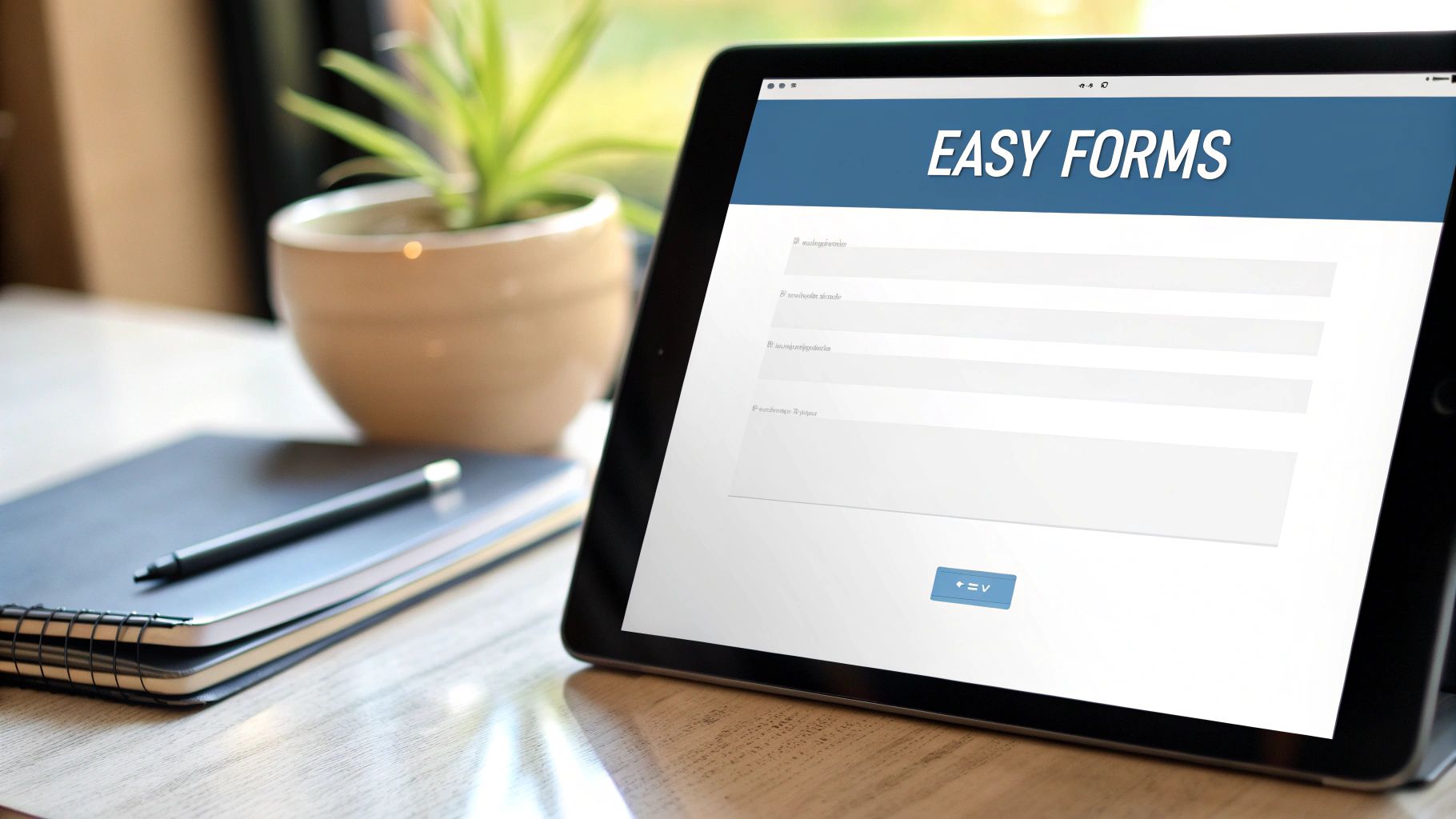
A great website guides visitors to a destination, and Calls-to-Action (CTAs) and forms are the signposts and gateways. CTA and form optimization is the process of making these elements so clear and persuasive that taking the next step feels like a natural conclusion for your visitor. It’s about removing any hesitation or confusion standing between user interest and a conversion.
This best practice combines visual psychology with user-centric design. We ensure your most important buttons, like "Get Your Free Quote," are impossible to miss and use language that motivates action. Simultaneously, we strip down your forms to the bare essentials, making them quick and painless to complete. This is a cornerstone of website design best practices because it directly impacts your ability to capture leads.
Why It Matters for Your Business
Optimized CTAs and forms turn passive interest into measurable results. For an HVAC company, this means a visitor confidently clicks "Request Emergency Service" instead of leaving the site. For an e-commerce store, a streamlined checkout form can dramatically reduce the number of abandoned carts and boost revenue.
Key Insight: The easier you make it for someone to say "yes," the more often they will. Every field you remove from a form and every word you clarify on a button reduces friction and increases your conversion rate.
How to Implement It
- Design with Contrast: Your primary CTA button should be a color that stands out from the rest of your page's palette. It needs to draw the eye instantly.
- Use Action-Oriented Copy: Replace generic words like “Submit” with value-driven phrases. “Get Your Free Quote” or “Schedule My Consultation” tells the user exactly what they get in return.
- Simplify Your Forms: Start with the absolute minimum number of fields required. For a lead, you might only need a name and email. Each additional field is a reason for a potential customer to give up.
- Provide Instant Feedback: Use real-time validation to tell users immediately if a field is incorrect (like a mistyped email). This prevents frustration and ensures you collect accurate information.
By meticulously refining your CTAs and forms, you create a seamless path from visitor to customer. To see how we apply this to generate more leads, take a look at our approach to custom lead generation websites.
7. SEO-Friendly Technical Foundation
A visually stunning website is worthless if search engines can't find and understand it. An SEO-friendly technical foundation is the behind-the-scenes framework that makes your site legible to search engine bots like Google's. It’s about building your website on solid ground so all your great content and design can actually be discovered by potential customers.
This isn’t just about keywords; it’s the non-negotiable plumbing of your digital presence. It involves clean code, a logical site structure, and signals that tell search engines what your content is about. Implementing these website design best practices ensures your marketing efforts aren't wasted on a site that Google ignores.
Why It Matters for Your Business
A strong technical foundation is the difference between showing up on page one and being buried on page ten. For a local plumber, proper local business schema helps Google show their contact info directly in search results, generating more calls. For an e-commerce store, product schema can generate rich snippets with ratings and prices, attracting more qualified clicks.
Key Insight: Great content deserves to be found. Technical SEO is not an optional add-on; it is the essential work that allows your content to compete for visibility and attract organic traffic.
How to Implement It
- Use Google Search Console: This free tool is your best friend. Regularly check it to find and fix crawl errors, see how Google is indexing your pages, and identify technical issues that are holding you back.
- Implement Structured Data (Schema): Add schema code to tell search engines exactly what your content is. Use "LocalBusiness" schema for your service area and "Product" schema for e-commerce items.
- Create and Submit an XML Sitemap: A sitemap is a roadmap for search engines. Generate one that lists all your important pages and submit it via Google Search Console to ensure nothing gets missed.
- Use Clean, Descriptive URLs: Make your URLs easy for both humans and search engines to read. A URL like
/roof-repair-services/is far more effective than/page?id=842. - Prioritize Site Speed: As we covered in point #3, speed is critical for SEO. Use tools like Google PageSpeed Insights to test your Core Web Vitals and address any issues.
By building your site on a technically sound foundation, you give every piece of content the best possible chance to rank and drive business. For a deeper look, see our complete guide on how local SEO can grow your business.
8. User-Centered Design Research & Accessibility
Designing a website based on your own assumptions is like building a house without a blueprint. User-centered design eliminates guesswork by putting real user needs, behaviors, and limitations at the forefront of every decision. It involves researching your audience and then creating an experience that is intuitive and effective for them.
A critical part of this approach is digital accessibility (often called a11y), which ensures your website is usable by everyone, including people with disabilities. This isn't just an ethical requirement; it's a core tenet of modern website design best practices that enhances usability for all visitors and often improves SEO in the process.
Why It Matters for Your Business
When you prioritize user needs, visitors feel understood and can navigate your site with ease, which builds trust. For a local healthcare provider, an accessible site with larger text and clear navigation means patients can book appointments without assistance. It broadens your customer base and prevents lost sales from a frustrating user experience.
Key Insight: You are not your user. Designing for accessibility and conducting user research forces you to step outside your own perspective and build a website that truly serves your intended audience.
How to Implement It
- Prioritize Accessibility from Day One: Incorporate accessibility principles from the initial design phase, not as an afterthought. Use tools like the WebAIM Contrast Checker to ensure text is readable.
- Use Semantic HTML: Structure your content with proper headings (H1, H2, H3), lists, and other tags. This provides a clear outline for screen readers and search engines.
- Provide Alt Text for All Images: Write descriptive alternative text for all meaningful images. This describes the image's content for visually impaired users and helps with image SEO.
- Ensure Keyboard Navigation: Test your entire site using only the Tab key. Every interactive element, from links to forms, must be accessible and operable without a mouse.
- Test with Real Users: Conduct usability tests with individuals from your target audience to uncover pain points and friction you might have missed.
9. Story-Driven Design & Emotional Connection
Features and benefits tell a visitor what you do, but stories tell them why it matters. Story-driven design moves beyond service lists to create an emotional connection. It frames your business as a guide helping a customer (the hero) overcome a problem, transforming their situation from frustration to success.
This narrative approach, popularized by frameworks like Donald Miller’s StoryBrand, is about communicating your fundamental purpose. It’s a powerful component of modern website design best practices because it builds trust far more effectively than a simple list of qualifications. By telling a compelling story, you invite visitors to see themselves in the narrative and envision a better future with your help.
Why It Matters for Your Business
An emotional connection turns a transaction into a loyal relationship. For an auto shop, sharing the owner's commitment to honest service builds a level of trust that a competitor’s discount can't break. For an e-commerce brand, a customer doesn't just buy a product; they buy into a story of self-care and confidence.
Key Insight: People don’t buy what you do; they buy why you do it. Your website’s story is your most powerful tool for communicating that "why" and differentiating your brand.
How to Implement It
- Define Your "Why": Before writing a single line of copy, articulate why your business exists beyond making a profit. What problem are you passionate about solving for your customers?
- Make the Customer the Hero: Frame your website content around the customer’s journey. Position your business as the experienced guide who helps them succeed, not the hero of the story.
- Show, Don't Just Tell: Use authentic visuals of your team and real customers instead of generic stock photos. Video testimonials where customers share their transformation are incredibly effective.
- Weave Your Story Everywhere: Don’t confine your story to the "About Us" page. Integrate customer success stories on service pages and use before-and-after case studies to demonstrate tangible results.
10. Integrated Marketing System Design
Your website shouldn't operate on an island. Integrated marketing system design transforms your site from a standalone asset into the central hub of your entire digital marketing operation. This approach intentionally connects every channel—from organic search and Google Ads to social media and email—ensuring they all work together to achieve a unified business goal.
This is about creating a seamless ecosystem where data and customers flow intelligently. When someone clicks a Facebook ad, the website knows where they came from. When they fill out a form, your CRM is instantly updated. This cohesive strategy is one of the most critical website design best practices for any business serious about tracking ROI and automating growth.
Why It Matters for Your Business
An integrated system gives you a complete picture of what works and what doesn't. A service business can see exactly which Google Ad campaign is generating the most qualified leads that turn into paying jobs. An e-commerce store can track a customer from an initial Instagram click all the way through to a completed purchase and a follow-up email sequence, attributing every dollar spent.
Key Insight: A modern website isn't just a destination; it's a command center that receives traffic, captures data, and automates communication across all your marketing channels.
How to Implement It
- Map the Entire Customer Flow: Before building, chart how a customer discovers you, what landing page they see, what form they fill out, and what happens next. This map dictates your technical integrations.
- Use UTM Parameters Religiously: Tag every link from external sources (ads, social media, emails) with UTM parameters. This tells Google Analytics exactly where your traffic and conversions are coming from.
- Integrate Forms with Your CRM: Connect your website's contact forms directly to your CRM or email marketing software. This automates lead entry and triggers immediate follow-up sequences.
- Install Tracking Pixels Early: From day one, implement tracking pixels from Google, Facebook, and any other ad platform you use. This allows you to build retargeting audiences and accurately measure campaign performance.
- Create Campaign-Specific Landing Pages: Don't send expensive ad traffic to your homepage. Build dedicated landing pages with messaging that perfectly matches the ad for a higher conversion rate.
Top 10 Website Design Best Practices Comparison
| Approach | Complexity 🔄 | Resource Needs ⚡ | Expected Outcomes 📊⭐ | Ideal Use Cases 💡 | Key Advantages ⭐ |
|---|---|---|---|---|---|
| Conversion-Focused Design Architecture | Medium–High 🔄; iterative A/B testing and analysis | Analytics/CRO tools, designer & developer time, ongoing testing ⚡ | Measurable conversion uplifts and higher ROI 📊 — ⭐⭐⭐⭐ | Lead generation, PPC landing pages, e‑commerce funnels 💡 | Direct path to conversions; testable improvements ⭐ |
| Mobile-First Responsive Design | Medium 🔄; constraint-led design and device testing | Front‑end developers, QA on devices, performance tuning ⚡ | Better mobile UX, lower bounce, improved SEO 📊 — ⭐⭐⭐⭐ | Mobile‑heavy audiences, local businesses, retail apps 💡 | Stronger mobile performance and search visibility ⭐ |
| Fast Page Load Speed & Performance Optimization | High 🔄; technical expertise and continuous monitoring | DevOps, performance engineers, CDN/hosting, monitoring tools ⚡ | Faster loads, reduced bounce, SEO gains, higher conversions 📊 — ⭐⭐⭐⭐⭐ | E‑commerce, high‑traffic sites, global audiences 💡 | Direct impact on conversions and rankings; cost savings ⭐ |
| Strategic Content Hierarchy & Information Architecture | Medium 🔄; research and possible restructuring | UX/content strategist, user testing, content editors ⚡ | Improved discoverability, lower time‑to‑conversion, SEO lift 📊 — ⭐⭐⭐⭐ | Large sites, catalogs, publishing, multi‑service businesses 💡 | Scalable navigation and consistent UX; aids SEO ⭐ |
| Trust Signals & Social Proof Integration | Low–Medium 🔄; content curation and placement | Marketing/content team, legal/permissions, simple design work ⚡ | Increased trust and conversion rates; reduced purchase anxiety 📊 — ⭐⭐⭐ | Service providers, local businesses, e‑commerce 💡 | Builds credibility quickly; boosts conversions near CTAs ⭐ |
| CTA & Form Optimization | Medium 🔄; rapid iteration and testing | Designer, front‑end dev, analytics/A/B testing tools ⚡ | Higher submission rates and clearer user journeys 📊 — ⭐⭐⭐⭐ | Lead capture pages, PPC landing pages, signups 💡 | Low‑effort lift in conversions; reduces friction ⭐ |
| SEO-Friendly Technical Foundation | High 🔄; audits and careful technical fixes | SEO specialists, developers, monitoring tools, testing time ⚡ | Better indexing, rich results, and sustainable organic growth 📊 — ⭐⭐⭐⭐ | Any site prioritizing organic traffic and discoverability 💡 | Foundation for long‑term search visibility and rich snippets ⭐ |
| User-Centered Design Research & Accessibility | Medium–High 🔄; user research and WCAG compliance | UX researchers, accessibility experts, assistive‑tech testing ⚡ | Inclusive UX, broader audience reach, legal risk reduction 📊 — ⭐⭐⭐⭐ | Public sector, healthcare, sites serving diverse users 💡 | Improves usability for all users; reduces compliance risk ⭐ |
| Story-Driven Design & Emotional Connection | Medium 🔄; authentic content creation | Copywriters, videographers, photographers, editorial time ⚡ | Stronger brand recall, loyalty, and social sharing 📊 — ⭐⭐⭐ | Premium brands, mission‑driven businesses, local stories 💡 | Differentiates brand; increases perceived value and engagement ⭐ |
| Integrated Marketing System Design | High 🔄; multi‑platform coordination and tracking | Martech stack, CRM, analytics, developers, marketing ops ⚡ | Clear attribution, improved ROI, scalable nurture flows 📊 — ⭐⭐⭐⭐ | Businesses running multi‑channel paid + organic campaigns 💡 | Centralizes data; improves campaign efficiency and attribution ⭐ |
Ready to Build a Website That Works as Hard as You Do?
Navigating modern website design best practices can feel overwhelming. We’ve covered everything from conversion-focused architecture to the critical importance of page speed and SEO. Each point isn't just a box to check—it’s a gear in a larger machine designed to drive real business growth.
The common thread is a shift in perspective. A great website isn't an online brochure; it's your hardest-working employee. It operates 24/7, tirelessly qualifying leads, answering questions, and guiding visitors toward becoming loyal customers. When built correctly, it moves from a passive expense to the engine at the heart of your profit center.
From Checklist to Cohesive Strategy
Implementing these best practices isn’t about randomly applying tips. True success comes from understanding how they work together as a single, cohesive system.
- Speed and SEO create visibility: A fast, technically sound site (#3, #7) is the foundation that allows search engines to find you and bring qualified traffic to your digital doorstep.
- Trust and Hierarchy create clarity: Once visitors arrive, a clear content hierarchy (#4) and strategically placed trust signals (#5) immediately communicate value and build credibility.
- Story and UX create connection: A story-driven design (#9) and a focus on user-centered principles (#8) turn a simple visit into an engaging experience that builds brand loyalty.
- Conversion design and CTAs create action: Finally, optimized calls-to-action (#6) within a conversion-focused layout (#1) transform that engagement into tangible business results, like a filled-out contact form or a completed purchase.
Viewing your website through this lens is what separates an average online presence from an exceptional one. For a local contractor, it's the difference between a site that gets a few random calls and one that consistently delivers qualified, high-value project leads. Mastering these website design best practices is about building a predictable, scalable asset for your business.
Your Next Step Toward a High-Performance Website
The journey from an underperforming website to a lead-generation powerhouse begins with a single, strategic step. You don't need to become an expert overnight, but you do need a clear plan. Start by auditing your current site against these ten principles. Identify the one or two areas that present the biggest opportunity for immediate improvement. Is it page speed? Is your mobile experience clumsy? Are your CTAs unclear?
Focusing your effort on high-impact changes first will build momentum and deliver measurable results faster. This iterative approach ensures you're investing your time and resources where they will make the most significant difference to your bottom line. Your website has the potential to be the most powerful tool in your marketing arsenal; it’s time to equip it for success.
Feeling overwhelmed? You don’t have to tackle this alone. At Uncommon Web Design, we specialize in implementing these exact website design best practices to build high-performance digital systems for businesses like yours. If you're ready to see how a strategic website can transform your lead flow and bottom line, book a free, no-obligation consultation today.



