
If your website feels more like a forgotten business card than your best salesperson, you're not alone. Many business owners have a site that looks 'good enough' but doesn't actually do anything. It doesn't bring in quote requests, book appointments, or add to the bottom line. It exists, but it doesn’t perform.
The difference between a passive online brochure and an active growth engine comes down to strategy. This isn't about chasing design trends; it's about implementing proven, ROI-driven principles that turn visitors into customers. A great website isn't about aesthetics, it’s about results.
We're pulling back the curtain on the 10 best web design practices we use to transform underperforming websites into predictable sources of revenue. These aren't vague suggestions—they are the non-negotiable fundamentals that form the foundation of a high-performing business asset.
Let's dive in.
1. Mobile-First Responsive Design
One of the most impactful web design practices is shifting your perspective from the desktop to the device in your customer's hand. Mobile-first design isn’t about making your desktop site shrink; it’s a strategy that starts with the mobile user's experience and builds outward. With over 60% of all web traffic now on mobile, this is no longer optional.
This approach forces you to prioritize what truly matters. On a small screen, you must focus on the core message, streamlined navigation, and a clear call to action. The result is a cleaner, more effective design across all devices.

Why this matters to your business
A mobile-first mindset directly impacts your bottom line. Google uses the mobile version of your site for ranking, so a poor mobile experience makes you invisible to potential customers. For a local contractor, this means a competitor with a mobile-optimized site gets the call. For an e-commerce store, a clunky mobile checkout leads directly to abandoned carts and lost revenue.
How we implement it
Getting this right involves more than a flexible layout. It requires a specific strategic approach.
- Start Small: We design for the smallest screen first, ensuring the core experience is perfect, then add complexity for larger screens.
- Prioritize Above-the-Fold Content: Your most critical message and call-to-action are placed where mobile users see them without scrolling.
- Test on Real Devices: Emulators are fine, but nothing beats testing on actual iPhones and Android devices to catch real-world issues.
- Optimize Forms: We use HTML5 input types (like
type="tel") to trigger the correct mobile keyboards, making it effortless for users to contact you.
Building for mobile first ensures a fast, accessible, and conversion-focused experience for the majority of your audience.
2. Fast Page Load Speed & Core Web Vitals
Page speed is a non-negotiable factor that directly impacts your revenue. A slow website frustrates visitors and tells search engines your site provides a poor experience. We're not talking about shaving off milliseconds for fun; we're talking about a metric that dictates whether a user stays and converts or leaves for a competitor.
Google's Core Web Vitals (CWVs) make this measurable, tracking how fast your content loads, how quickly the page becomes interactive, and how stable the layout is. Sites that excel in these areas see higher engagement, lower bounce rates, and better search rankings.

Why this matters to your business
The data is clear: speed sells. A one-second delay in load time can reduce conversions by 7%. For an auto shop, that’s a lost appointment. For an online store, it’s a lost sale. A slow site isn't just an inconvenience; it's a direct leak in your revenue pipeline.
How we implement it
Achieving a fast website requires a multi-faceted approach focused on efficiency.
- Optimize Images: We compress images before uploading and serve them in modern formats like WebP. Lazy loading ensures images below the fold only load as the user scrolls.
- Streamline Code: We minify CSS, JavaScript, and HTML files to reduce their size and defer non-critical scripts so the most important content loads first.
- Leverage Caching and a CDN: Browser caching stores assets on a user's device for faster return visits. A Content Delivery Network (CDN) serves your site from the location closest to the user, ensuring a snappy experience worldwide.
- Monitor Core Web Vitals: We regularly check your CWV report in Google Search Console to identify and fix performance issues before they impact your rankings.
Prioritizing a fast experience creates a foundation for high conversion rates and strong SEO performance.
3. A Clear Call-to-Action (CTA) Hierarchy
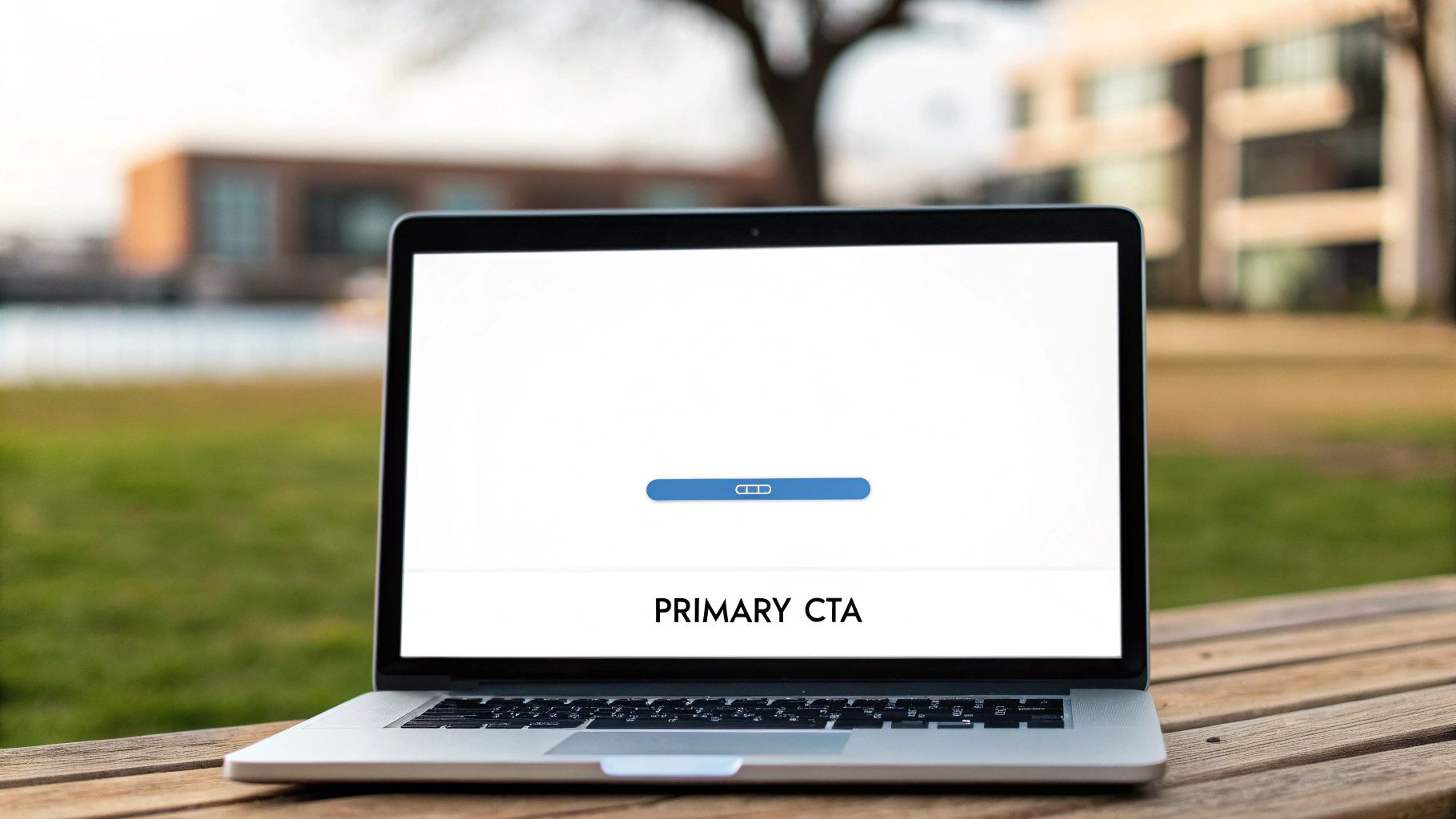
A website without a clear call-to-action is like a salesperson who never asks for the sale. An effective CTA hierarchy is one of the most vital web design practices because it guides visitors on a logical journey, telling them exactly what to do next. It establishes a visual priority, making your most valuable conversion points impossible to miss.
This strategic approach turns passive browsing into active engagement. By designing a clear path, you remove decision fatigue and friction, making it easy for a potential customer to take the next step. We build every page with a specific conversion goal in mind.
Why this matters to your business
A poorly defined CTA strategy leads directly to lost revenue. If a potential client lands on your service page but can’t immediately find how to contact you, they will leave and find a competitor who makes it obvious. A strong CTA hierarchy transforms your website from a digital brochure into a 24/7 salesperson.
For one dental office client, we optimized the placement, color, and text of their primary "Book an Appointment" CTA. The result? A 35% increase in online bookings in just one month. This isn't about flashy buttons; it's about clear communication that drives results.
How we implement it
Building an effective CTA system involves a mix of strategic design and clear language.
- Use Action-Oriented Language: We start with strong verbs. Instead of "Submit," we use "Get Your Free Quote" or "Schedule My Consultation."
- Establish Visual Priority: Your primary CTA should be the most prominent element, using a bright, contrasting brand color. Secondary CTAs can use a less-saturated color or be styled as outline-only buttons.
- Place CTAs Strategically: The most important CTA is always visible above the fold. We often repeat it further down the page and use a sticky header CTA on mobile so it's always accessible.
- Leverage Whitespace: We surround buttons with ample empty space to reduce visual clutter and draw the user's eye directly to the action you want them to take.
4. SEO-Optimized Content Architecture
A beautiful website that no one can find is a wasted investment. That’s why SEO-optimized content architecture is one of the most crucial web design practices. It involves structuring your site's content in a way that is logical for both humans and search engine crawlers, ensuring your pages are easily discovered, understood, and ranked.
Think of it as the blueprint for your website. Instead of randomly publishing pages, we build a deliberate hierarchy. This helps Google understand the relationship between your pages, establishes your authority on key topics, and makes it simple for visitors to find what they need.
Why this matters to your business
A well-architected site translates to more qualified organic traffic, meaning less reliance on expensive ads. When Google can easily crawl your content, it rewards you with higher rankings. For a local HVAC company, this means appearing on the first page when a homeowner searches "AC repair near me." This isn't just about traffic; it's about attracting ready-to-buy customers.
How we implement it
Proper architecture is built into the design process from day one, not bolted on as an afterthought.
- Create Topic Clusters: We build your content around a central "pillar" page (e.g., "Roofing Services") and support it with "cluster" pages on related subtopics (e.g., "Shingle Repair," "Emergency Roof Tarping").
- Use a Logical Heading Hierarchy: Every page has one
<h1>tag for the main title. We use<h2>and<h3>tags to structure the rest of the content, which helps search engines understand the page's main ideas. - Implement Strategic Internal Linking: Linking cluster pages back to your main pillar page passes authority and signals to Google that your pillar page is the most important resource on that topic.
- Optimize URL Structures: We keep your URLs clean, short, and descriptive. A structure like
/services/ac-repair/is far more effective than/page-id-123/.
5. Conversion-Focused Form Design
Your website's forms are the final handshake—the moment a visitor becomes a lead. Conversion-focused form design treats these not as simple data fields, but as critical conversion points that must be optimized for speed, clarity, and trust. Every unnecessary field adds friction that can cost you a sale.
The goal is to make getting in touch so effortless that users complete the form without a second thought. By stripping away complexity, you directly impact your ability to generate new business.
Why this matters to your business
A poorly designed form is a lead-generation killer. If a potential customer has to fill out 12 fields just to ask a question, they will give up and call a competitor. We helped a local service business overhaul their long, complicated quote request form, reducing it to just three essential fields. The result was a 140% increase in qualified requests in the first month.
A shorter form signals a faster, easier business interaction. For e-commerce stores, this means fewer abandoned checkouts. Optimizing this single element is one of the highest-impact changes you can make.
How we implement it
Building a high-converting form is a science that prioritizes ease of use.
- Start with Minimal Fields: We only ask for what you absolutely need to start a conversation—typically Name, Email, and Phone/Message.
- Use Smart Input Types: Setting the proper HTML5 input types like
type="email"andtype="tel"automatically brings up the correct keyboard on mobile devices. - Provide Clear Privacy Assurance: A simple message like, "We respect your privacy," below the submit button builds significant trust.
- Test on Mobile Devices: We ensure your forms are easy to navigate, tap, and complete on a small screen, testing touch targets and field visibility extensively.
6. Accessibility (WCAG 2.1 Compliance)
An often overlooked practice is creating a site that everyone can use. Web accessibility ensures that people with disabilities—about 15% of the population—can navigate and interact with your website. This isn’t just about social responsibility; it’s a strategic decision that protects you legally, expands your market, and improves the experience for all users.
Adhering to the Web Content Accessibility Guidelines (WCAG) 2.1 is the gold standard. An accessible website is simply a more robust and user-friendly website for everyone.
Why this matters to your business
Ignoring accessibility is a direct risk. ADA-related web lawsuits are surging. Beyond legal risk, an inaccessible site alienates potential customers. That means a potential client using a screen reader can't fill out your contact form, or a customer with low vision can't read your product details.
Making your website accessible is also a powerful SEO signal. Many best practices, like using semantic HTML and providing alt text for images, directly align with what search engines look for. To ensure your website is usable by everyone, including those with disabilities, it's crucial to follow essential guidelines on website accessibility.
How we implement it
Building an accessible website requires a deliberate approach from the start.
- Prioritize Semantic HTML: We structure your content logically with tags like
<header>,<nav>, and<main>, providing a clear roadmap for screen readers. - Check Color Contrast: We ensure your text has a contrast ratio of at least 4.5:1 against its background, which is critical for users with low vision.
- Write Descriptive Alt Text: Every meaningful image gets alternative text that describes its content and purpose.
- Test Keyboard Navigation: We ensure every interactive element is reachable and clearly highlighted using only the Tab key.
7. Trust Signals & Social Proof
Your website can look amazing, but if visitors don't trust you, they won't become customers. Trust signals are elements you build into your design to reduce their purchase anxiety and establish credibility. They are critical for turning skeptical visitors into confident buyers.
Social proof is a powerful psychological trigger that shows potential customers that others have used and valued your services. By showcasing real-world success, you provide the evidence needed to convert interest into action.
Why this matters to your business
Trust is the currency of the web. Without it, you lose sales. For a local contractor, a page full of five-star reviews from neighbors builds more confidence than any flashy design ever could. For an e-commerce store, displaying security badges at checkout can be the difference between a completed purchase and an abandoned cart. We’ve seen clients add a single, powerful case study to a service page and increase qualified leads by over 85%, simply by proving their claims with tangible results.
How we implement it
Integrating social proof requires placing these elements where they will have the most impact.
- Gather High-Quality Testimonials: We help you request specific, result-oriented quotes from your best clients.
- Showcase Client Logos: If you serve recognizable businesses, a logo bar on your homepage is a fast, visual way to communicate experience.
- Use Data-Driven Social Proof: Instead of saying "customers love us," say "Trusted by over 750 happy clients." Specific numbers are more believable.
- Leverage Star Ratings: Displaying an aggregate rating (e.g., 4.8 stars from 125 reviews) near your primary call-to-action provides an instant credibility boost.
8. Clear Information Architecture & Navigation
One of the most foundational practices involves organizing your content so users can find what they need without thinking. This is Information Architecture (IA). A strong IA means a visitor can navigate to their desired information in three clicks or fewer, preventing the frustration that leads to high bounce rates.
Good IA isn't just about a tidy menu; it's about building a predictable journey. By mapping your site's structure to your customers' needs, you create a seamless experience that guides them directly toward a purchase or a phone call.
Why this matters to your business
A confusing website is a leaky bucket for your marketing budget. If a potential lead lands on your service page but can't find your pricing or contact details, they will leave for a competitor. A well-architected site also gets rewarded by search engines, as Google's crawlers can more easily understand the relationships between your pages, which contributes to better rankings.
How we implement it
Building a logical site structure requires strategic planning before a single line of code is written.
- Limit Main Navigation Items: We keep your primary menu focused on 3 to 5 core categories to avoid overwhelming users.
- Use User-Centric Labels: We name pages based on what your customers search for, not internal jargon. "Air Conditioning Repair" is better than "HVAC Solutions."
- Implement Breadcrumbs: For sites with deep content, breadcrumbs show users their path and allow for easy navigation back to a parent category.
- Design a Functional Footer: The footer acts as a secondary navigation area, including primary links, secondary items like "Careers," and detailed contact information.
9. Mobile Optimization & Touch-Friendly Design
Mobile optimization is a critical step beyond responsive design. It's about deliberately crafting an experience for a mobile user: someone who might be distracted, using one hand, and on a spotty connection. With well over half of all web traffic on mobile, a touch-friendly interface is non-negotiable for capturing leads and sales.
This practice forces us to think about usability in a tactile way. Instead of clicks, we design for taps. Instead of hover states, we create clear, immediate interactions. It means ensuring every interactive element is easy to hit with a thumb.
Why this matters to your business
Failing to optimize for touch directly translates to lost revenue. If a potential customer can't easily tap your phone number or navigate your menu, they'll leave. A frustrating mobile form is a guaranteed way to lose a lead. Over 60% of leads for most local service businesses come from mobile users who need a seamless way to get in touch.
How we implement it
A truly touch-friendly site requires attention to detail that goes beyond a fluid grid.
- Implement Generous Tap Targets: All buttons, links, and form fields have a minimum tap area of 44×44 pixels to prevent accidental taps.
- Eliminate Hover-Dependent Interactions: We never hide critical information behind a hover-only effect. All interactions must be achievable with a simple tap.
- Enable One-Tap Actions: We use
tel:links for phone numbers and map links for addresses, letting users call or get directions without leaving your site. - Test on Slow Networks: We use developer tools to throttle the connection to a "Slow 4G" setting. This reveals how your site performs in real-world conditions, not just on office Wi-Fi.
10. Data-Driven Design & Continuous Testing
Relying on assumptions or personal taste is one of the fastest ways to build a website that fails. The best web design practices are rooted in evidence, not guesswork. Data-driven design uses analytics, heat mapping, and user testing to inform every decision, turning your website into a constantly evolving sales tool.
This approach treats your website launch as the starting line, not the finish line. By continuously testing elements like headlines, calls-to-action, and form layouts, you can make incremental improvements that lead to significant gains in leads and sales. It’s about listening to what your users do, not what you think they want.
Why this matters to your business
A data-driven methodology directly impacts your ROI. Businesses that implement A/B testing see conversion rate increases of 20-50% on average. For a local contractor, testing a "Get a Free Quote" button versus a "Schedule Your Estimate" button could mean dozens of new leads each month. For an e-commerce store, discovering through a heatmap that customers are ignoring a key product filter can unlock thousands in revenue.
How we implement it
Adopting this mindset requires the right tools and a disciplined process.
- Establish a Baseline: Before we test anything, we use analytics to understand your current performance—conversion rates, bounce rates, and top exit pages.
- Form a Hypothesis: We use tools like heatmaps to see where users click. If users aren't seeing your primary CTA, our hypothesis might be: "Moving the CTA above the fold will increase clicks by 15%."
- Run Statistically Significant Tests: We use A/B testing tools to compare the original page against a new version, running the test long enough to gather sufficient data.
- Analyze and Iterate: Whether the hypothesis was right or wrong, we gain valuable insight. We document the results, implement the winner, and move on to the next test.
Top 10 Web Design Practices Comparison
| Implementation Complexity 🔄 | Resource Requirements ⚡ | Expected Outcomes ⭐ | Ideal Use Cases 📊 | Key Advantages & Tips 💡 |
|---|---|---|---|---|
| Mobile-First Responsive Design — Moderate: CSS patterns, progressive enhancement, multi-device testing. | Moderate: front-end dev time, device QA, responsive assets. | High ⭐: better mobile UX, lower bounce, positive SEO impact. | Mobile-first audiences, local businesses, general websites. | Use media queries from 320px, prioritize above-the-fold, test on real devices. |
| Fast Page Load Speed & Core Web Vitals — High: server + front-end optimizations and monitoring. | Moderate–High: CDN, caching, performance tooling, developer time. | Very High ⭐: improved rankings, higher conversions, lower costs. | E-commerce, high-traffic sites, conversion-focused pages. | Compress images (WebP/AVIF), lazy-load, monitor Core Web Vitals regularly. |
| Clear CTA Hierarchy — Low–Medium: design, copy, and placement iteration with A/B testing. | Low: designer + copywriter; simple dev updates and analytics. | High ⭐: significant conversion uplift when optimized. | Landing pages, service pages, lead-generation funnels. | Prioritize 1 primary CTA, use contrast, test button copy and placement. |
| SEO-Optimized Content Architecture — Medium–High: keyword strategy, schema, and technical SEO. | High: content creators, SEO tools, ongoing maintenance. | High ⭐ (long-term): increased organic traffic and visibility (3–6 months). | Content marketing, local SEO, sites seeking sustained organic growth. | Build pillar/cluster models, implement schema and internal linking, update content quarterly. |
| Conversion-Focused Form Design — Low–Medium: UX design, validation, and mobile optimization. | Low: form builders/tools, small dev effort, analytics. | High ⭐: higher form completion rates and lead quality. | Contact/quote forms, signups, onboarding flows. | Minimize fields (3–5), use real-time validation, optimize for mobile keyboards. |
| Accessibility (WCAG 2.1 Compliance) — Medium–High: semantic markup, testing, remediation. | Medium: accessibility audits, dev fixes, content updates. | High ⭐: legal risk reduction, larger audience, SEO benefits. | Public sector, regulated industries, inclusive-brand sites. | Ensure 4.5:1 contrast, keyboard navigation, alt text, and manual screen-reader testing. |
| Trust Signals & Social Proof — Low: curate testimonials, badges, and case studies. | Low: content collection, minor design placement, occasional video production. | Medium–High ⭐: increases credibility and conversion rates. | E-commerce, B2B services, pricing/decision-heavy pages. | Showcase real metrics, place near CTAs, rotate fresh testimonials and case studies. |
| Clear Information Architecture & Navigation — Medium: research, card-sorting, and possible restructuring. | Medium: IA workshops, user testing, content migration effort. | High ⭐: lower bounce, better discoverability, SEO clarity. | Content-heavy sites, marketplaces, service catalogs. | Use 3–5 main categories, label with user language, add breadcrumbs and search. |
| Mobile Optimization & Touch-Friendly Design — Medium: touch UX adjustments and performance focus. | Moderate: device testing, interaction refinements, performance tuning. | High ⭐: improved mobile conversions and usability. | Local search, on-the-go users, app-like web experiences. | Use 44x44px tap targets, enable click-to-call/tap-to-map, avoid hover-only controls. |
| Data-Driven Design & Continuous Testing — Medium–High: experimentation framework and analysis. | High: A/B tools, analytics, traffic volume, analyst/designer time. | Very High ⭐: iterative CRO gains and validated improvements. | Mature sites with steady traffic, growth-focused products. | Define hypotheses, run to statistical significance, combine heatmaps with user testing. |
Stop Settling for a 'Good Enough' Website
It's easy to look at a list of the best web design practices and feel overwhelmed. But the goal isn't to create an impossible checklist; it's to shift your perspective on what your website is truly capable of.
A "good enough" website might look decent. A great website, however, is an active, high-performing asset that works around the clock to achieve specific business goals. It doesn't just display information; it guides visitors, answers their questions, and systematically turns browsers into qualified leads.
Think of it this way: your website is your digital salesperson. Does it currently reflect the quality of your work? Does it make it effortless for a potential customer to book your service? The practices we’ve detailed are the framework for building that high-performance system.
Your Actionable Next Steps
If you’ve read this and realized your current website is underperforming, that awareness is the critical first step. The next is to take decisive action. Stop letting an outdated or ineffective site hold your business back. It's time to build a digital presence that reflects the quality of your work and actively contributes to your growth. This isn't just about aesthetics; it's about engineering a system designed for a single purpose: to deliver real, measurable ROI.
Ready to transform your website from a digital brochure into your most effective salesperson? At Uncommon Web Design, we implement these exact practices to build high-converting websites for businesses serious about growth. Book a no-obligation strategy session with us today and let's build something that delivers real results.



