
A solid project plan for a website is what separates a high-performing growth engine from a very expensive online business card. It's the blueprint that defines your goals, keeps your budget in check, and ensures your investment actually drives revenue—not just sits there looking pretty. This isn't about picking colors; it's about building a machine that gets you leads.
Think Blueprint, Not Brochure
Most business owners start a website project thinking about the visuals—the logo, the colors, maybe a clever headline. We've seen it hundreds of times, and it's the fastest way to build a beautiful failure. An effective website isn't an art project. It’s a strategic business tool designed to attract your ideal customers and guide them toward a profitable action.
A detailed project plan forces you to answer the hard questions before a single line of code is written. It’s the single best defense against the scope creep, missed deadlines, and budget surprises that derail so many projects.
More Than Just an Online Pamphlet
Without a plan, a website becomes a digital brochure. It lists what you do, gives your phone number, and just… sits there, hoping someone stumbles upon it. A strategically planned website, on the other hand, is an active, 24/7 salesperson working for you.
A real plan ensures your site is built from the ground up to:
- Solve Your Customer’s Problems: It speaks directly to their pain points and clearly positions you as the exact solution they’ve been looking for.
- Generate Leads on Autopilot: It plugs into your sales process to capture and qualify leads while you're busy running your business.
- Deliver a Measurable Return: It’s tied directly to your business goals, so you can see how your online presence impacts the bottom line.
A website without a strategic plan is a gamble. A website with a plan is a calculated investment engineered for predictable returns.
Building on a Solid Foundation
Your project plan also sets the technical foundation, and making the right choices early prevents massive headaches later. Picking the right Content Management System (CMS) is a huge decision. There's a reason WordPress powers over 43% of all websites globally—it’s scalable, flexible, and has a massive support community.
Building on a proven platform ensures your website can grow as your business grows. You can dig into more web development statistics to see how critical these foundational choices are.
Ultimately, a website project plan isn't just a document. It’s a commitment to clarity and results. It gets everyone, from your team to your agency partner, aligned on the same definition of success. It’s how you build a growth engine, not just another pretty page on the internet.
Laying the Strategic Foundation Before You Build
The success of a new website is decided long before anyone thinks about colors or fonts. It's a common mistake to jump straight into the visual design without first answering the most fundamental question: what is this website supposed to do for my business?
This initial discovery and strategy phase is, without question, the most critical part of the entire project. This is where we dig into your business model, your customer's mindset, and where you stand against the competition. You're building a strategic tool, not just an online brochure.
A proper discovery process gets everyone crystal clear on who you're talking to and what you need them to do when they land on your site. This clarity also sets the stage for smooth communication and clear expectations, which is why adopting client communication best practices early is so important.
Defining Your Ideal Customer and Their Journey
You can’t build a website that converts if you don't know who you're trying to convert. The first step is to create a detailed profile of your ideal customer. We need to know their motivations, their biggest frustrations, and the exact questions they're typing into Google when they need a solution like yours.
For example, a local electrician isn't just selling "electrical services." They're selling peace of mind to a homeowner panicking about flickering lights. Or they're selling reliability to a contractor on a razor-thin deadline.
The website has to speak directly to that specific need. To do that, we map out the customer journey:
- Awareness: How do they find you? Is it a frantic Google search for "emergency electrician near me" or a referral from a neighbor?
- Consideration: What information do they need to trust you? This is where case studies, transparent pricing, and real team photos make a massive difference.
- Decision: What makes it dead simple for them to take the next step? Often, a clear "Request a Quote" form or a can't-miss phone number is the only thing standing between you and a new lead.
By understanding this path, we structure the entire website to guide them from one stage to the next, turning a casual browser into a qualified lead.
Setting Goals That Actually Drive Revenue
Once we've nailed down the who, it's time to define the what. Fuzzy goals like "get more traffic" are useless. We need specific, measurable Key Performance Indicators (KPIs) tied directly to your bottom line.
Your website’s KPIs shouldn’t be vanity metrics like page views. They should be business metrics: qualified leads generated, appointments booked, or online sales completed. That's how you measure real ROI.
This discipline ensures every element on the website—from the headline on your homepage to the button in your footer—has a job to do. There's no room for fluff when you're focused on results. A detailed guide on effective web page planning can help you structure each page to hit those business goals.
The whole point is to shift your thinking from art and aesthetics to a solid foundation of strategy, as this simple flow shows.
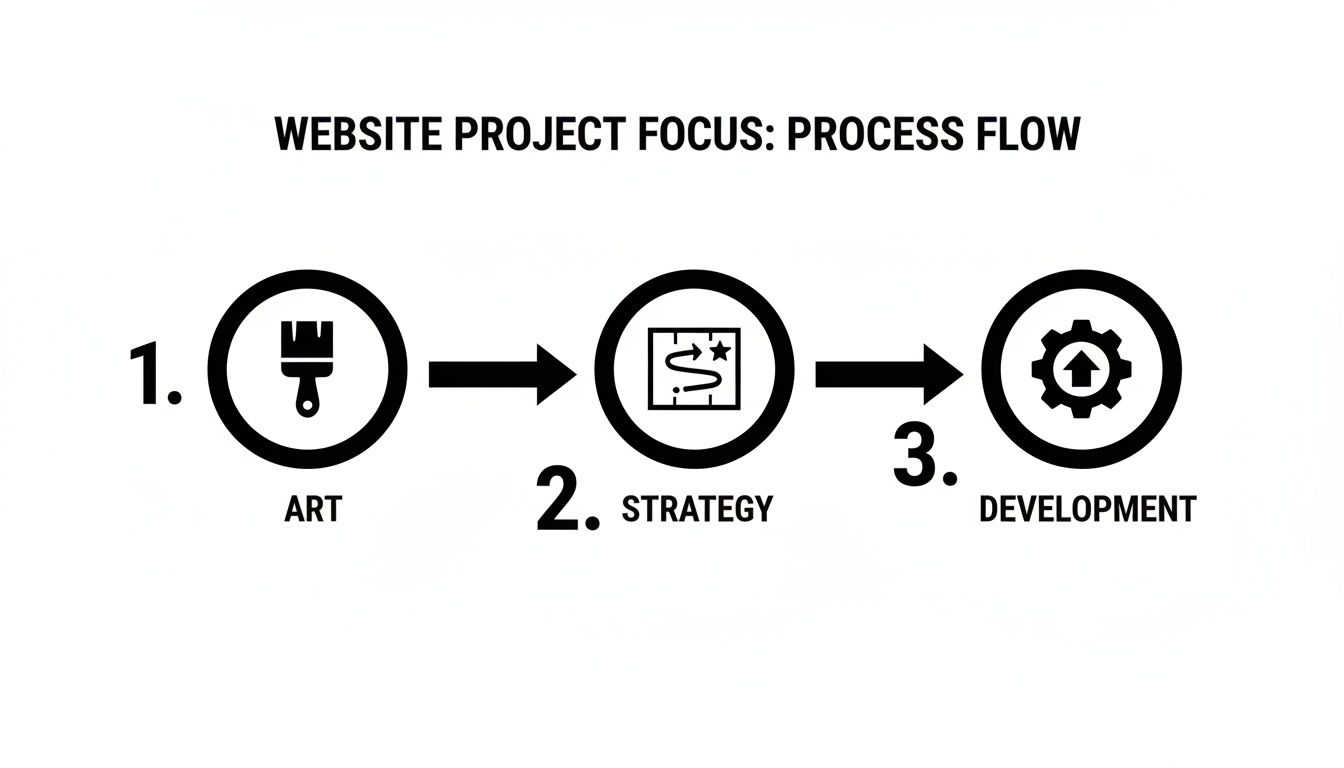
While looks matter, they must serve the strategic goals you define here. This strategy-first approach has become central to how smart businesses operate online. The global web development market, valued at around USD 80.6 billion in 2025, is projected to hit USD 125.4 billion by 2030. For you, this means better tools and deeper expertise are available, but only if you treat your website as the core strategic investment it is.
Turning Strategy into a User-Focused Design
With a solid strategy in place, we can start shaping what your website will look and feel like. But this isn't about picking colors yet. This part of the process is about creating a functional blueprint that puts your customers first, making it easy for them to find what they need and do business with you.
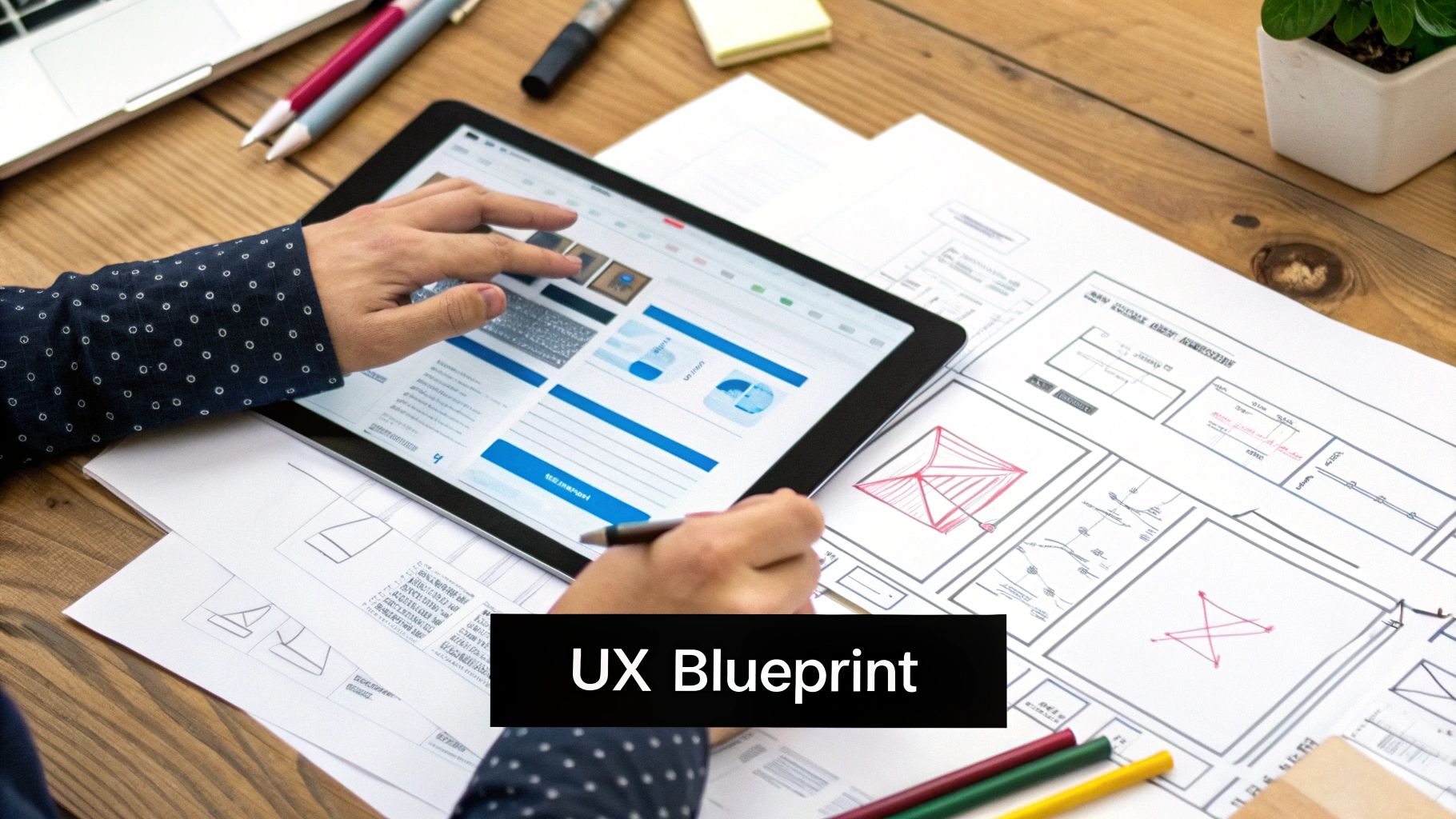
We're translating strategic thinking into a tangible structure. The focus here is on information architecture and user experience (UX) design. Fancy terms, I know, but they simply mean organizing your site logically and making it incredibly easy for people to use. If your website is a house, this is where we draw up the floor plans, not argue over paint swatches.
Building an Intuitive Path for Your Customers
Imagine a local dental office. When a potential patient lands on their homepage, what are they trying to do? Most likely, they want to see the services offered, check insurance details, or book an appointment. A user-focused design makes that journey obvious and frictionless.
To get there, we start with wireframes. These are simple, black-and-white layouts of each page that map out where key elements like navigation menus, call-to-action buttons, and contact forms will live. Stripping away the visuals forces everyone to focus purely on function and flow.
For our dental office, the wireframe might specify:
- A "Book an Appointment" button that's always visible in the top right corner.
- A clear "Services" dropdown, broken into categories like "Cosmetic Dentistry" and "General Checkups."
- A "New Patients" section on the homepage, linking directly to insurance info and downloadable forms.
This blueprint ensures a visitor is never more than a click away from their goal. Frustration is the ultimate conversion killer, and a logical structure is your best defense.
Why User Experience Is a Business Metric
Many business owners think design is just about looking professional. While aesthetics matter, strategic UX and UI (user interface) design directly impact your bottom line. Good UX turns visitors into leads. Bad UX sends them to your competitor.
Design isn't just what it looks and feels like. Design is how it works. A beautiful website that confuses users is a failed business tool.
This is also where we plan for how people browse today. Mobile devices now account for a staggering 63% of global web traffic. A mobile-first approach isn't a buzzword; it's a non-negotiable requirement. Designing for the small screen first ensures your site works for the majority of your audience.
Ultimately, this design phase is about empathy—putting yourself in your customer's shoes and building a digital space that serves their needs. The visuals can wait; the functional blueprint comes first. Once this structure gets the green light, our guide on how to write website content can show you how to craft copy that connects and converts.
Phase 4: Building Your Website (Development)
With the strategy set and designs approved, it’s time to turn those static blueprints into a living, breathing website. This is the development phase, where our team of coders builds the digital home for your business.
For anyone not deep in the tech world, this part can seem like a black box. But it really boils down to two key areas that work together.
The Front-End: What Your Visitors See and Touch
Think of front-end development as everything a user sees and interacts with: the layout, colors, fonts, buttons, and animations.
Our developers translate the visual designs into code (HTML, CSS, and JavaScript). Their mission is to ensure that what looked great in a design file looks and works perfectly in a web browser—whether on a giant desktop monitor or a small smartphone screen. It’s all about creating that smooth, intuitive user experience.
The Back-End: The Engine Under the Hood
If the front-end is the car's shiny exterior, back-end development is the engine and wiring that makes it go. This is the behind-the-scenes work that powers the website.
This includes setting up the server, the database, and the content management system (CMS) that lets you update your site. It handles everything from processing a form submission to managing user accounts and keeping your data secure. It’s the powerhouse that ensures your website is fast, reliable, and functional.
Why Content is the Most Important Piece of the Puzzle
We’ve seen it happen countless times: a project gets derailed because the content isn't ready. A beautiful, technically perfect website with weak or placeholder content is like a high-performance sports car with no gas in the tank. It looks great, but it’s not going anywhere.
You can't just copy and paste text from an old brochure. Great web content is a science. It has to be crafted to:
- Solve a Problem: It must speak directly to your target audience, addressing their pain points in their language.
- Drive Action: Every page should have a goal, whether it’s getting a visitor to sign up, request a demo, or buy a product.
- Get Found on Google: Content needs to be structured and written with SEO in mind to attract the right kind of organic traffic.
The best websites feel like they're reading your mind. The design guides your eyes, but it's the content that provides the answers, builds trust, and convinces you to take the next step.
Weaving in Your Business Tools
Another common mistake is treating your essential business software as an afterthought. Your website shouldn't operate on an island; it needs to be the central hub of your marketing and sales efforts from day one.
That’s why we integrate your core tools during the development process, not after. This isn't a "nice-to-have"; it's fundamental.
We’re talking about connecting systems like:
- Your CRM: Leads from your contact forms should instantly populate your sales pipeline. No more missed opportunities or manual data entry.
- Email Marketing Software: Trigger automated welcome sequences for new subscribers or follow-ups for anyone who downloads a resource.
- Payment Gateways: For e-commerce, knowing how to integrate a payment gateway into your website is critical for a secure and seamless checkout.
Building these connections from the start transforms your website from a simple brochure into a powerful, automated machine that actively works for your business.
Your Final Pre-Launch Quality Assurance Checklist
Launching a new website without a meticulous quality assurance (QA) phase is a massive, unnecessary gamble. It's like a contractor handing you keys to a new house without checking if the plumbing works. A move like that can instantly damage your brand’s reputation and waste all your strategic effort.
This isn’t just about catching typos. The QA process is your final defense against post-launch disasters that lose leads and frustrate customers. A broken contact form, a dead link, or a page that looks terrible on an iPhone are silent conversion killers. This is where we stress-test everything to make sure it's ready for the real world.
Cross-Browser and Device Compatibility Testing
Your customers don't all use the same tech. One might be on a new MacBook using Chrome, while another is on a five-year-old Android phone with Firefox. Your website has to look and work flawlessly for every single one of them.
We methodically check the site across:
- Major Browsers: We test on Chrome, Safari, Firefox, and Edge, hunting for any visual glitches, layout breaks, or broken features.
- Different Devices: We test on various desktop resolutions, tablets (in portrait and landscape modes), and a range of smartphones. In this day and age, mobile responsiveness isn't a feature; it's the main event.
This step ensures that no matter how someone finds you, they get the polished, professional experience you designed.
The Technical SEO Audit
Right before we go live, we run a final technical SEO check to ensure search engines like Google can find, crawl, and understand your new site from day one. Skipping this is like opening a new store but forgetting to put a sign out front.
Our technical checklist covers the essentials:
- Page Titles and Meta Descriptions: We confirm every page has a unique, optimized title and description to tell search engines and visitors what it's about.
- 301 Redirects: We double-check that every URL from your old site is properly redirected to its new home. This is absolutely critical for preserving your existing search engine authority.
- XML Sitemap Submission: A clean sitemap is generated and ready to be submitted to Google Search Console the minute you launch, giving Google a clear roadmap of your site.
To give you a clearer picture, here is a scannable table of "must-do" items before flipping the switch.
Essential Pre-Launch QA Checklist
| Category | Checklist Item | Business Impact if Missed |
|---|---|---|
| Functionality | All forms (contact, lead gen) submit correctly and send notifications. | Lost leads and customer inquiries. Direct revenue impact. |
| Compatibility | Website displays correctly on major browsers (Chrome, Safari, Firefox). | Poor user experience, increased bounce rate, and damaged brand perception. |
| Mobile | The site is fully responsive and usable on phones and tablets. | Alienates over 50% of web traffic and hurts SEO rankings. |
| SEO | 301 redirects from old URLs to new URLs are in place. | Loss of existing search rankings and valuable "link juice." |
| Content | All placeholder text and images have been replaced with final content. | Looks unprofessional and confusing to visitors. |
| Performance | Page load speeds are optimized and within acceptable limits. | High bounce rates; visitors won't wait for slow pages to load. |
This checklist isn't exhaustive, but it covers the high-impact items that can make or break a launch.
User Acceptance Testing: Your Final Walk-Through
This is arguably the most important part of the entire plan, and it's where you and your team get in the driver's seat. User Acceptance Testing (UAT) is your chance to experience the website exactly as a customer would.
UAT isn't about the development team finding bugs. It's about you confirming that the final website solves the business problems and meets the user needs we defined back in the strategy phase.
Your team should actively try to complete key tasks. Fill out the contact form. Find a specific service. Navigate to the blog. Does it all feel intuitive? Is the copy clear? Does it work exactly like you envisioned?
This final review guarantees the finished product doesn't just look good—it aligns with your original business goals and is ready to perform.
Shifting from Project Launch to Ongoing Growth
The day your new website goes live isn’t the finish line. It's the starting block.
Too many business owners treat their website like a one-and-done project, then wonder why it isn't generating leads a year later. A high-performing website is a dynamic business asset that needs to evolve, not a static brochure you print and forget.
To get a real, continuous return on your investment, you must shift from a project mindset to a growth strategy. Right away, hook your site up to tools like Google Analytics. This isn’t about watching visitor numbers bounce around; it’s about measuring what matters against your business goals. Are we getting more quote requests? Are people from our target service area engaging? The data tells the real story.
From Maintenance to Momentum
Beyond tracking performance, a website needs consistent care to stay healthy and secure. Think of it like preventative maintenance on a critical piece of equipment. Ignoring it doesn't save you money; it just guarantees a bigger, more expensive headache down the road.
This ongoing work boils down to three key areas:
- Technical Health: This means running regular software updates, security scans to block threats, and performance checks to keep the site fast. A slow or hacked website will torpedo your credibility.
- Content and SEO: To attract new, qualified traffic, your website needs a steady stream of fresh, relevant content. Regular blog posts, case studies, or new project galleries signal to both Google and your customers that you're an active, authoritative voice in your field.
- Conversion Optimization: Using data from analytics, we spot opportunities to make the site work better. Maybe a key button isn't getting clicked, or a contact form is too long and scaring people off. Making small, data-driven tweaks over time leads to massive increases in lead generation.
Your website is not a fixed asset like a company truck. It's a living part of your sales process that needs to be tuned, refined, and fueled with new content to keep performing at its peak.
This continuous cycle of analyzing, maintaining, and improving is what separates a successful website from a stagnant one. It’s how you ensure your initial investment continues to pay you back long after launch. This is also where your website connects with your other marketing efforts. Our guide on email marketing for lead generation shows you how to turn that website traffic into a direct line of communication with potential customers.
A complete project plan for a website must account for what happens after day one. It's a commitment to a long-term partnership for growth.
We get asked a lot of questions from business owners trying to get a handle on what a real website project entails. Let’s break down the most common ones.
How Long Does a Website Project Typically Take?
This is the classic "it depends" question, but we can give you a realistic ballpark. For a high-quality, professional website for a typical service-based business, you're usually looking at 8 to 12 weeks from kickoff to go-live.
That timeline breaks down into distinct stages:
- Strategy & Discovery: 1-2 weeks
- Design & Wireframing: 2-3 weeks
- Development & Content: 4-6 weeks
- Testing & Launch Prep: 1-2 weeks
Complex features like e-commerce or custom integrations will extend that timeline. Rushing the process almost always means cutting corners on strategy or testing, which ends up costing you more down the road.
What’s the Biggest Mistake to Avoid in a Website Project Plan?
Hands down, the single biggest mistake is treating content as an afterthought. You can have the most beautiful design in the world, but if it’s filled with weak, placeholder copy, the whole project will fall flat.
Your website is a communication tool, first and foremost. The design sets the stage, but it’s the words that do the heavy lifting—the selling, the convincing, and the connecting.
If your content isn't ready when development kicks off, it throws a wrench in the works, causing serious delays. Plan for your content from day one. Figure out who's writing it, what the key message is for every page, and set firm deadlines, just like any other milestone. That discipline is what separates a high-performing website from a pretty but useless brochure.
Having a clear plan is your first step toward building a website that works as hard for your business as you do. If you're ready to stop guessing and start building a real growth engine, the team at Uncommon Web Design is here to help. Schedule a free consultation with us today.



