
If your website feels more like a dusty online brochure than your top salesperson, you're in the right place. Many small business owners have a site that exists, but it doesn't work. It doesn't attract the right customers, answer their questions with authority, or convince them to pick up the phone. It's a cost, not an asset.
The problem isn't a lack of effort; it's the absence of a clear, growth-focused strategy. A high-performing website isn't about flashy animations or trendy colors. It’s an engineered system designed to turn visitors into paying customers, whether you run a local contracting business, an e-commerce store, or a professional services firm. Your website should be your hardest-working employee, operating 24/7 to build trust and generate qualified leads.
This guide cuts through the fluff. We’re providing ten actionable website design tips for small businesses that directly impact your bottom line. Forget abstract theories. Each point is a practical, ROI-driven step to transform your online presence from a passive digital business card into an active sales machine.
Here's exactly what we'll cover:
- How to clarify your message so visitors instantly understand the value you offer.
- How to build trust and credibility the moment a potential customer lands on your site.
- How to create a clear, frictionless path for visitors to become qualified leads.
By the end of this list, you'll have a clear framework to audit your current site and ensure it finally starts working as hard as you do.
1. Prioritize Mobile-First Design (Not Just "Mobile-Friendly")
Mobile-first isn't a trend; it's a fundamental business strategy. This approach means we design your website for a smartphone first, then adapt it for larger screens. With Google now using the mobile version of your site for ranking, this directly impacts your visibility. More importantly, it respects how your customers actually find you.
Think about your ideal customer's real-world behavior. A homeowner in Murrieta needing a plumber isn't at their desk; they're on their phone searching "emergency plumber near me." If your site is slow, broken, or hard to navigate on mobile, you’ve lost that customer to a competitor before they even find your phone number. A mobile-first strategy ensures the most critical information—your services, contact details, and a clear call-to-action—is optimized for the majority of your visitors.
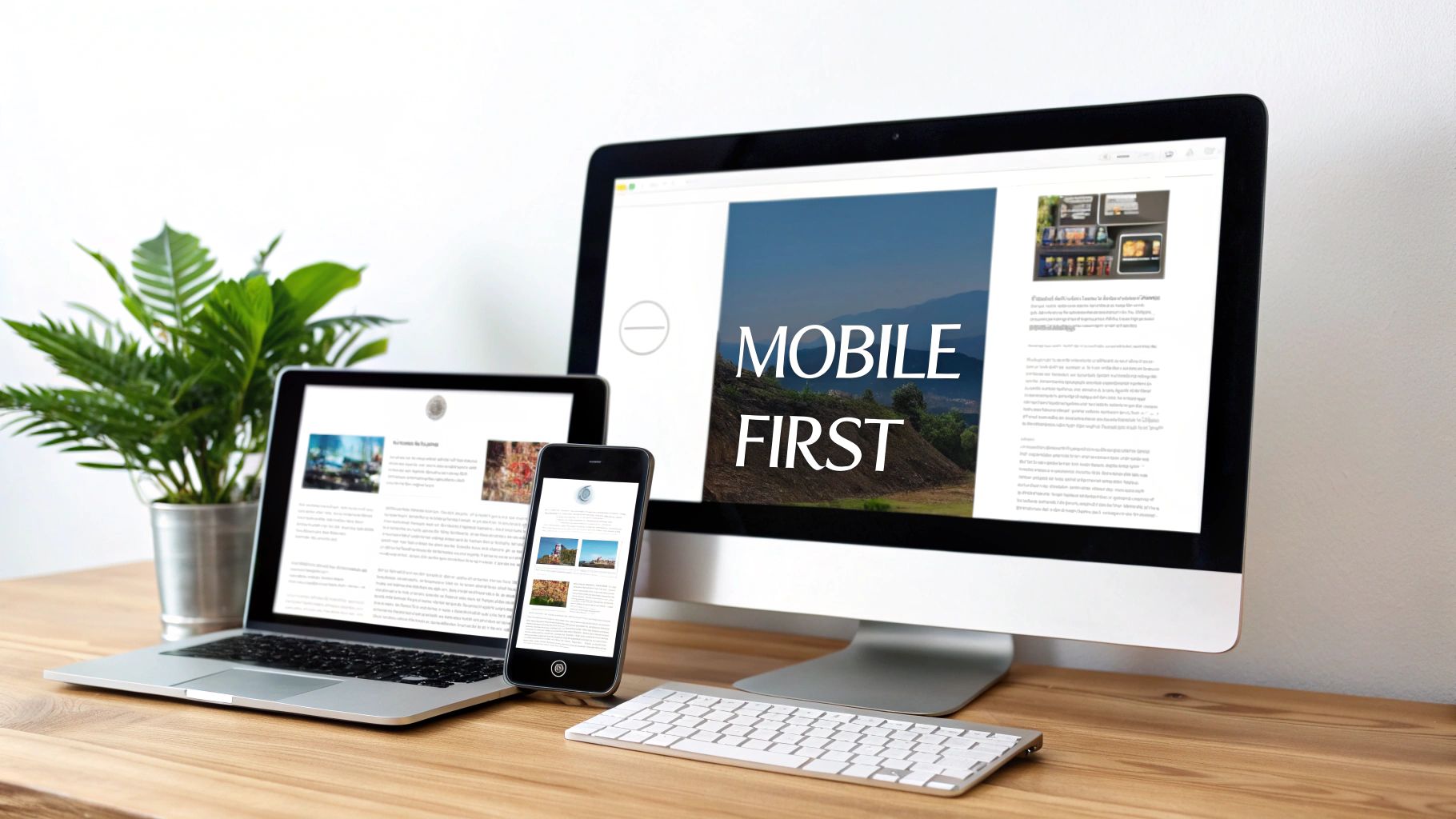
Why Mobile-First Directly Impacts Your Revenue
A clunky mobile experience is a direct barrier to revenue. For an e-commerce store, a seamless mobile checkout process can dramatically reduce abandoned carts. For a service business like a dental office or an auto shop, it means a potential client can easily tap a button to call you or fill out a simple contact form, turning a casual search into a scheduled appointment.
Consultant's Insight: Designing for mobile first forces you to prioritize what truly matters. By stripping away the noise, you create a cleaner, more focused, and higher-converting website on all devices, not just phones.
Actionable Steps for Implementation:
- Prioritize Core Actions: Identify the top 1-3 things a mobile user must do. This could be "Call Us," "Book an Appointment," or "Get Directions." Make these actions impossible to miss on a small screen.
- Test on Real Devices: Browser simulators are a start, but testing on actual iPhones and Android phones is non-negotiable. This reveals real-world issues with button sizes and loading speeds.
- Design for Touch, Not Clicks: Ensure buttons and links are large enough and have adequate spacing to be easily tapped with a thumb. Shrinking your desktop site is a recipe for user frustration.
- Aggressively Compress Images: Use modern image formats like WebP to slash file sizes without sacrificing quality. Fast load times are non-negotiable for retaining mobile visitors.
Adopting this mobile-first mindset is one of the most impactful website design tips for small businesses looking to compete and win online today.
2. Nail Your Value Proposition in the First 3 Seconds
When a potential customer lands on your site, they have one question: "Is this the right place for me?" You have about three seconds to give them a confident "yes." Your value proposition, displayed clearly in your hero section (the first thing people see), is your chance to do just that. It's a concise statement explaining the tangible benefit you provide and why a customer should choose you over anyone else.
This isn't just a tagline; it's your core business promise. A local contractor in Menifee can immediately build trust with a headline like "On-Time, On-Budget Remodels with a 5-Year Warranty." A vague statement like "Quality Construction Services" gets ignored. Your hero section must stop the scroll, communicate your value instantly, and guide visitors to the next logical step.
Why a Strong Hero Section Is a Lead-Generation Engine
An effective hero section acts as your 24/7 salesperson. It qualifies visitors and funnels them toward conversion. If your headline, subheadline, and call-to-action (CTA) are confusing, potential leads will simply leave. An auto shop that promises "ASE-Certified Repairs with a Lifetime Guarantee" connects with a customer's need for reliability. The generic "Auto Repair Experts" headline does not. This clarity turns website traffic into actual appointments.
Consultant's Insight: Focus on the outcome for your customer, not the features of your service. "We Turn Your Website Into a 24/7 Salesperson" is far more powerful than "We Build High-Performance Websites."
Actionable Steps for Implementation:
- Speak Your Customer's Language: Ditch the jargon. Use the words your customers use to describe their problems and what they hope to achieve.
- Craft a Benefit-Driven Headline: Your main headline should state the primary result a customer gets. Use a subheadline to add context or address a secondary benefit.
- Use a Clear, Contrasting Call-to-Action: Your primary CTA button should be impossible to miss. Use action-oriented verbs like "Get My Free Quote," "Schedule a Consultation," or "Start My Project."
- Choose a Supporting Visual: Your hero image or video must be high-quality, relevant, and support your value proposition. It should show the result of your work, not just your team smiling.
For inspiration on making a powerful first impression, explore these high-converting e-commerce homepage examples. Mastering this element is one of the most critical website design tips for small businesses aiming to turn visitors into customers.
3. Obsess Over Page Load Speed
Page speed isn't a technical metric for developers; it's a measure of respect for your customer's time. A slow website is the digital equivalent of making a customer wait in a long line just to ask a question. With Google's Core Web Vitals now a key ranking factor, site performance directly impacts both user experience and your visibility in search results.
Every second counts. A potential customer searching for a service in Murrieta will simply hit the "back" button if your site takes more than a few seconds to load. This high bounce rate signals to Google that your site offers a poor experience, damaging your rankings and handing a ready-to-buy customer to your faster competitor.
Why Speed Is a Revenue Metric
A fast website directly translates to more leads and sales. For e-commerce stores, studies consistently show that even a one-second delay in load time can hurt conversion rates. For a service business, a snappy site means a potential client can quickly find your contact form or phone number without frustration, significantly increasing the likelihood they will reach out.
Consultant's Insight: Website speed is a foundational element of trust. A fast, responsive site signals professionalism and reliability. A slow, clunky one creates doubt before a user even reads a single word.
Actionable Steps for Implementation:
- Compress All Images: Large images are the #1 cause of slow websites. We use tools to compress images and serve them in modern formats like WebP to deliver high-quality visuals at a fraction of the file size.
- Leverage Browser Caching: This tells a visitor's browser to "remember" parts of your website. When they return, the site loads almost instantly because they don't have to re-download everything.
- Minimize Code Bloat: Clean up and minify your site's HTML, CSS, and JavaScript. This removes unnecessary characters, reducing file sizes. Choosing quality web hosting is also critical here.
- Use a Content Delivery Network (CDN): A CDN stores copies of your site on servers around the world. This ensures visitors access your site from a server geographically close to them, dramatically reducing load times.
Improving your site's performance can feel technical, but the business impact is undeniable. Prioritizing speed ensures your website works for your business, not against it.
4. Design Strategic Calls-to-Action (CTAs)
Your website can be beautiful and informative, but without a clear Call-to-Action (CTA), it's just a passive brochure. A CTA is the specific instruction you give your visitor—like "Get a Quote" or "Book Now"—that turns them from a browser into a lead. Strategic CTA placement means putting these prompts exactly where a user is most likely to act, guiding their journey and boosting your conversions.
For a local contractor in Temecula, a prominent "Schedule Your Free Estimate" button in the header and after a project gallery can be the difference between a visitor and a new client. It's about anticipating the user's next logical step. Effective CTAs use compelling, action-oriented language and contrasting colors to make the desired action impossible to ignore.
Why Strategic CTAs Are Your Website's Cash Register
A weak or hidden CTA is a missed revenue opportunity. Every service page, blog post, and project description should guide the user toward a specific, valuable action. E-commerce sites see immediate sales increases by testing "Add to Cart" button colors and placement. Service businesses generate more qualified leads by placing "Request a Consultation" forms in contextually relevant spots. Your CTAs are the most important buttons on your site; they must be visible, clear, and compelling.
Consultant's Insight: Frame your primary CTA around the user's gain. Instead of a generic "Submit," use benefit-driven language like "Send My Free Audit" or "Get My Instant Quote." This shifts the perspective from what they have to do to what they're about to receive.
Actionable Steps for Implementation:
- Design for Contrast and Attention: Your main CTA button should use a color that stands out from your brand's primary palette. If your site is mostly blue and white, an orange or green button will draw the eye immediately.
- Place It Above the Fold: Your most important CTA should be visible on every page without scrolling. This primary action, such as "Book an Appointment," should be in your main navigation or header.
- Use Action-Oriented Verbs: Start your CTA text with a strong verb. "Get," "Download," "Schedule," and "Start" are far more effective than passive phrases like "Learn More."
- Leverage "Microcopy": Add a short line of text near your CTA to reduce friction. Phrases like "No credit card required" or "Takes only 30 seconds" address common hesitations and can significantly increase clicks.
5. Build an SEO-Optimized Foundation
An SEO-optimized structure is the blueprint that helps search engines like Google understand what your website is about and who it's for. This goes far beyond just adding keywords; it's about organizing your site logically with clear title tags, meta descriptions, and heading hierarchies (H1, H2, H3). For a small business, this technical foundation is how you attract organic traffic without paying for every single click.
Think of an auto shop in Menifee wanting to attract customers searching for an "oil change" or a Murrieta plumber competing for "emergency leak repair." Without a proper on-page SEO structure, their excellent services remain invisible online. A well-optimized site ensures your content is understood, indexed, and ranked for the local search queries that bring qualified customers to your digital doorstep.
Why On-Page SEO Is a Long-Term Business Asset
Effective on-page SEO is a direct investment in sustainable lead generation. When your pages rank organically for high-intent keywords, you attract a steady stream of potential customers who are already looking for your exact services. This reduces your reliance on costly paid advertising. A properly optimized service page becomes a 24/7 salesperson, consistently bringing in leads long after it's published.
Consultant's Insight: Great design is useless if no one can find your website. On-page SEO makes you visible to search engines, while great design and content convert that visibility into business. The two must work in tandem.
Actionable Steps for Implementation:
- Conduct Local Keyword Research: Identify the specific terms your customers use. Think like them: what would they type into Google to solve their problem?
- Optimize Critical On-Page Elements: Ensure every page has a unique, compelling title tag (e.g., "Emergency Plumbing Repair in Murrieta | [Your Business Name]") and a meta description that encourages clicks.
- Structure Content with Headings: Use one clear H1 tag on each page that includes your primary keyword. Organize the rest of the content with H2 and H3 tags to create a logical flow for both users and search engines.
- Use Descriptive Image Alt Text: Add concise, descriptive alt text to every image. This helps with accessibility and provides another signal to search engines about your page's content (e.g., "technician fixing a leaky pipe under a kitchen sink").
6. Weave in Trust Signals and Social Proof
For a small business, your website must quickly answer a critical unspoken question: "Why should I trust you?" Trust signals and social proof are the elements that build credibility and reduce a new visitor's purchase anxiety. They provide third-party validation that your business is legitimate, reliable, and delivers on its promises.
For a local contractor or professional services firm, this is non-negotiable. A new visitor needs to see evidence that others have hired you and were happy with the results. Strategically placing elements like customer testimonials, client logos, industry certifications, and case studies throughout your site acts as a powerful persuasive tool, assuring potential customers they are making a safe choice.

Why Social Proof Directly Boosts Conversions
Trust is the currency of the internet. When a potential customer sees a detailed review from a local peer or a case study with measurable results, it feels far more authentic than any marketing copy you could write. This validation directly impacts your conversion rate. E-commerce sites see fewer abandoned carts when security badges are visible at checkout. Service businesses book more consultations when compelling testimonials are featured on their homepage.
Consultant's Insight: Social proof transforms your website from a monologue into a conversation. It leverages the positive experiences of past customers to create reassurance for new prospects, making their decision to contact you much easier.
Actionable Steps for Implementation:
- Systematize Testimonial Requests: Set up an automated email or text to request a review immediately after a project is completed. This is when your customer's positive experience is freshest in their mind.
- Get Specific and Authentic: A testimonial that says, "They increased our leads by 40% in three months," is far more powerful than "They did a great job." Use full names and photos (with permission) to add credibility.
- Integrate Proof at Key Decision Points: Don't just hide your best reviews on a "Testimonials" page. Sprinkle relevant quotes and case study highlights on your homepage, service pages, and near contact forms to reinforce value.
- Showcase Badges and Logos: Prominently display security seals (like your SSL certificate), industry awards, and logos of well-known clients. These visual cues are instant credibility boosters.
Building a repository of trust signals is a crucial part of any list of website design tips for small businesses. It’s an ongoing process that directly turns happy customers into future revenue.
7. Create Simple, Intuitive Navigation
Your website's navigation is the map that guides users to the information they need. If a potential customer can't find your service list or contact page within a few clicks, they won't hesitate to leave for a competitor whose site is easier to use. A clear navigation system is non-negotiable for a positive user experience.
Think of your website like a physical store. If the aisles aren't clearly labeled, customers will get frustrated and walk out. A well-planned site structure organizes your content logically, ensuring a visitor looking for a specific service can locate it intuitively. Clear navigation is often the difference between a quick conversion and a lost lead.
Why a Logical Structure Prevents Lost Leads
A confusing website actively works against your business goals. When users can effortlessly find pricing, service details, or answers to their questions, they build confidence in your brand and are more likely to take the next step. For an e-commerce store, logical categories directly lead to higher sales. For a local contractor, organizing services by type (e.g., "Kitchen Remodeling," "Bathroom Renovations") helps a visitor quickly find what they need and make an inquiry.
Consultant's Insight: Great navigation isn't about showing users everything at once; it's about showing them the right thing at the right time. Your goal is to anticipate their needs and guide them effortlessly to the solution you provide.
Actionable Steps for Implementation:
- Limit Your Main Menu: Stick to 5-7 essential items in your primary navigation. Too many choices lead to decision paralysis. Focus on top-level pages like "Services," "About Us," "Case Studies," and "Contact."
- Use Plain Language: Avoid clever or jargon-filled labels. Instead of "Our Methodologies," use "How It Works." Use the words your customers would use.
- Follow the Three-Click Rule: As a guideline, a user should be able to find any critical piece of information on your site within three clicks from the homepage. This forces a logical, shallow site structure.
- Make Contact Info Obvious: Don't bury your phone number. Place it prominently in the header or footer of every single page so a user can reach out the moment they decide to.
A clear structure is a foundational element of effective website design because it respects the user's time and directly impacts their ability to do business with you.
8. Write Copy That Sells, Not Just Describes
A beautiful design is only the frame; your content is the picture that sells. A compelling content strategy ensures that every word on your site serves a purpose: to attract, engage, and convert visitors into customers. This means shifting from listing features to explaining how your product or service solves your customer's specific problems.
For a local Murrieta contractor, this means a service page that doesn't just say "We do kitchen remodels." It says, "We design and build spacious, modern kitchens that become the heart of your home, increasing your property's value." The copy speaks directly to the customer's desired outcome, not just the company's capabilities. It's persuasive, not just descriptive.
Why Strategic Copy Is Your 24/7 Salesperson
Your website's copy is your digital salesperson. Ineffective copy is like a salesperson who only talks about themselves and their company. Great copy, on the other hand, demonstrates empathy for customer pain points, addresses their objections head-on, and clearly articulates the value they will receive. This clarity translates directly into more leads, sign-ups, and sales.
Consultant's Insight: People don't buy products or services; they buy a better version of themselves or their business. Your content should paint a clear picture of how you help them achieve that transformation, focusing on outcomes, not just technical specs.
Actionable Steps for Implementation:
- Lead with Customer Benefits: Reframe every feature. Instead of "We use high-quality materials," write "Our durable materials save you from costly future repairs."
- Focus on 'You,' Not 'We': Read your homepage. Count how many times you use "we" or your company name versus "you" or "your." The focus must always be on the customer.
- Prove It with Specifics: Don't just claim you're better; use tangible numbers. "Our process helps clients increase leads by 35% in 90 days" is far more credible than "We help you get more leads."
- Write for Scanners: Use short paragraphs (2-3 sentences), bullet points for key benefits, and bold text for important phrases. Busy business owners scan content; they don't read every word.
9. Maintain Strict Visual and Brand Consistency
Visual consistency is the silent indicator of a professional, trustworthy brand. It means using the same color palette, typography, imagery style, and layout patterns across your entire website. For a small business, this consistency isn't just about aesthetics; it's about building immediate recognition and credibility. When a visitor lands on a site that feels cohesive, they instinctively perceive the business as reliable.
Imagine a local contractor whose trucks, uniforms, and website all use the same distinct logo and colors. This creates a unified brand presence that sticks in a customer's mind. A polished and intentional website design tells visitors you care about the details—a quality they assume extends to your work.

Why Consistency Builds Credibility (and Conversions)
Inconsistency creates a subtle sense of unease and erodes trust. If every page has a different button style or font, the site feels disorganized and amateurish. This can lead to higher bounce rates as visitors question your legitimacy. Conversely, a consistent design makes navigation intuitive and guides the user smoothly toward a call to action, whether it's buying a product or scheduling a consultation.
Consultant's Insight: Brand consistency is your website’s professional handshake. It communicates stability and attention to detail before you’ve said a single word, making visitors more likely to trust your message and take action.
Actionable Steps for Implementation:
- Create a Simple Style Guide: Define your primary and secondary colors, choose one font for headings and another for body text, and specify your logo usage. This ensures everyone is on the same page.
- Use a Cohesive Image Style: Whether you use professional photos or stock images, ensure they share a similar tone and color grading. This creates a unified visual narrative.
- Standardize Interactive Elements: Design one primary button style (color, shape, hover effect) and use it for all major calls-to-action. Do the same for forms, links, and other components.
- Leverage Whitespace Consistently: Use generous spacing around elements. This "breathing room" improves readability and gives your website a clean, modern, and professional feel.
This is one of the most fundamental website design tips for small businesses because it directly shapes how customers perceive your entire operation.
10. Design Frictionless Forms for Lead Capture
Your website's forms are where a visitor becomes a lead. Whether it's a contact form or a quote request, this is where the business transaction begins. However, a poorly designed form is a major conversion killer; it creates friction, frustration, and leads to high abandonment rates. The goal is to make this interaction as seamless and effortless as possible.
For a local contractor in Temecula, a complicated form with too many questions can be the difference between getting a lead and that potential client giving up and calling a competitor. The goal is to minimize effort by requesting only essential information, providing clear instructions, and building trust right through to the "submit" button.
Why Optimized Forms Are a Revenue Multiplier
Every abandoned form is lost revenue. For an e-commerce checkout, removing unnecessary fields can directly reduce cart abandonment and boost sales. For a service business, simplifying a "Request a Quote" form means more potential customers complete the process, filling your pipeline with prospects actively seeking your expertise. It’s one of the most direct website design tips for small businesses looking to grow.
Consultant's Insight: Treat your form like a respectful conversation. Ask for the most important information first and make the process feel effortless. A form that respects the user's time is a form that gets completed.
Actionable Steps for Implementation:
- Ask for the Minimum: Start by requesting only what is absolutely critical to begin the conversation (e.g., name, email, phone number). You can gather more details later.
- Use a Single-Column Layout: Single-column forms are easier for users to scan and complete, especially on mobile devices.
- Use Smart Field Types: Implement appropriate input types like "email" or "tel," which bring up specialized keyboards on mobile devices. Use date pickers for appointments.
- Provide Clear, Real-Time Validation: Give users instant, friendly feedback if they make a mistake, like "Please enter a valid email address," instead of a generic error message after they hit submit.
- Break Up Long Forms: If you must ask for a lot of information, break the form into a multi-step process with a visible progress bar. This makes the task feel less daunting and increases completion rates.
Optimizing your forms is one of the highest-impact changes you can make to turn your website into a reliable lead-generation machine.
Top 10 Website Design Tips Comparison
| Item | 🔄 Implementation Complexity | ⚡ Resource Requirements | ⭐ Expected Effectiveness | 📊 Expected Outcomes | 💡 Ideal Use Cases & Key Advantages |
|---|---|---|---|---|---|
| Mobile-First Responsive Design | Medium — CSS layouts, media queries, device testing | Moderate — developer time, device/tests, image optimization | High ⭐ — strong UX across devices | Higher mobile conversions, lower bounce, better SEO | Local services & e‑commerce; single codebase, better accessibility |
| Clear Value Proposition & Hero Section | Low–Medium — copy + visual design, A/B testing | Low — copywriter, designer, hero assets | Very High ⭐ — immediate visitor understanding | Faster engagement, reduced bounce, improved CTAs | Lead-gen pages, homepages; clarifies differentiation and drives CTAs |
| Fast Page Load Speed & Performance Optimization | High — technical optimizations, caching, CDNs | High — dev/hosting/CDN/tools, monitoring | Very High ⭐ — critical for UX & SEO | Faster load times, higher rankings, better conversions | E‑commerce & content-heavy sites; essential for mobile and SEO |
| Strategic CTA Placement & Design | Medium — UX patterning, copy testing | Low–Moderate — designer, copywriter, analytics | High ⭐ — guides conversions when well-placed | Significant lift in conversion rates, clearer user flow | Landing pages, service pages; improves conversion funnel efficiency |
| SEO-Optimized Structure & On-Page Elements | Medium–High — technical + content work | Moderate — SEO tools, content creation, tracking | High ⭐ — long-term organic traffic gains | Improved rankings, steady qualified traffic, better CTRs | Local businesses, service pages; reduces paid ad dependence |
| Trust Signals & Social Proof Elements | Low–Medium — content collection, placement | Low — testimonial collection, case study production | High ⭐ — increases credibility quickly | Higher conversion rates, reduced buyer anxiety | New/unknown brands, services with trust barriers; showcases proof |
| Clear Navigation & Information Architecture | Medium — research + IA design, testing | Moderate — UX research, user testing, analytics | High ⭐ — improves discoverability & retention | Lower bounce, higher pages/session, improved conversions | Content-rich sites, service catalogs; faster user task completion |
| Compelling Content Strategy & Copywriting | Medium–High — strategy, writing, SEO | Moderate — professional writers, ongoing updates | Very High ⭐ — central to conversion and SEO | Increased conversions, organic visibility, reduced support queries | All businesses; converts visitors through customer-focused messaging |
| Visual Design Consistency & Brand Identity | Medium — design system, guidelines | Moderate — designer time, imagery, tools (Figma) | High ⭐ — builds trust & recognition | More professional perception, consistent UX, easier updates | Brand-focused sites, professional services; strengthens credibility |
| Conversion-Focused Forms & Lead Capture | Medium — UX, validation, privacy, testing | Low–Moderate — form tooling, dev, analytics | High ⭐ — directly impacts lead volume & quality | Improved form completions, better lead data, reduced abandonment | Booking, lead-gen, and checkout flows; reduces friction in conversions |
From Checklist to Competitive Advantage
It’s easy to look at this as a simple checklist. But the real goal is to build a cohesive, strategic asset, not just to tick off boxes.
Your website isn’t just an online brochure; it’s a dynamic system that should function as your most diligent employee. It works 24/7 to attract prospects, answer their questions, build trust, and guide them toward a sale. When your mobile design is seamless, your value proposition is instantly clear, and your navigation is intuitive, you’re not just following best practices. You are actively removing friction from the buying process, making it easy for people to choose you.
How These Pieces Fit Together
The difference between a website that just exists and one that generates revenue comes down to integration. Think of it this way:
- Fast Page Speed (Tip #3) is great, but its impact is multiplied when it delivers a page with a Clear Value Proposition (Tip #2). A visitor who arrives quickly but doesn't understand what you do will leave just as fast.
- A perfectly placed Call-to-Action (Tip #4) is useless if the visitor doesn't trust you. That’s why Trust Signals (Tip #6) are essential for giving that CTA the credibility it needs to be effective.
- SEO (Tip #5) brings qualified traffic to your site, but it’s the Clear Navigation (Tip #7) and Mobile-First Design (Tip #1) that keep them there, ensuring the visit translates into a potential lead.
Each tip supports the others. A disconnected approach results in an underperforming digital presence. A holistic strategy, however, transforms your website from a cost center into a powerful, revenue-generating machine.
Your Path Forward
Reading this has likely sparked a few ideas. Maybe you've realized your hero section is vague or your contact form is too long. That awareness is the critical first step. The next is to take targeted action.
Don't feel overwhelmed. Prioritize the areas that represent the biggest "leaks" in your customer acquisition funnel. Getting traffic but no leads? Start by analyzing your CTAs, forms, and trust signals. No traffic to begin with? Your focus should be on your SEO foundation and content.
Ultimately, mastering these website design tips for small businesses is about gaining a significant competitive advantage. In a crowded market, the business that provides the clearest, fastest, and most trustworthy online experience wins. Your website is your digital storefront, lead generator, and brand ambassador all in one. Investing in a strategic, well-executed design is a direct investment in the long-term growth of your business.
Ready to Build a Website That Works as Hard as You Do?
This list is your roadmap, but expert implementation turns that map into a destination. At Uncommon Web Design, we specialize in transforming underperforming websites into strategic growth engines for businesses. If you’re ready to move from a simple online presence to a powerful competitive advantage, schedule a free consultation with us today.



